11-9
Appendix > Character Entry Method
Entering Characters
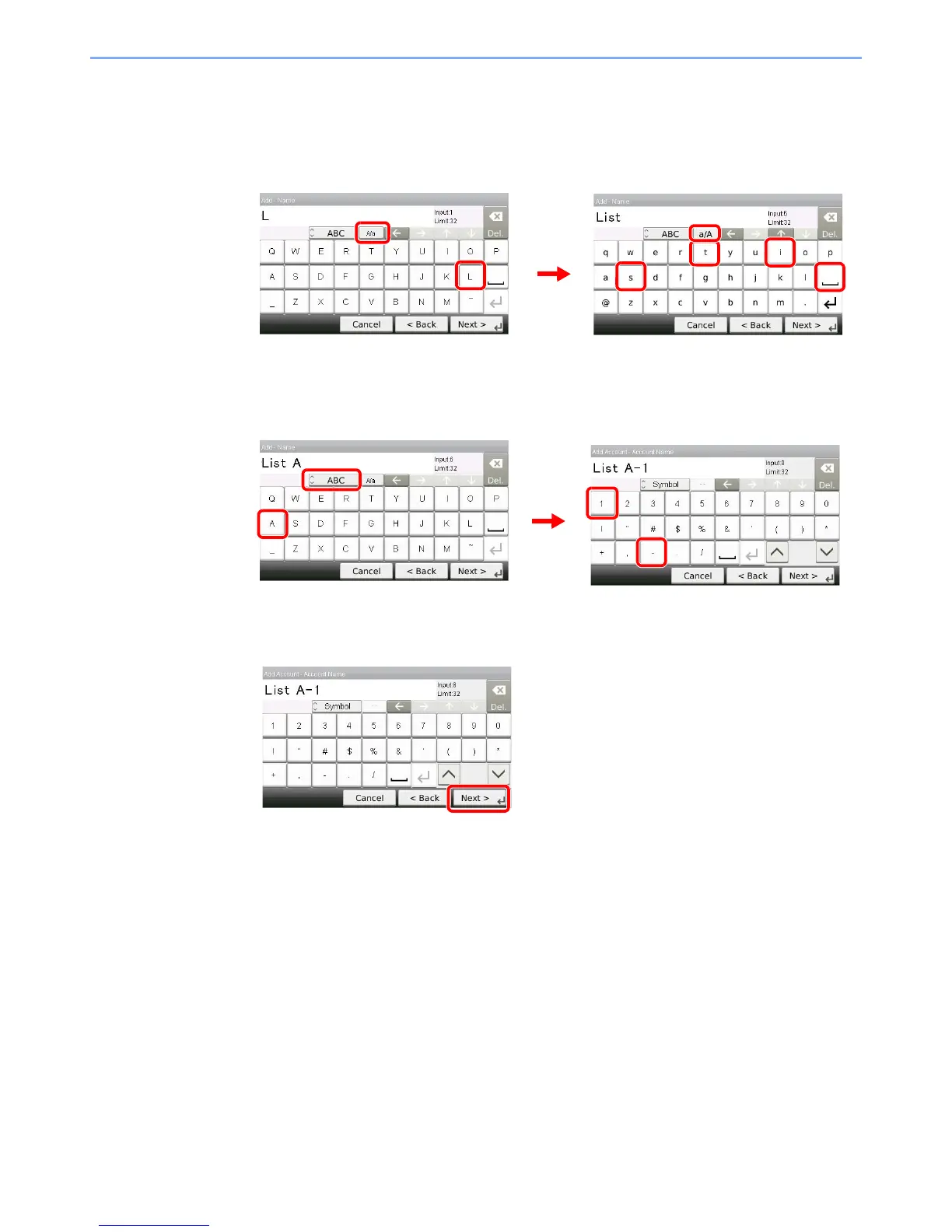
Follow the steps below to enter ‘List A-1’ for an example.
1
Enter 'List', (space).
To shift from lower case to upper case letters, press [a/A]. To shift from upper case to lower
case letters, press [A/a].
2
Enter 'A-1'.
To enter numbers or symbols, press [ABC] to display [Symbol].
3
Register the characters you entered.
Press [Next>]. The entered characters are registered.



 To Next Page
 Loading...










