2NJ/2RK
2-125
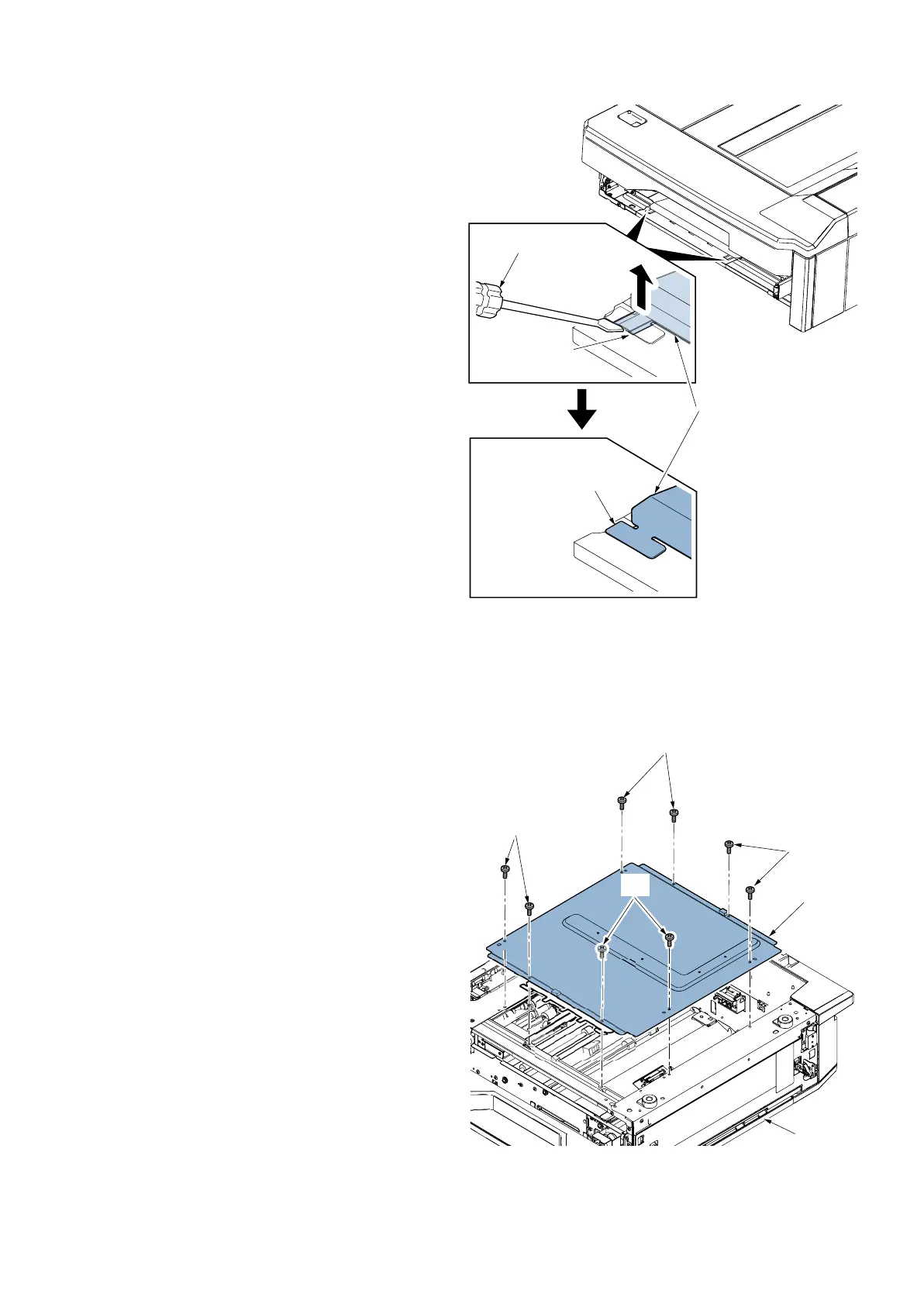
2. Insert the flathead screwdriver (c) into two inlays
(b)(Left/Right) of the frame film A (a), and then
detach to lift the claw to the top.
3. Remove four screws and then remove the rear
cover.
Figure 2-235
4. Reverse upper and lower parts of side multi tray
(a).
5. Remove the four screws(b)(M3×8) and detach the
right cassette (a).
Figure 2-236
a
c
c
b
c
a
b
b
b
b












 To Next Page