2WA/2NJ/2RK
4-86
(1-10) Detaching and reattaching the left upper cover
Procedures
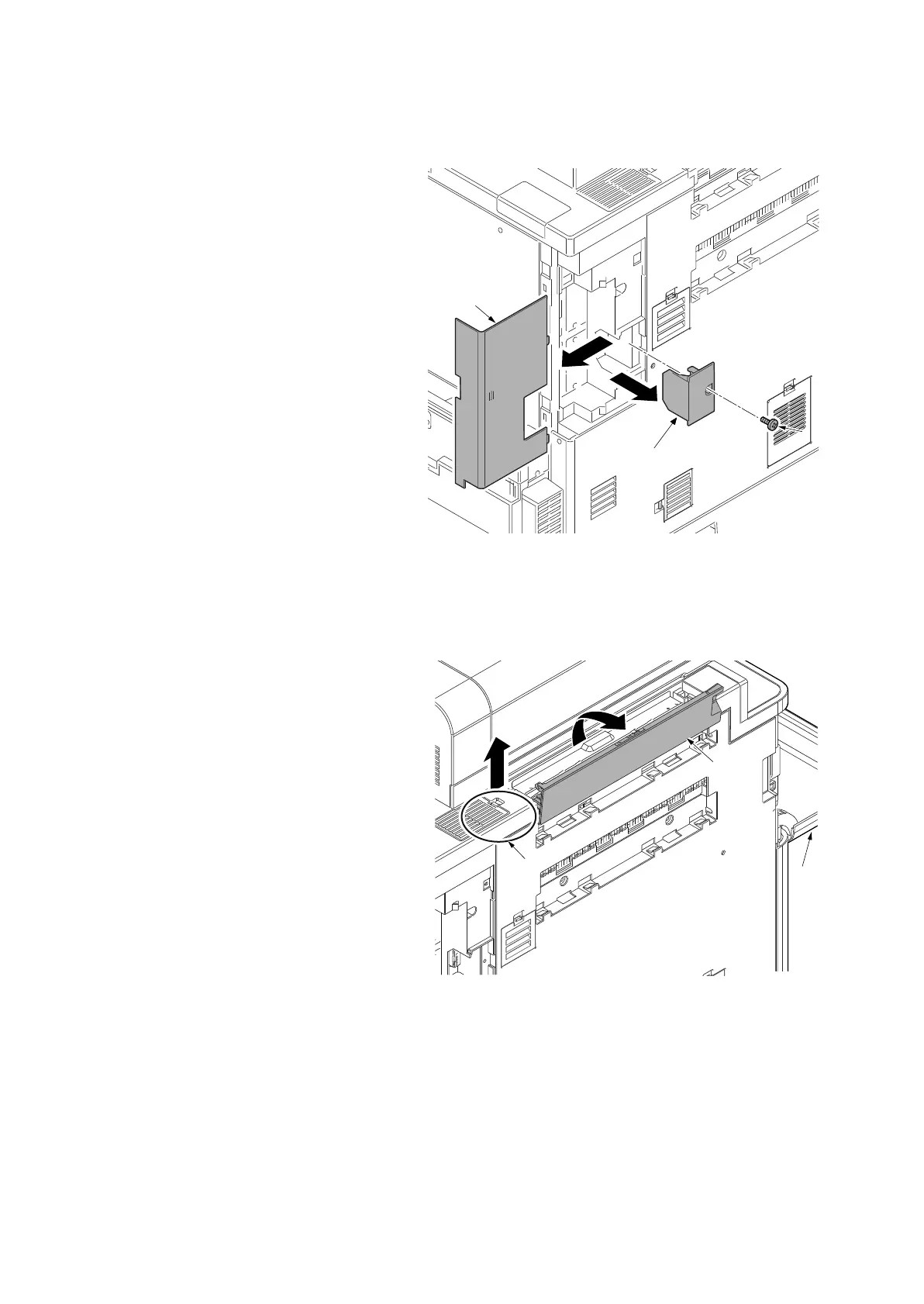
1. Remove the controller cover (a).
2. Remove the screw (b)(M3x8) and then
remove the controller lid (c).
Figure 4-123
3. Open the front cover (a).
4. Open the bridge eject cover (b).
5. Unhook the rib by lifting up the ISU rear
cover edge (c).
Figure 4-124
a
c
b
14j0219
c
b
a
14j0220












 To Next Page