2WA/2NJ/2RK
4-97
(3) Optical section
(3-1) Detaching and reattaching the LSU
Procedures
1. Detach the inner unit. (Refer 1-4-30)
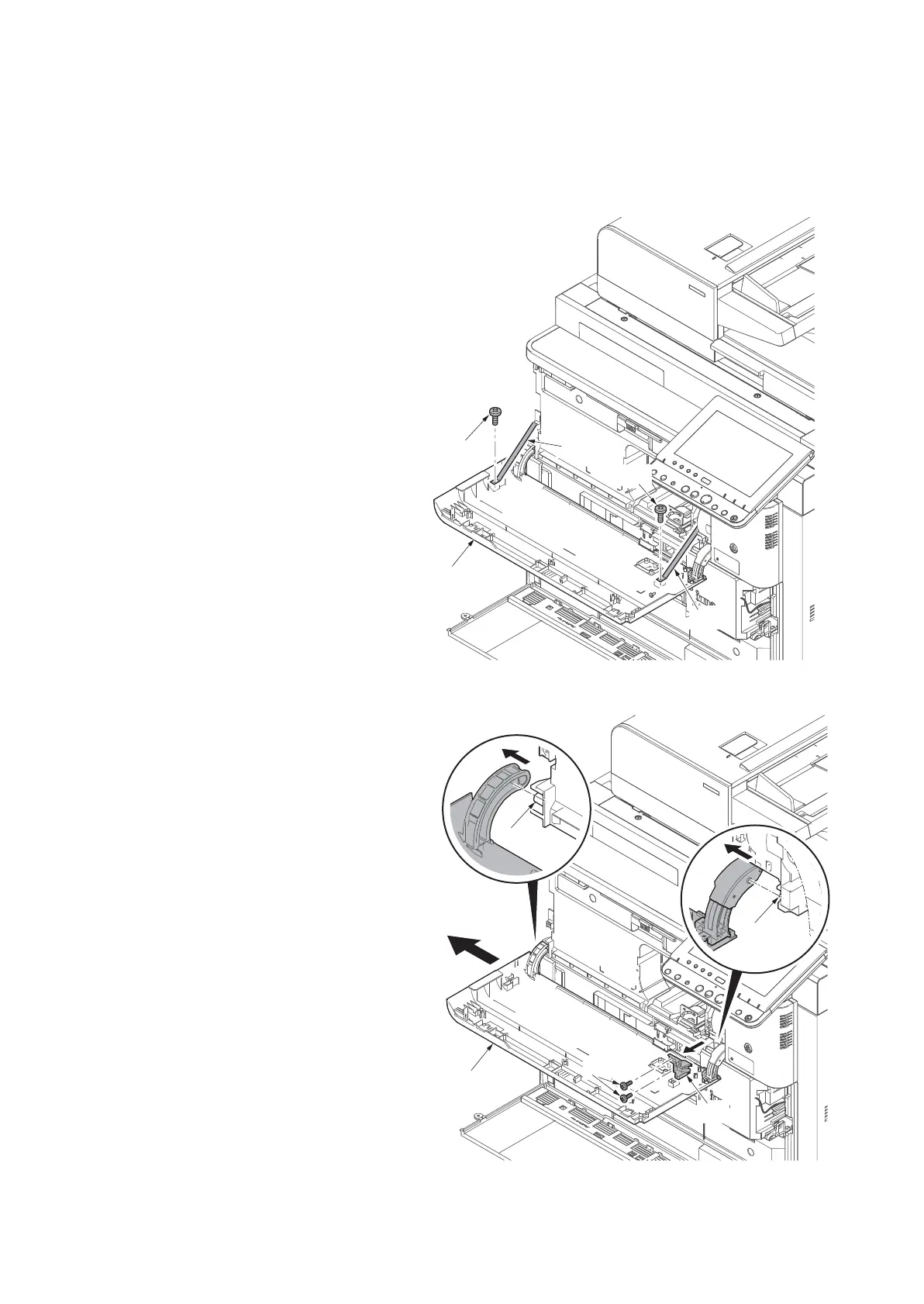
2. Remove two screws (c) that secure the
two straps (b) on the front upper cover
(a).
Figure 4-140
3. Remove two screws (a) and then
remove the hinge cover (b).
4. Slide the front upper cover (c) to left
and then remove the cover from pins
(d) and guide (e).
Figure 4-141












 To Next Page