2WA/2NJ/2RK
4-98
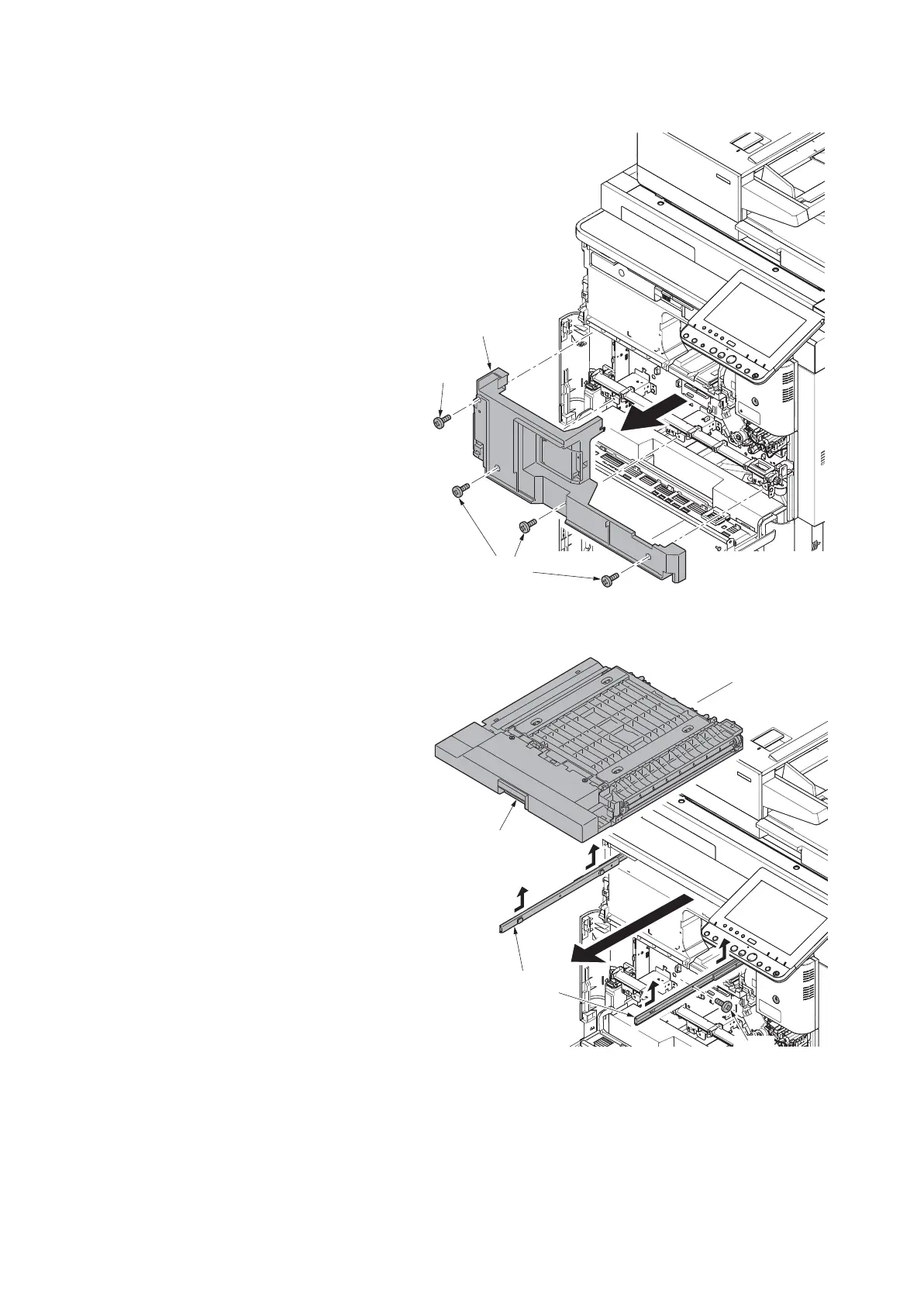
5. Remove four screws (a)(M4x8) and
then remove the inner lower cover (b).
Figure 4-142
6. Pull out the bridge conveying unit (a).
7. Remove the screw (b)(M3x6).
8. Slide the bridge conveying unit (a) and
then remove the unit from the hooks of
the slide rails (c).
Figure 4-143
a
b
a
a
c
b


 To Next Page
 Loading...










