2NJ/2RK
2-25
(12-2) Set paper in the cassette
Set the paper to the cassette 1, cassette 2, optional cassette 5(PF-7130), cassette 6(PF-730) and cassette 7(PF-
730). The following procedure is an example for the cassette 1.
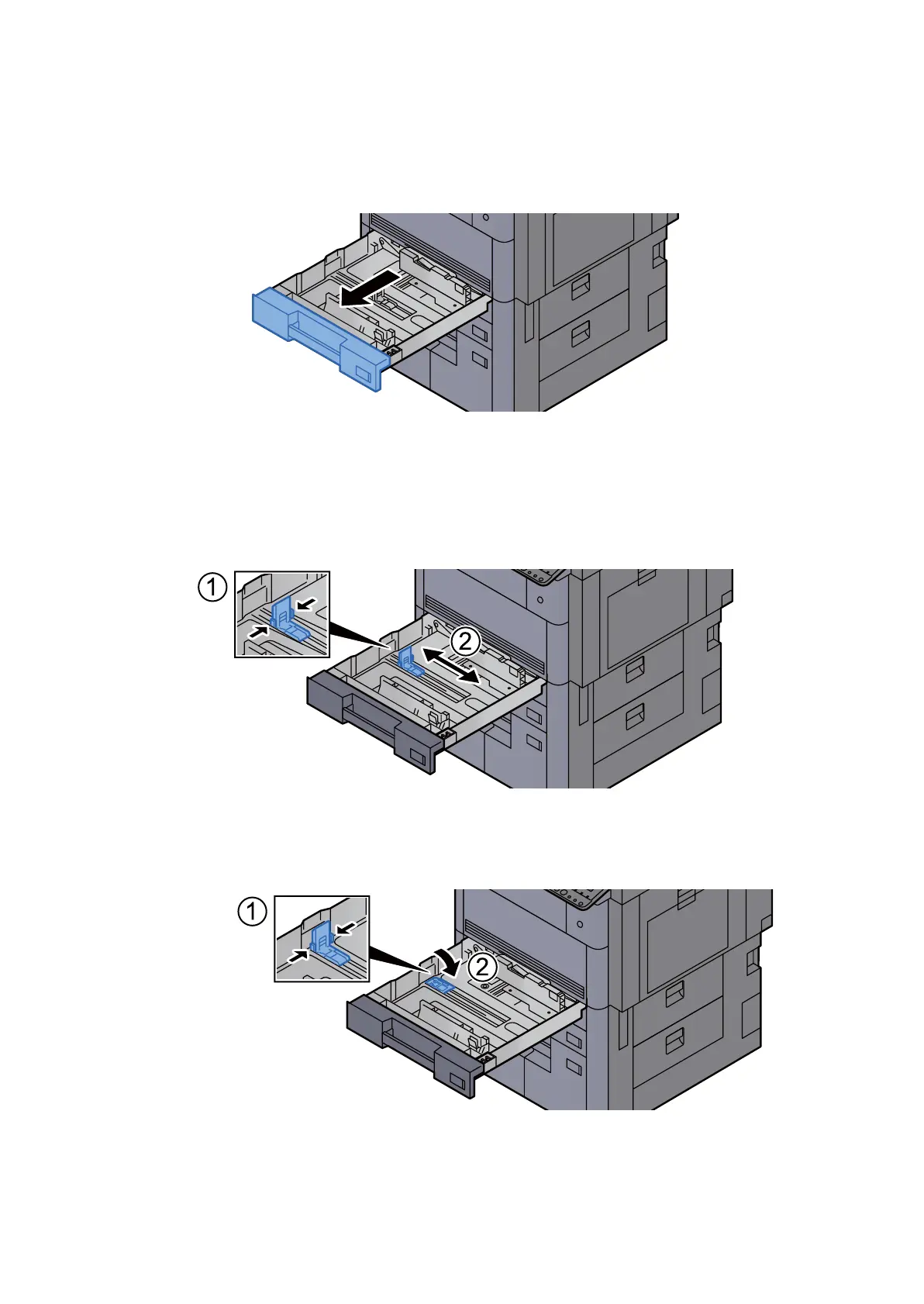
1. Pull the cassette completely out of the main unit.
Figure 2-41
Note
Do not pull out multiple cassettes simultaneously.
2. Adjust the position of the paper length guide.
1.Press the tab and slide the guides to the paper size to use.
Figure 2-42
Note
Lay down the paper length guide when using 12x18" in Cassette 1, 2.
Figure 2-43












 To Next Page