2WA/2NJ/2RK
4-18
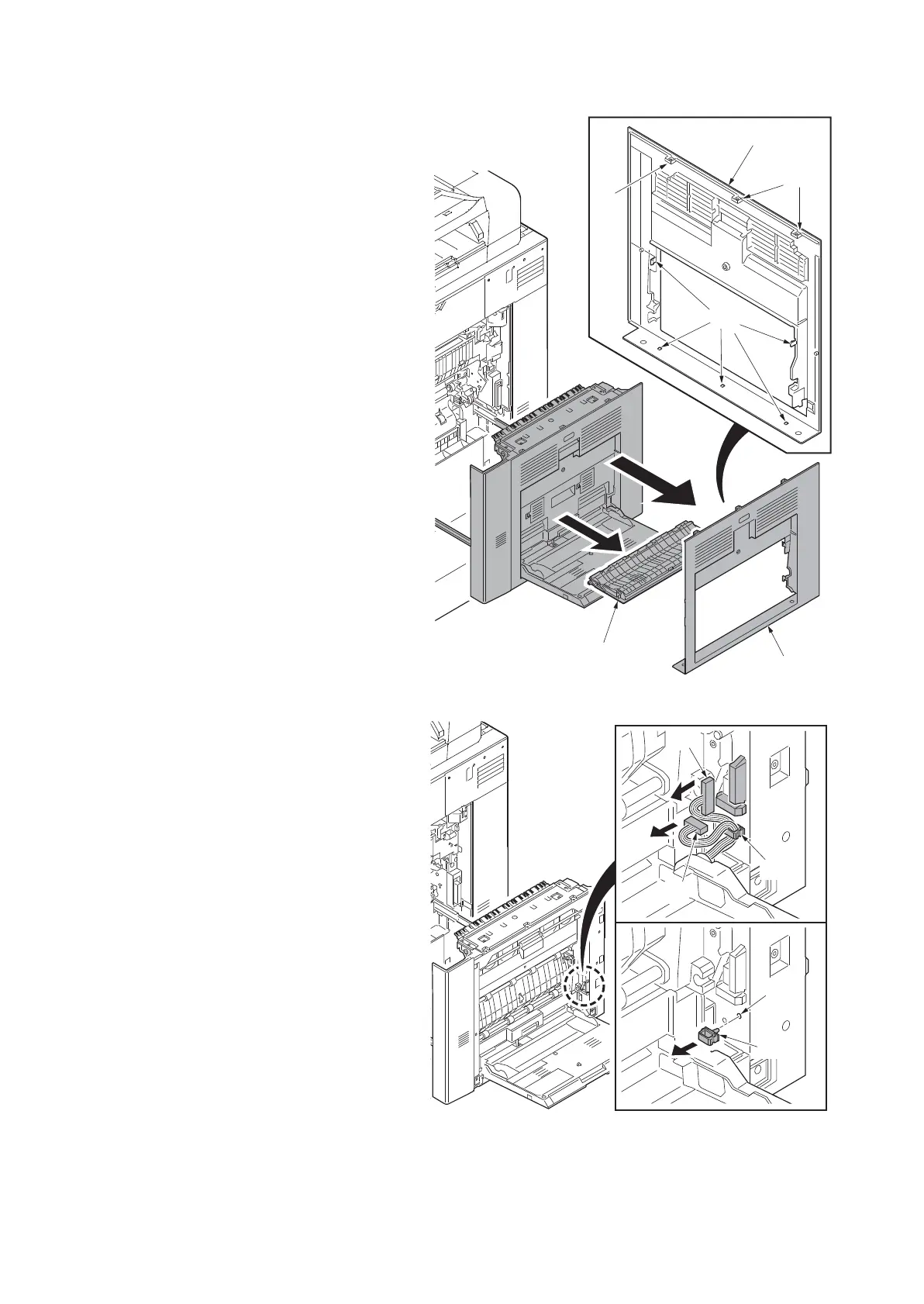
4. Release eight hooks (a). And then
remove the right cover (b) and DU
cover assembly (c).
Figure 4-16
5. Disconnect two connectors (a).
6. Release the wire saddle (b).
7. Remove the wire saddle (b).
*: Check if the mounting hole (c) is in the
original position when reattaching it.
Figure 4-17
a
a
a
b
b
c












 To Next Page