2WA/2NJ/2RK
4-45
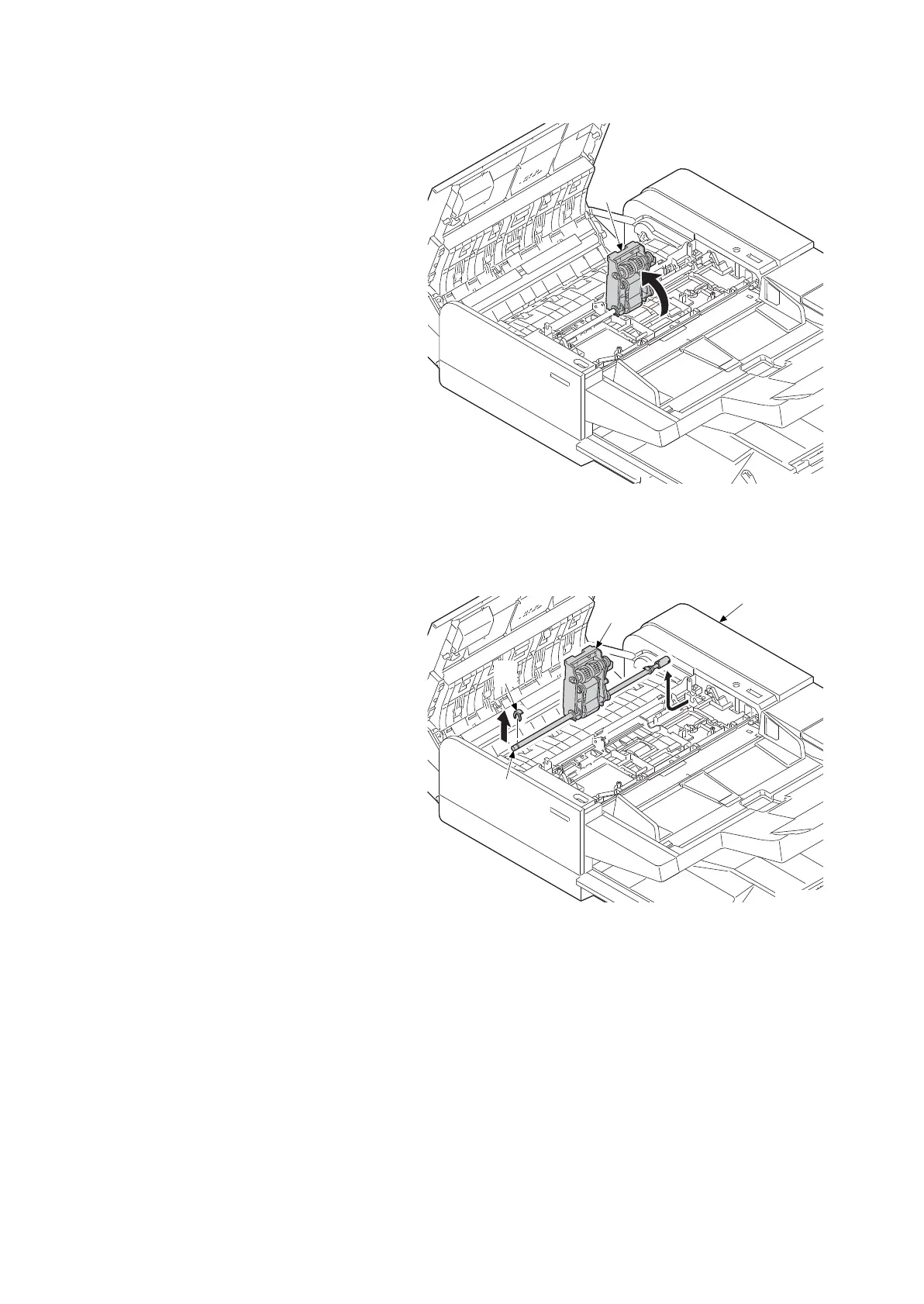
4. Raise the PF paper feed unit (a)
upward.
Figure 4-56
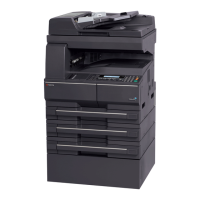
5. Detach the front side stop ring from the
DP feed belt shaft (a).
6. Slide the DP feed unit (c) frontward and
remove it from the document processor
(d)
7. Attach the DP paper feed unit (c).
8. Reattach the parts in the original posi-
tion.
Figure 4-57
14j0072
d
b
a
c
14j0073




 To Next Page