2WA/2NJ/2RK
4-53
5. Execute the following procedures when
replacing the waste toner box (a) to the
new unit.
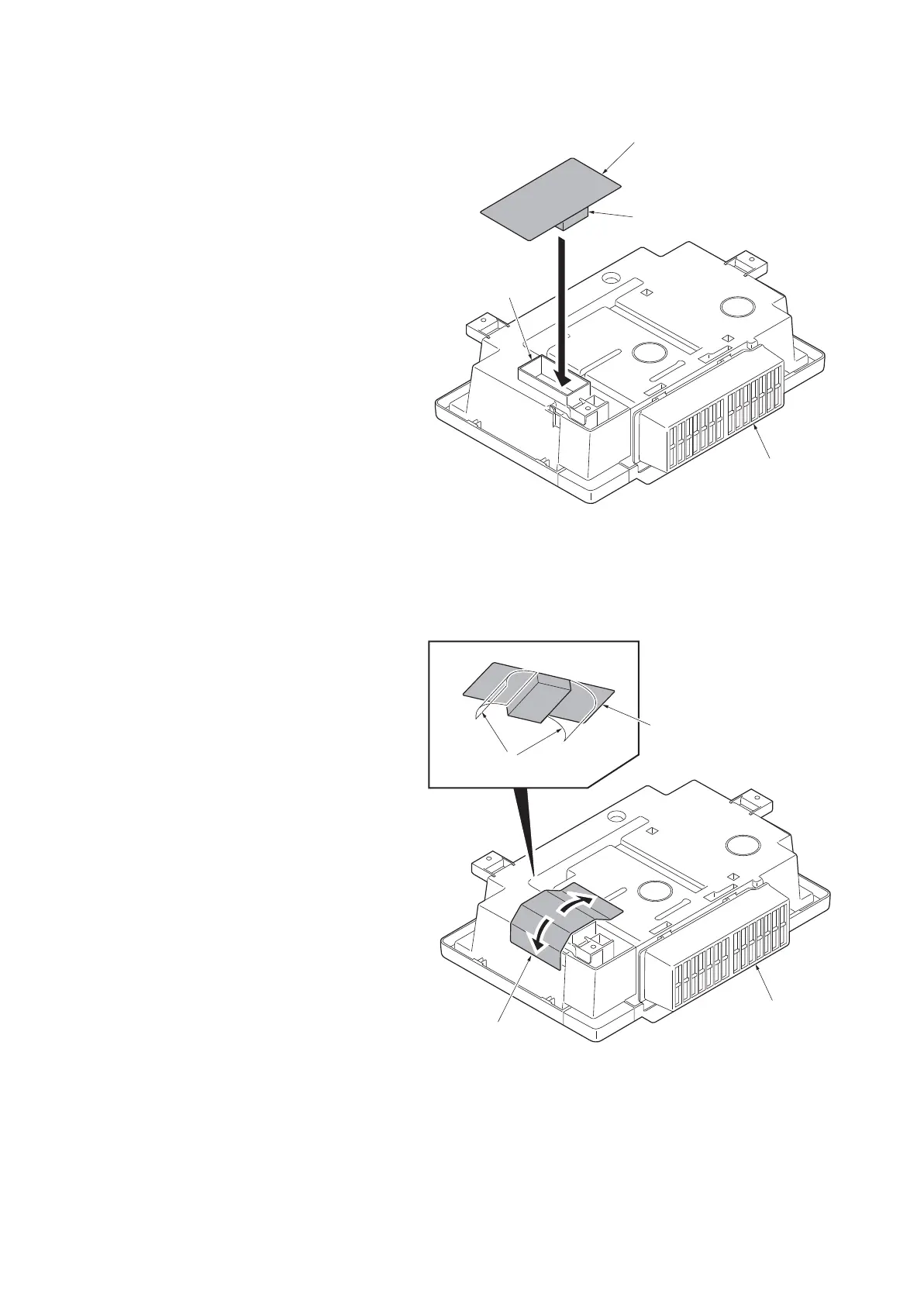
6. Insert the sponge (d) at the toner cap
sheet (c) into the opening (b) of the
waste toner box (a) that was removed.
Figure 4-67
7. Peel the protective pad (a) from the
toner cap sheet (a).
8. Affix the toner cap sheet (a) over the
waste toner box (c).
9. Attach the new waste toner box (c) to
the main unit.
10. Reattach the parts in the original posi-
tion.
Figure 4-68
a
b
c
d
14j0083
a
b
c
a
14j0084












 To Next Page