2WA/2NJ/2RK
4-57
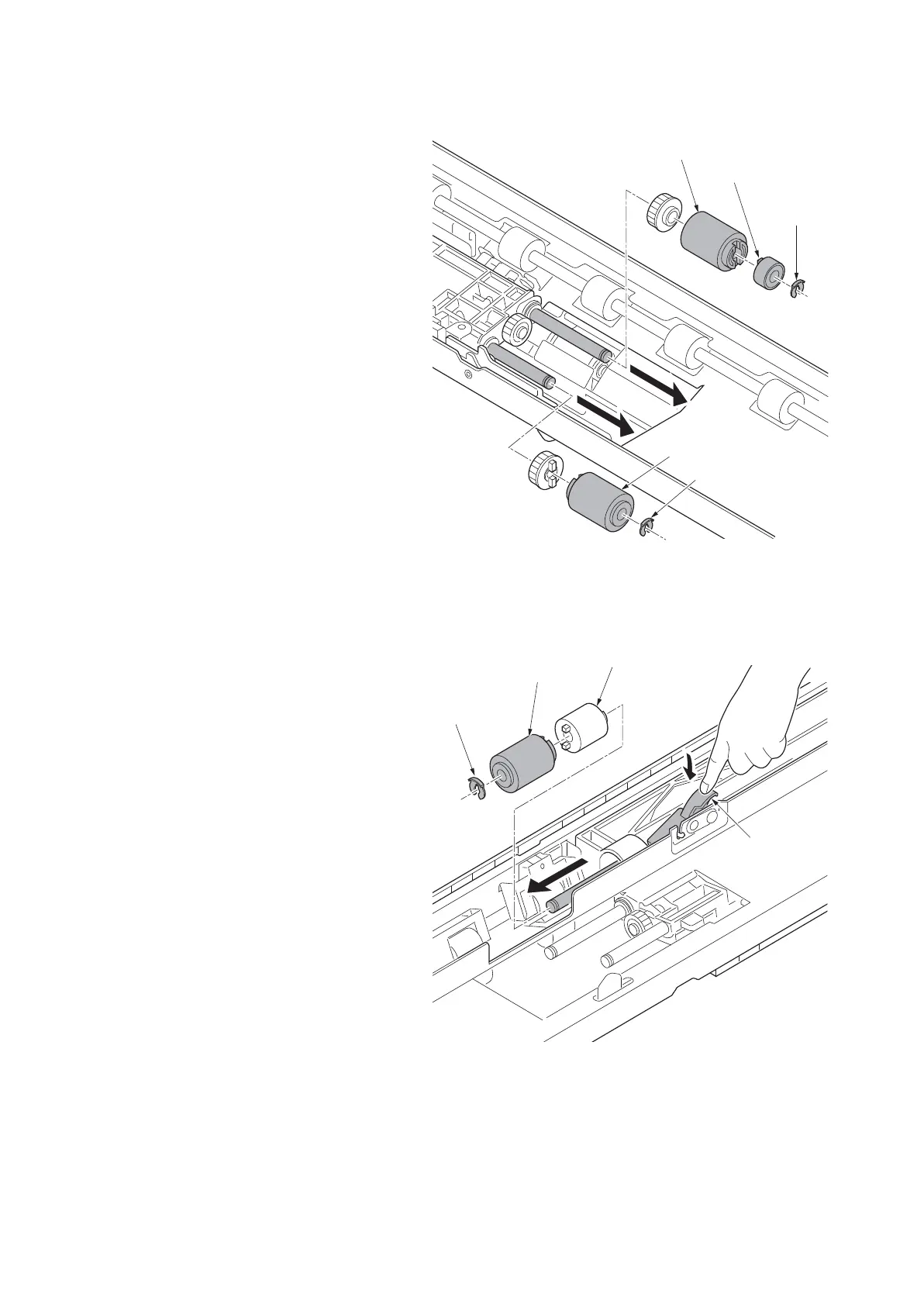
10. Remove the stop ring A (a) and then
remove the one way clutch (b) and PF
paper feed pulley (c).
11. Remove the stop ring B (d) and then
remove the PF forwarding pulley (e).
Figure 4-75
12. Remove the stop ring (a).
13. While pressing the retard release lever
(b), remove the PF separation pulley
(c).
14. Clean or replace the PF forwarding pul-
ley, PF paper feed pulley and PF sepa-
ration pulley.
15. Reattach the PF forwarding pulley, PF
paper feed pulley and PF separation
pulley in the original position of the PF
primary paper feed unit.
Figure 4-76
b
a
c
d
e
14j0096
b
a
c
d
14j0097












 To Next Page