2WA/2NJ/2RK
4-133
Detaching the feed drive unit
Procedures
1. Remove the rear left cover, rear right
cover and rear lower cover.
2. Pull out the conveying unit.
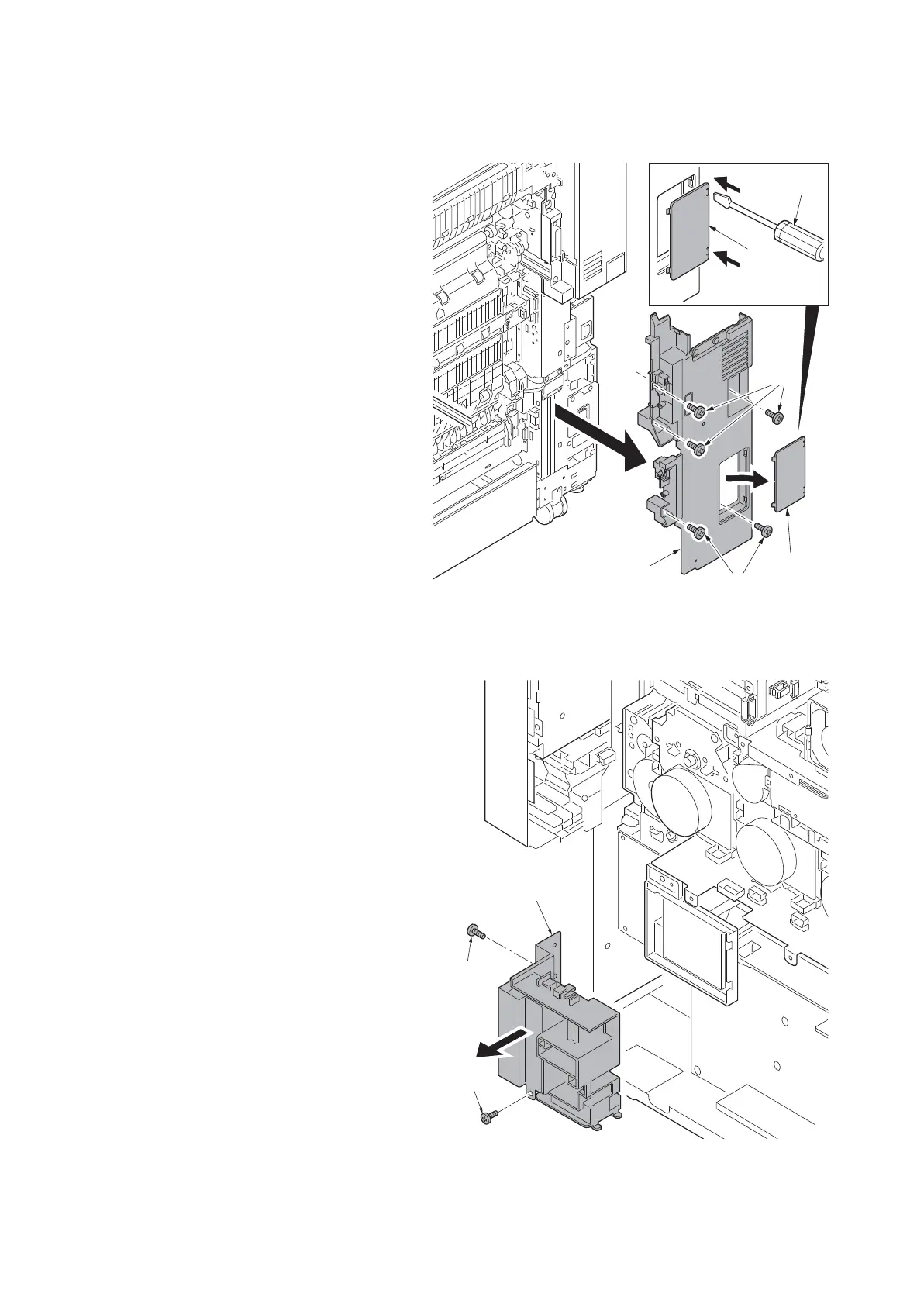
3. Release two hooks using a flat blade
screwdriver (a) and then remove the
interface cover (b).
4. Remove five screws (d)(M4x8) of the
right lower rear cover (c).
5. Remove the right lower rear cover (c).
Figure 4-197
6. Remove two screws (a)(M4x8) and
remove the inlet unit (b).
Figure 4-198
c
b
a
b
d
d
14j0209
a
b
a
14j0270












 To Next Page