2WA/2NJ/2RK
4-156
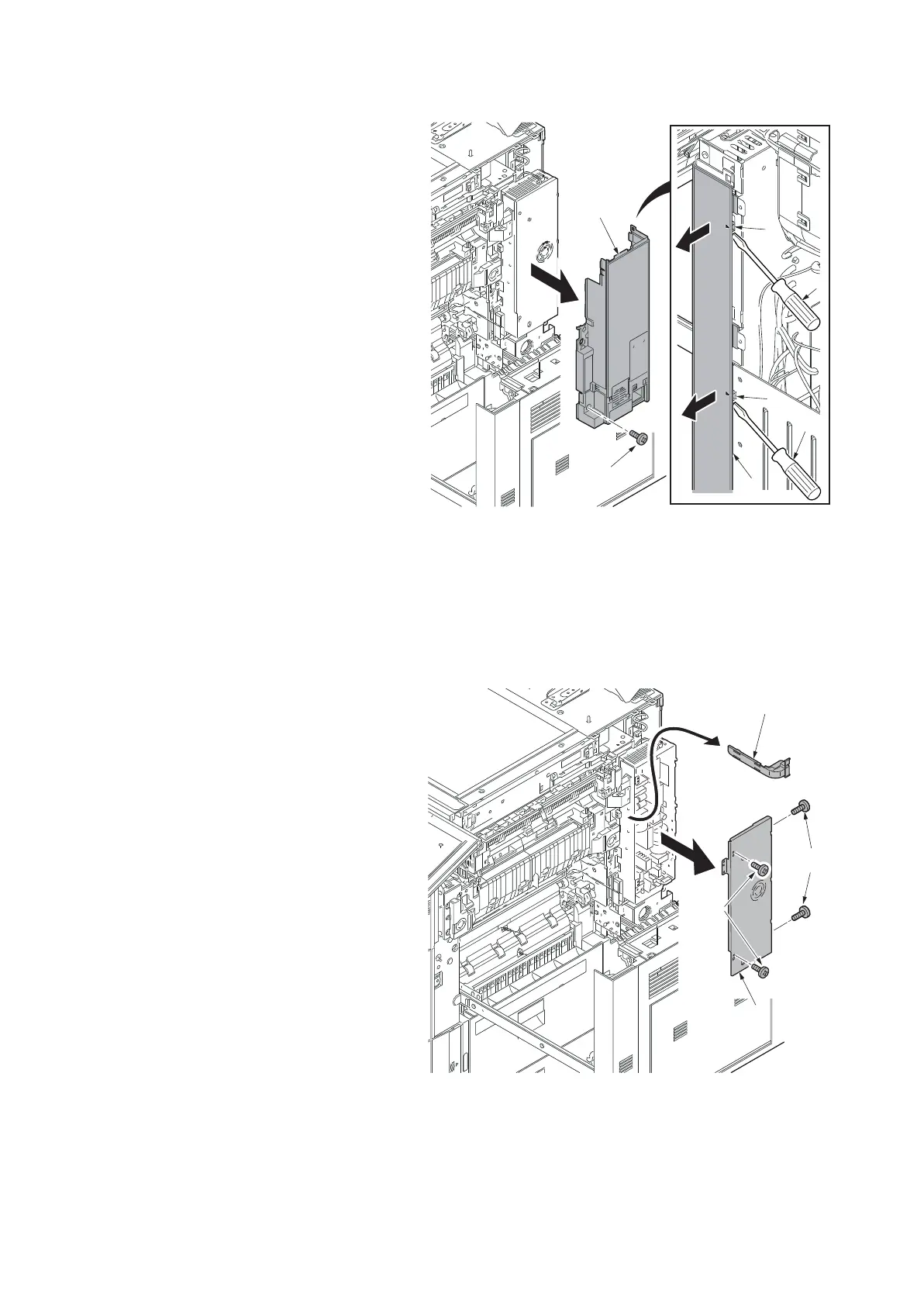
13. Remove the screw (a)(M4x8).
14. Release two hooks (c) using a flat blade
screwdriver (b) and remove the right
middle rear cover (d).
Figure 4-232
15. Remove four screws (a)(M3x8) and
then remove the IH PWB cover (b).
16. Remove the IH wire cover (c).
Figure 4-233
a
d
d
c
c
b
b
14j0217
c
b
a
a
14j0218












 To Next Page