2WA/2NJ/2RK
4-168
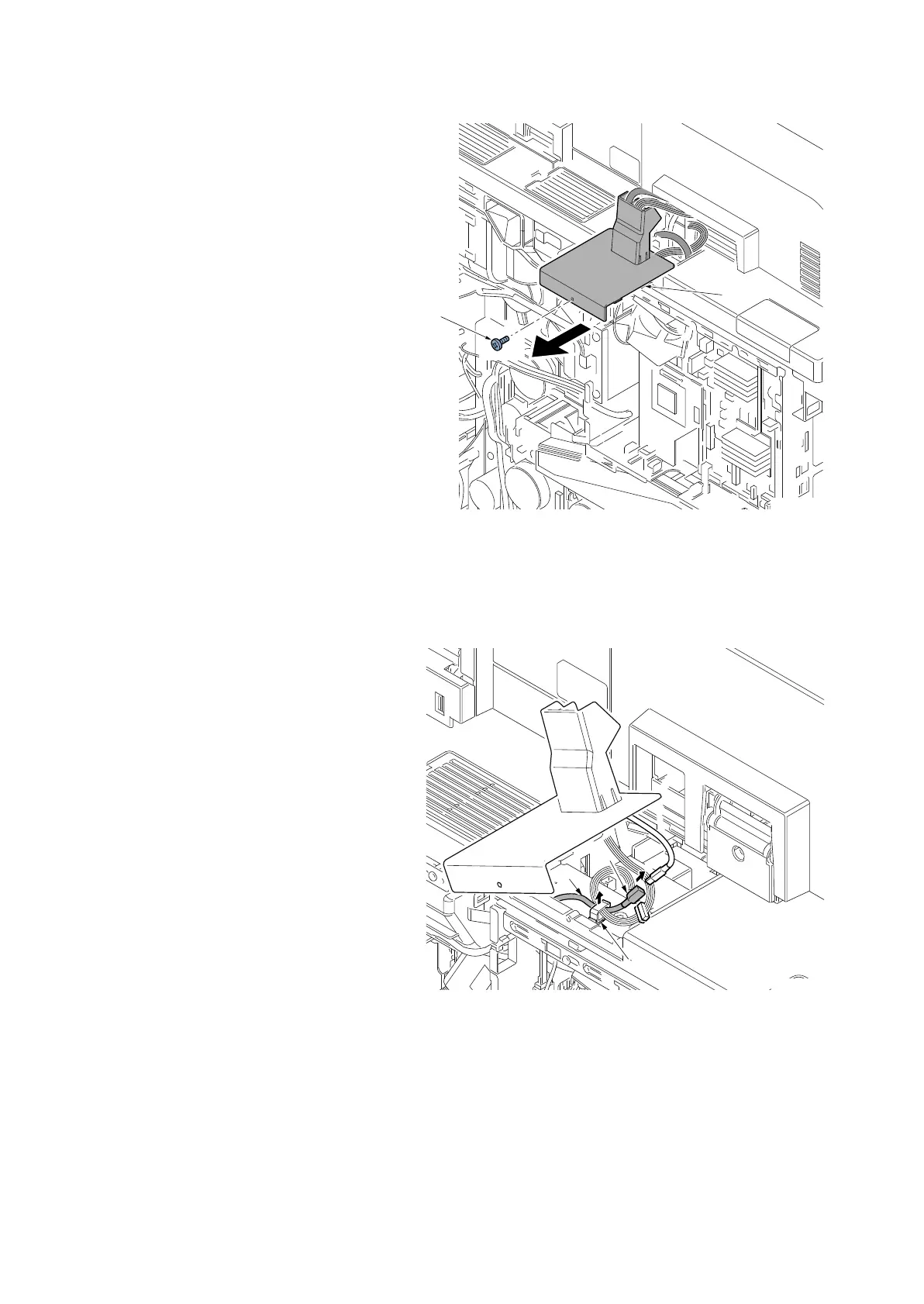
4. Remove the screw (a)(M3x8) and
remove the DPIF lid (b).
Figure 4-248
5. Disconnect the connector (a) and
release the wire saddle (b) to remove
the wire (c).
Figure 4-249
When IB-35 is installed, remove it by the following procedure (steps 6 to 10).
Other than that, go to step 11.
a
b
14j0400
c
a
b
14j0401


 To Next Page
 Loading...










