2WA/2NJ/2RK
4-213
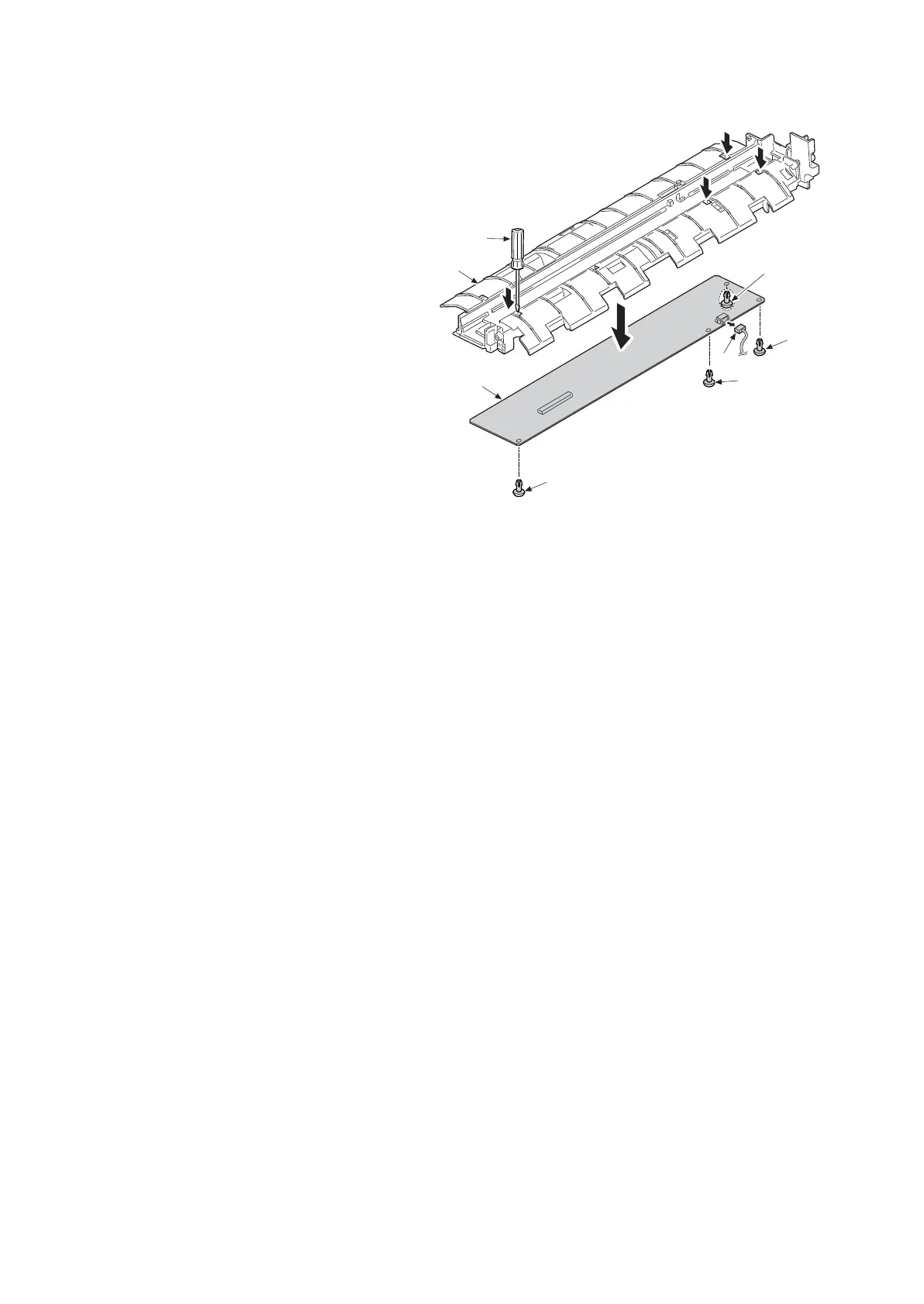
8. Disconnect the connector (e).
9. Remove four pins (c) using a flat blade
screwdriver (b) and remove the DPSHD
PWB (d).
10. Replace the CIS assembly (a), and then
reattach the parts in the original posi-
tion.
11. When replacing the new CIS assembly,
execute the following procedures.
12. Clean the CIS roller and contact glass
(CIS).
13. Execute maintenance mode U091
(White lines correction setting). (Refer
P.6-68)
14. Make test copy with gray originals.
15. When white streak appears on the
image of the test copy, executing step
13, 14 again, repeating till white streak
disappears.
16. Execute maintenance mode U411
(scanner auto adjustment) (Refer P.6-
172)
Figure 4-324
a
b
c
c
c
c
d
e
14j0510












 To Next Page