2WA/2NJ/2RK
6-137
Setting: Finisher
1.Select the item to set.
Setting: Punch Regist
1.Select [Punch Regist].
2.By using the [+] [-] keys or the numeric keys, change the setting value.
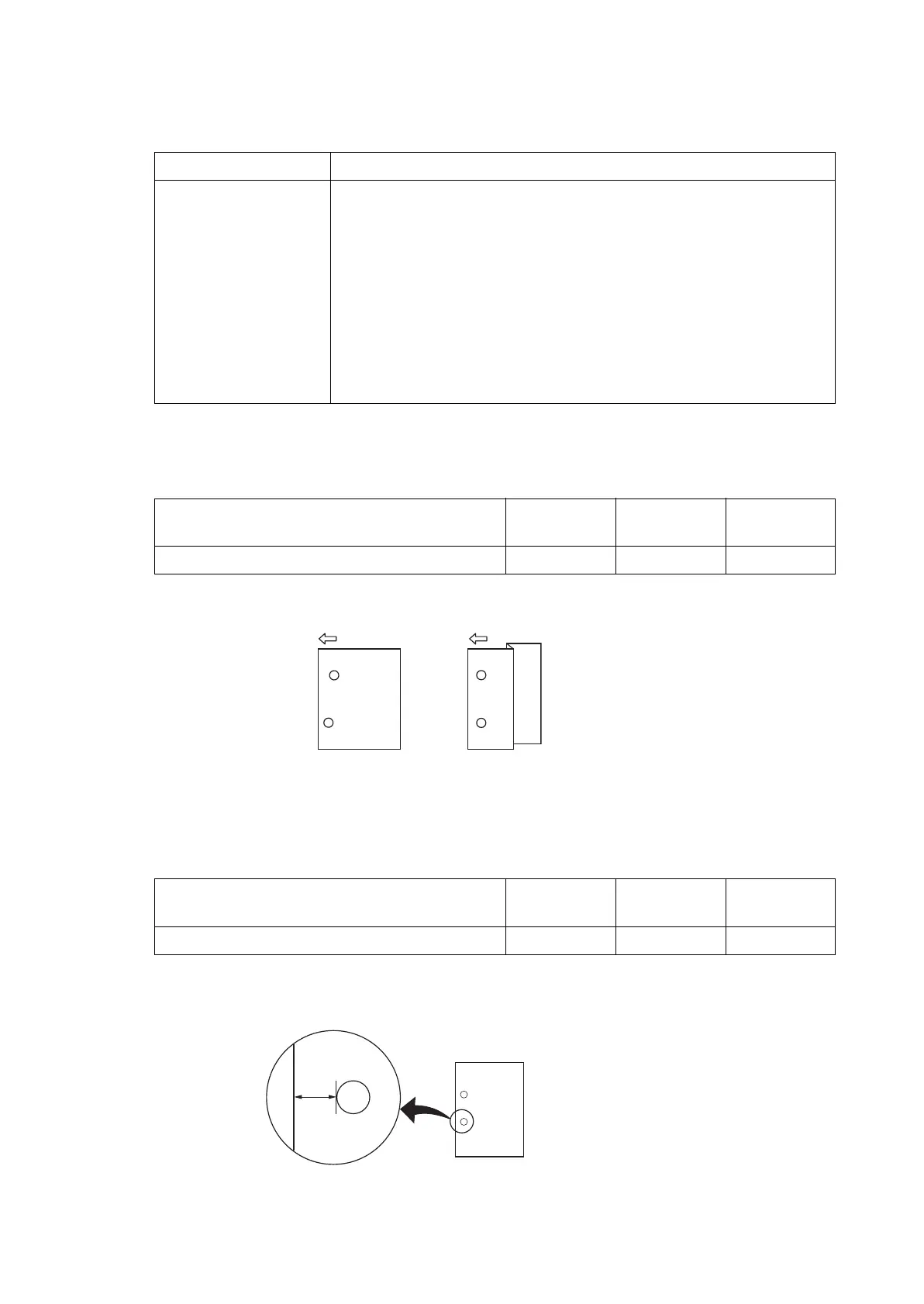
* :Increase the value if paper is skewed (sample 1).
Reduce the set value if paper is folded in a Z-shape (sample2).
3.Press the [Start] key to set the setting value.
Setting: Punch Feed
1.Select [Punch Feed].
2.By using the [+] [-] keys or the numeric keys, change the setting value.
* :Increase the specified value if the punch position is shorter than specified.
Reduce the specified value if the punch position is longer than specified.
3.Press the [Start] key to set the setting value.
Items Contents
Punch Regist Punch registration stop timing adjustment in the punch mode.
Punch Feed Punch position stop timing adjustment in the punch mode.
Punch Width *1 Punch center position timing adjustment in the punch mode.
Width Front HP Front width adjuster home position adjustment
Width Tail HP Rear width adjuster home position adjustment
Shift Front HP *1 Adjustment of front shift home position
Shift Tail HP *1 Adjustment of rear shift home position
Staple HP Front/rear staple home position adjustment
Content to adjust Setting
range
Data varia-
tion
Initial setting
Adjusting the punch registration stop timing -20 to 20 0.25mm 0
Content to adjust Setting
range
Data varia-
tion
Initial setting
Adjusting the punch stop timing -10 to 10 0.52mm 0
Sample 1 Sample 2
A
Preset value A: 13 mm (metric)
9.5 mm (inch)




 To Next Page