2WA/2NJ/2RK-2
6-166
Contents
Adjusts the margins for the table scanning.
Purpose
Make the adjustment if margins are incorrect
Adjustment
1.Press the [Start] key.
2.Press the [System Menu] key.
3.Place an original and press the [Start] key to make a test copy.
4.Press the [System Menu] key.
5.Select the item to adjust.
6.Change the setting value by using [+] [-] key or the numeric keypad.
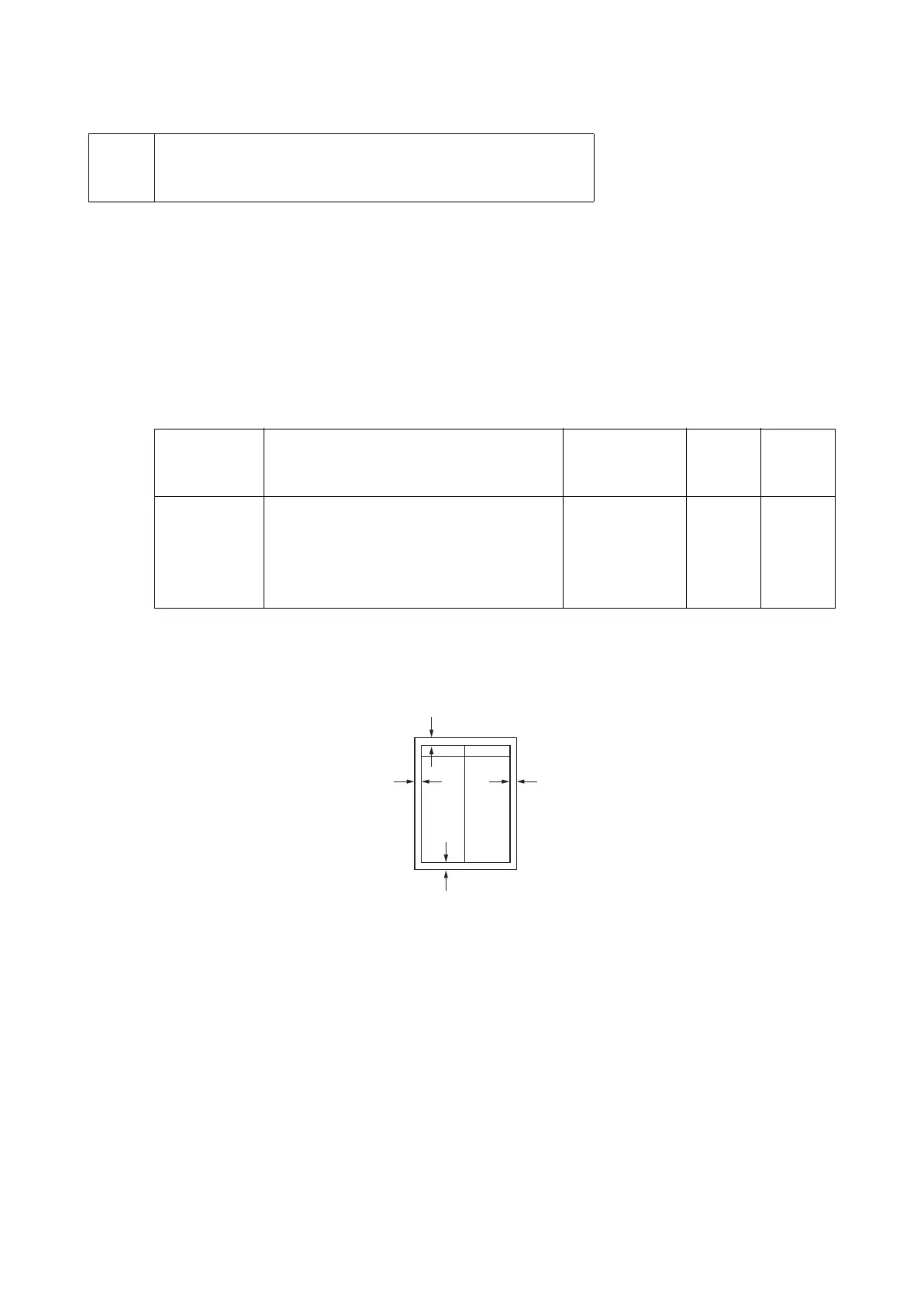
* :When the setting value is increased, the margin widens, and it narrows when the setting
value is decreased.
Figure 6-21
7.Press the [Start] key to set the setting value.
Precautions
Check the copy image after the adjustment. If the image is still incorrect, adjust the following in
the maintenance mode.
U034(P.6-38) > U402(P.6-165) > U403
Completion
Press the [Stop] key.
* :The screen for selecting a maintenance item No. is displayed.
U403 Adjusting margins for scanning an original on the contact
glass
(Message: Adjust Scanning Margin(Table))
Items Contents Setting range Data
varia-
tion
Initial
setting
A Margin Adjusts the scanner left margin 0.0 to 10.0 0.5mm 2.0
B Margin Adjusts the scanner leading edge margin. 0.0 to 10.0 0.5mm 2.0
C Margin Adjusts the scanner right margin 0.0 to 10.0 0.5mm 2.0
D Margin Adjusts the scanner trailing edge margin 0.0 to 10.0 0.5mm 2.0
Leading edge margin
(4.0 +1.5/-0 mm)
Left margin
(4.0 mm or less)
Right margin
(4.0 mm or less)
Trailing edge margin
(2.5 +1.0/-1.0 mm)


 To Next Page
 Loading...










