2NJ/2RK
2-27
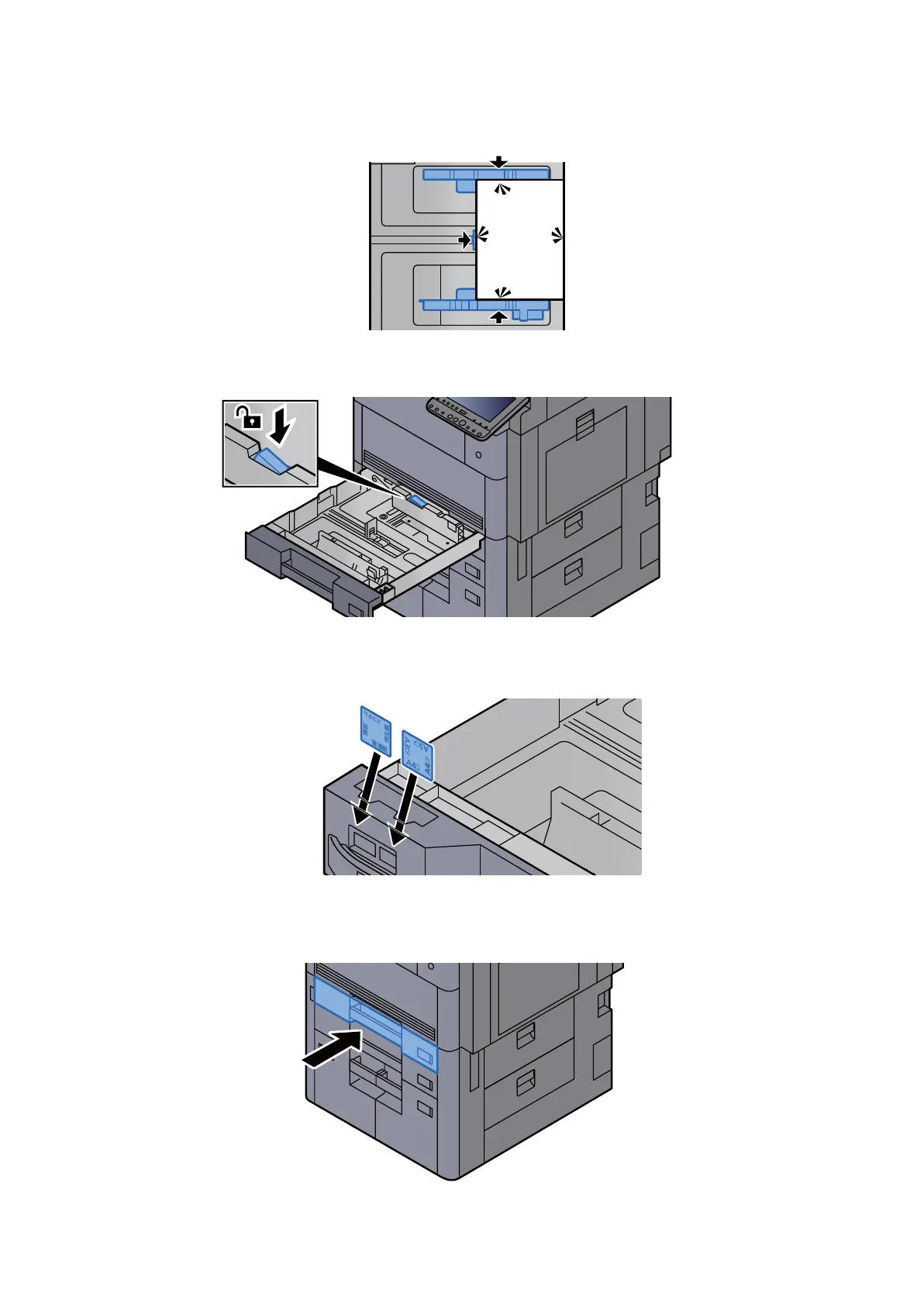
6. Check the paper length guide and paper width guide are securely aligned to the paper.
*: Re-align the paper length guide or paper width guide if gaps are observed.
Figure 2-47
7. Lock the paper width guide
Figure 2-48
8. Insert the paper size and media type sheet(cassette 5, cassette 6 and cassette 7 only).
Figure 2-49
9. Insert slowly the cassette as far as it will go.
Figure 2-50












 To Next Page