2big NAS User Manual 17
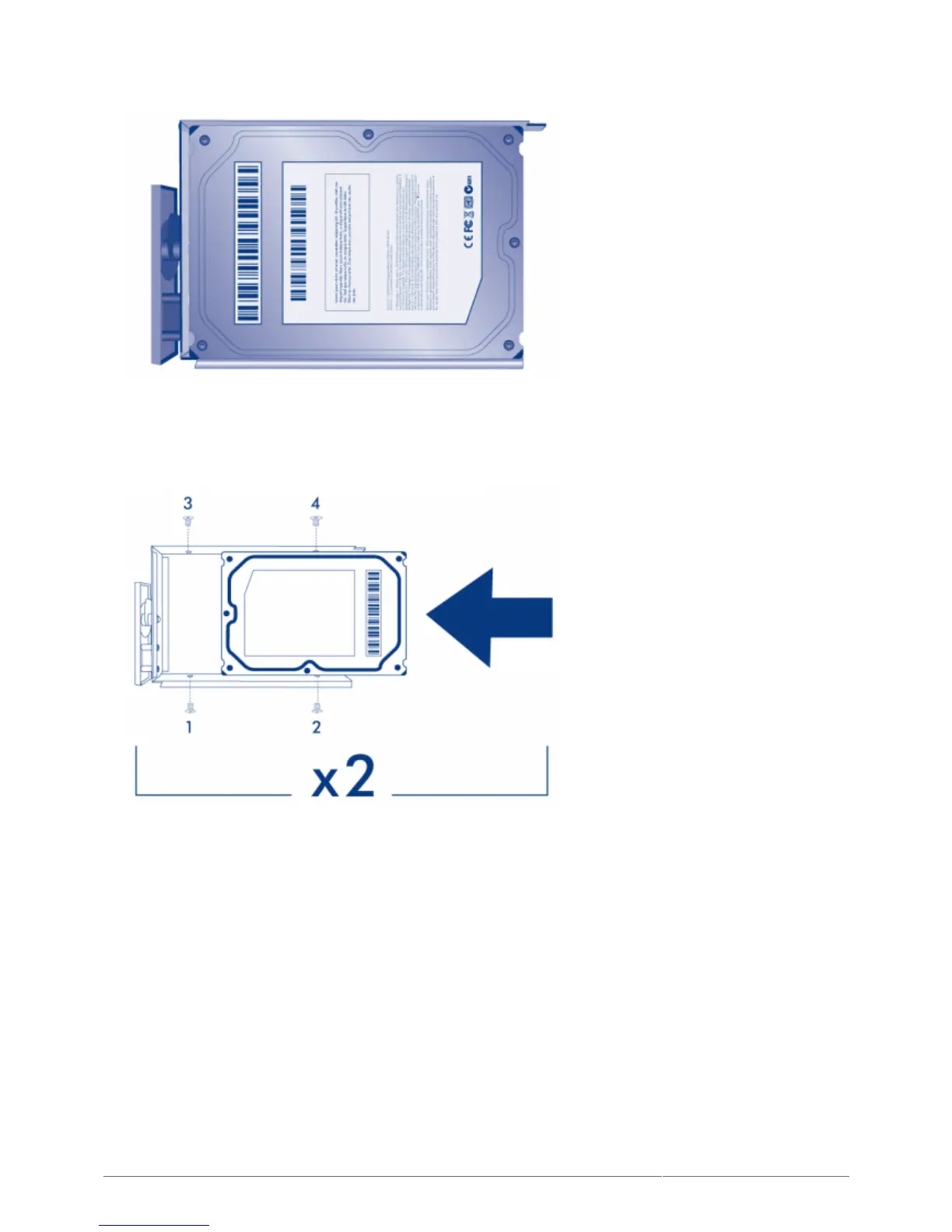
four screw holes.
Using the Phillips head screwdriver, carefully fasten all four screws into the four tray slots. Do not overly3.
tighten the screws. Doing so can affect the integrity of the screw holes on the disk as well as the threads on
the screws.
Repeat the process if you are installing two disks.4.
6. INSERT FULL DISK TRAY(S)
Carefully insert the full disk tray into an empty disk slot. You will feel resistance when the disk tray is most of1.
the way in the bay. Gently push the disk tray handle firmly until you feel it snap into place. The disk tray
handle should be flush with the back of the enclosure.











 To Next Page