16
Manikin Setup
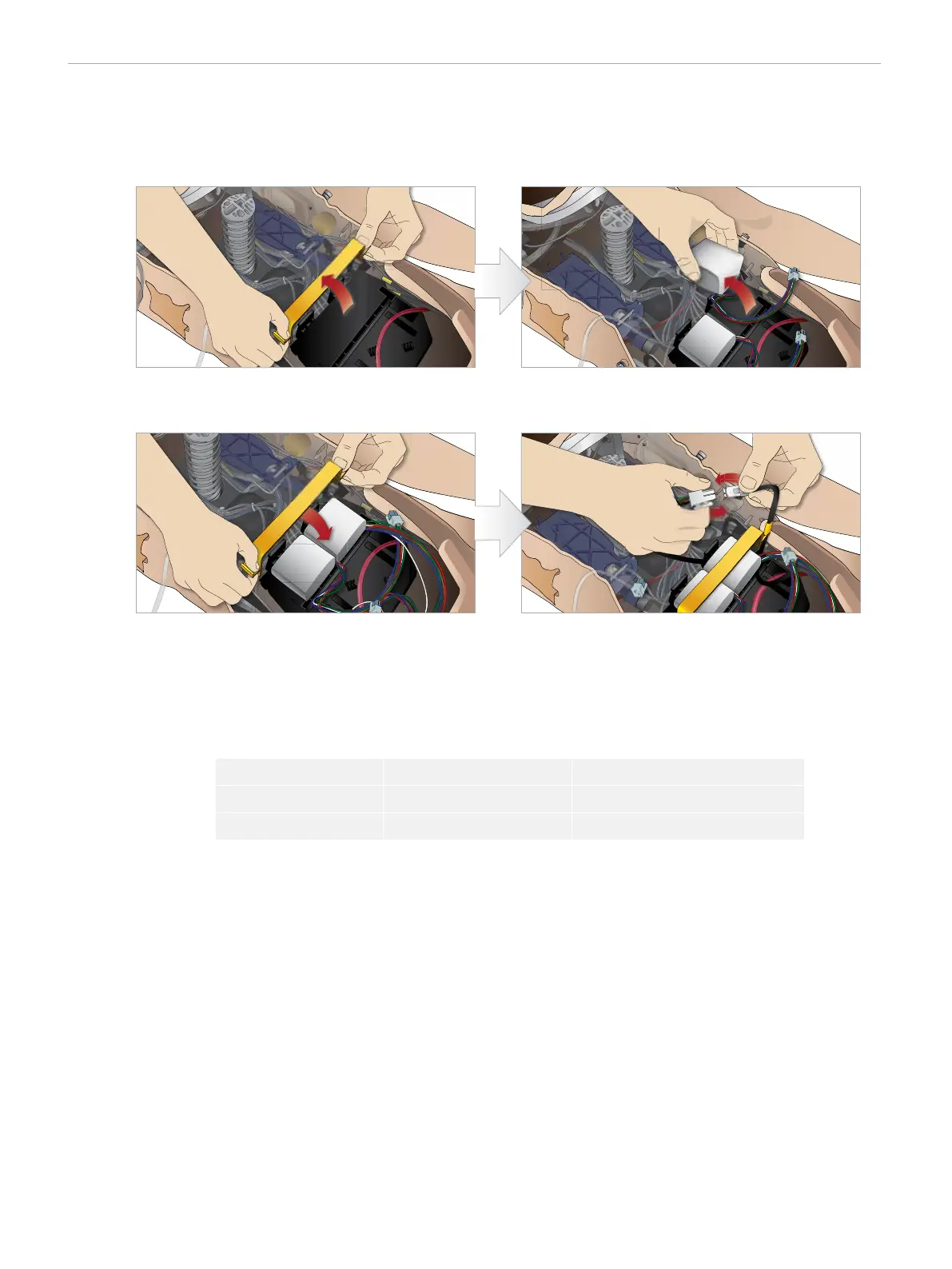
Inserting and Connecting the Batteries
Open the torso as described in steps 1 - 4, Opening the Torso. To remove the batteries, follow the procedure listed below in reverse
order.
3 Snap the battery clamp back into place over the batteries. 4 Connect the corresponding battery cables from the
batteries to the torso.
1 Release the battery clamp by unhooking the clips on
either side.
2 Insert both batteries into the battery tray.
After connecting the batteries, connect the manikin to the external power supply while the manikin is OFF.
BATTERY - CABLE DESCRIPTIONS
Name/Label Tube/Cable Color Connector Description
Battery 1 Black harness cable White rectangular connector, 6 lead
Battery 2 Black harness cable White rectangular connector, 6 lead
For more information on charging the batteries see section, Manikin Setup, Battery Charging and Use.















 To Next Page