39
Manikin SetupSystem SetupSimulation SetupClinical FeaturesMaintenanceTroubleshootingSpare Parts
Simulation Setup
The IV Arm
Follow these instructions when using the IV Arm for SimMan Essential.
The manikin must be switched ON when performing the following.
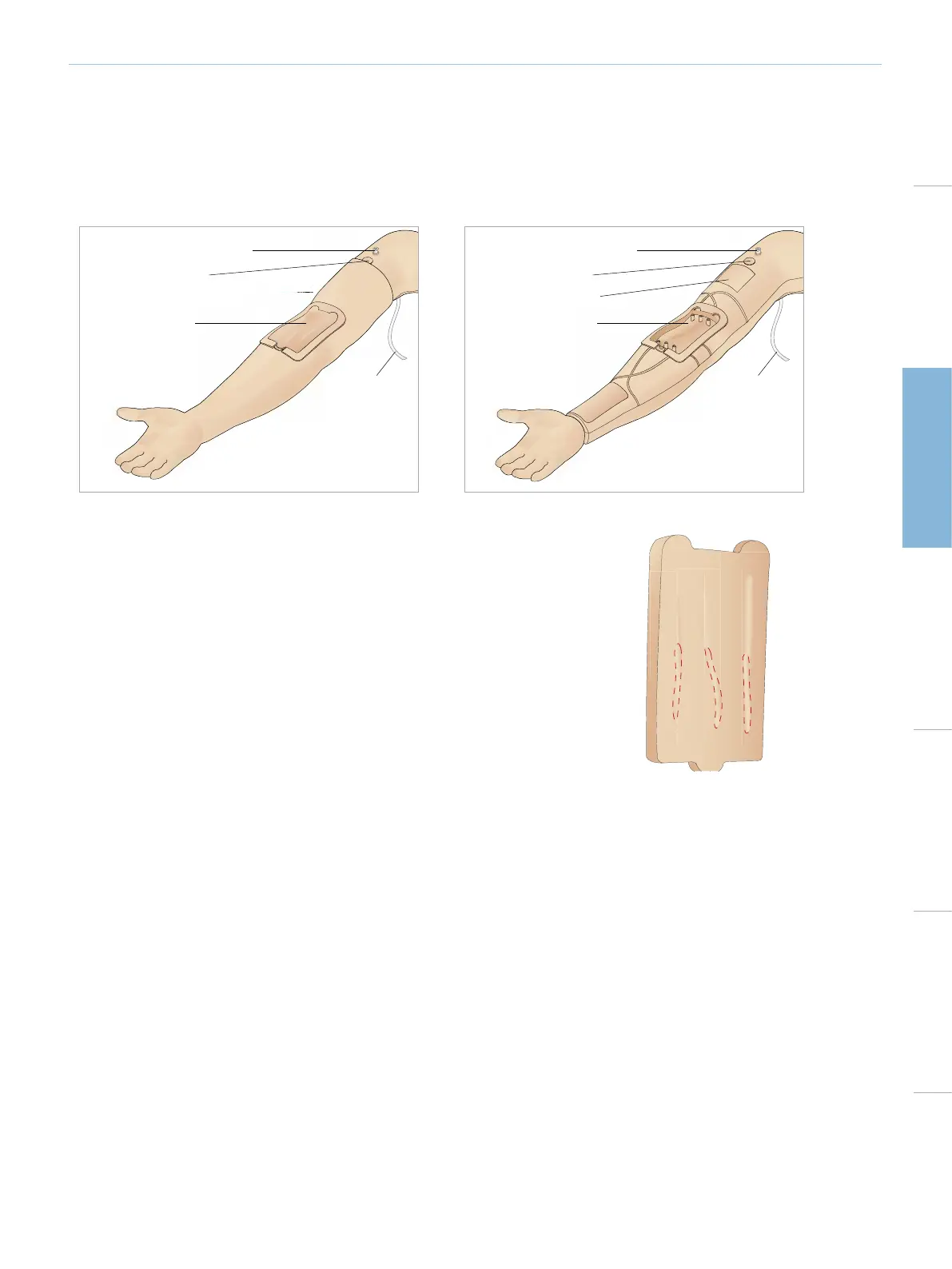
IV ARM WITH SKIN IV ARM WITHOUT SKIN
Filling and Priming port
Priming switch
IV Arm Pad
Drain tube
Filling and Priming port
Priming switch
Tourniquet area
IV Arm chassis
Drain tube
THE IV ARM PAD
The IV Arm Pads have been tested and proven capable of multiple IV catheter insertions/retractions.
To maximize the life of the IV pad we suggest that you insert the IV catheter in the region
highlighted on pad.















 To Next Page