58 59
Clinical Features
Sounds
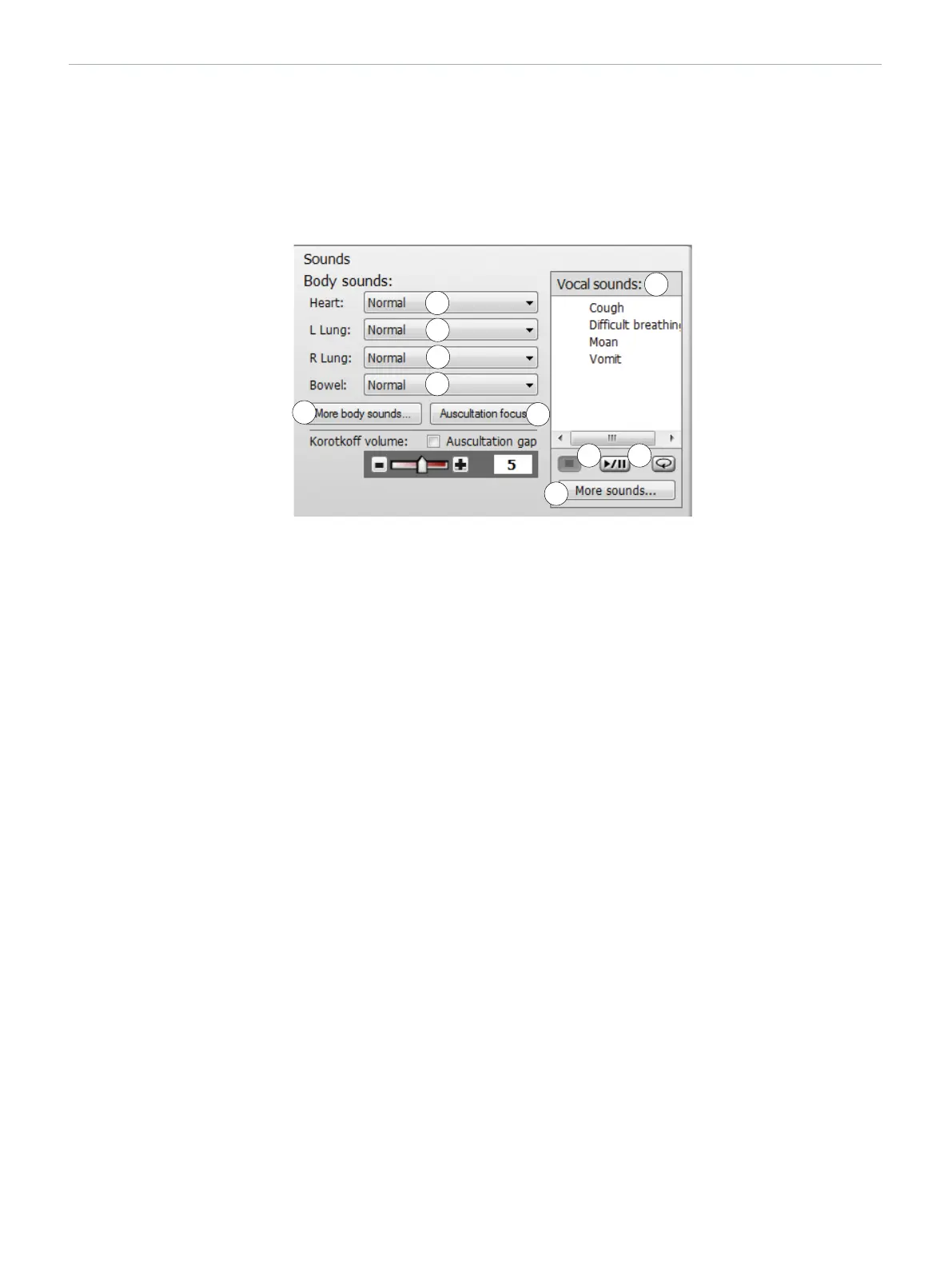
The settings of the <Sounds> tab are used to control the body sounds and vocal sounds from the manikin.
To view the <Sounds> menu click on the <Sounds> tab.
SOUNDS SETTINGS AND CONFIGURATION
Overview of Sound settings in Instructor Mode
1 - HEART SOUNDS
Select one of the following from the dropdown menu:
• No Sound
• Normal
• Aortic Stenosis
• Mitral valve Prolapse
• Diastolic Murmur
• Combined aortic insufficiency and stenosis
• Pericarditis
• Systolic Murmur
• Aortic insufficiency
2-3 LEFT AND RIGHT LUNG SOUNDS
Select one of the following from the dropdown menu:
• Normal
• Stridor
• Wheezes
• Crackles
• Basal crackles
• Bronchopneumonia
• Lower lobar pneumonia
• COPD exacerbation
1
2
3
4
5
6
98
7
10















 To Next Page