44
Simulation Setup
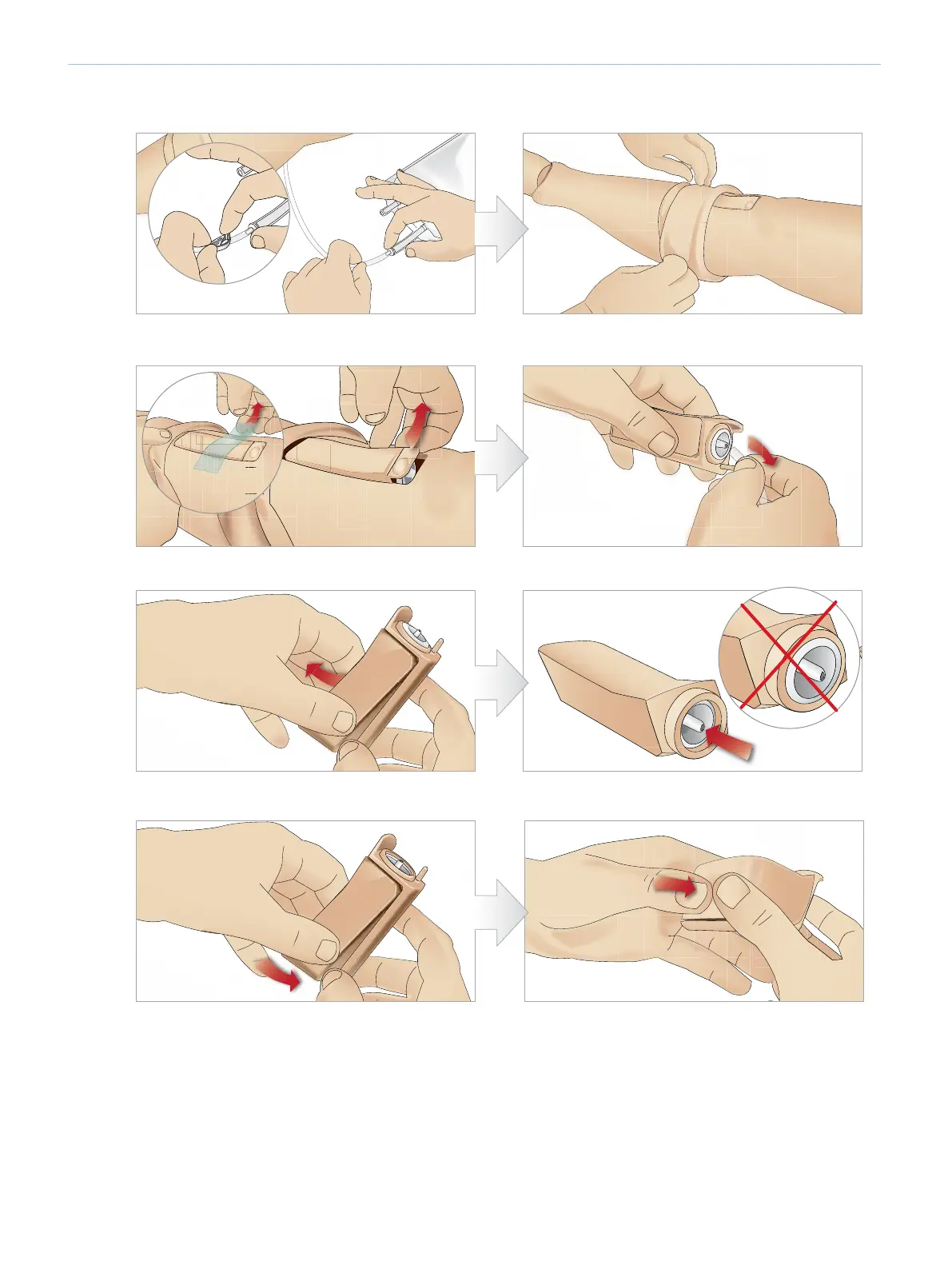
REPLACING AND FILLING TIBIAL IO MODULE WITH BLOOD
1 Attach the Tibial IO bag to the Tibial tube and close off
the pinch clamp.
2 Roll the leg band, to expose the Tibial IO module.
3 Remove the IO tape. Then remove the Tibial IO unit
from the leg.
4 Remove the tube from the Tibial IO module.
5 Remove the Tibial IO Pad from the Tibial IO chassis. 6 Before replacing the new Tibial IO, ensure that the nipple
is retracted in the Tibial IO Pad.
7 Fit the new Tibial IO pad into the chassis. 8 Secure the Tibial IO pad in place by pressing the rear of
the pad with thumbs until the nipple moves forward and
locks the unit in place.















 To Next Page