2 3
CONTENTS
USING THIS DOCUMENT 6
SIMMAN ESSENTIAL HELP 6
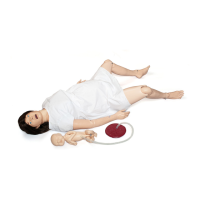
SimMan Essential 7
IMPORTANT INFORMATION 8
CAUTION AND WARNINGS 9
TRANSPORT AND STORAGE 11
SIMMAN ESSENTIAL OVERVIEW 12
MANIKIN SETUP 13
• Open the Torso Skin 13
• Attaching the left leg 14
• Attaching the right leg 14
• Attaching the left arm 15
• Attaching the right arm 15
• Inserting and Connecting the Batteries 16
• Power panel 17
• Charging the batteries inside the manikin 17
• External battery charging 18
• Battery Use 19
SYSTEM SETUP 20
• Activating the Instructor Software license 21
• Wireless and LAN configurations 21
• Configuring your Network 21
• Disabling / Enabling WLAN 23
• The Instructor PC 23
• Auto Mode Overview 23
• Instructor Mode Overview 25
• 3G View and Classic View 26
• Opening an Auto Mode Patient Case 27
• Running a Session in Auto Mode 28
• Opening an Instructor Mode Scenario 29
• Running a Scenario in Instructor Mode 30
• The Patient Monitor PC 31
• The Patient Monitor Interface 31
• Transferring Media Files 33
• The Laerdal Voice Conference Application 34
• The Laerdal Debrief Viewer 35
• SimMan Scenarios to SimMan Essential 36
• Help Files 36












 To Next Page