63
Manikin SetupSystem SetupSimulation SetupClinical FeaturesMaintenanceTroubleshootingSpare Parts
Maintenance
Installing and Upgrading Software
SimMan 3G software comes pre-installed.
INSTRUCTOR PC AND PATIENT MONITOR PC:
1 Power on computer and ensure no SimMan 3G applications are running.
2 Do not uninstall previous versions of SimMan 3G software.
3 Download the software from Laerdal.com
4 In the installation menu – click the <Install SimMan 3G Software> button once. This will start copying files to your computer.
Note: That the copying process takes approximately 2-3minutes. Once the copying process is finished, please follow instructions in the
installation wizard.
MANIKIN UPDATE:
Caution: Do not switch OFF the manikin during the following. Never update the simulator over WLAN (wireless):
Please note that the version shown in these screenshots is subject to change.
1 Make sure you have installed the software on the
Instructor PC as described above.
2 Turn off the WLAN.
3 Switch on the manikin. Restart the manikin if it has been in
use. Do not start the Instructor Application or Patient Monitor
Application.
4 Connect a network cable from the manikin to the Instructor PC.
Allow 60 sec from the manikin starts breathing, for a connection
to be established.
5 Execute < Start><All Programs>
<Laerdal SimMan 3G><Manikin Update>.
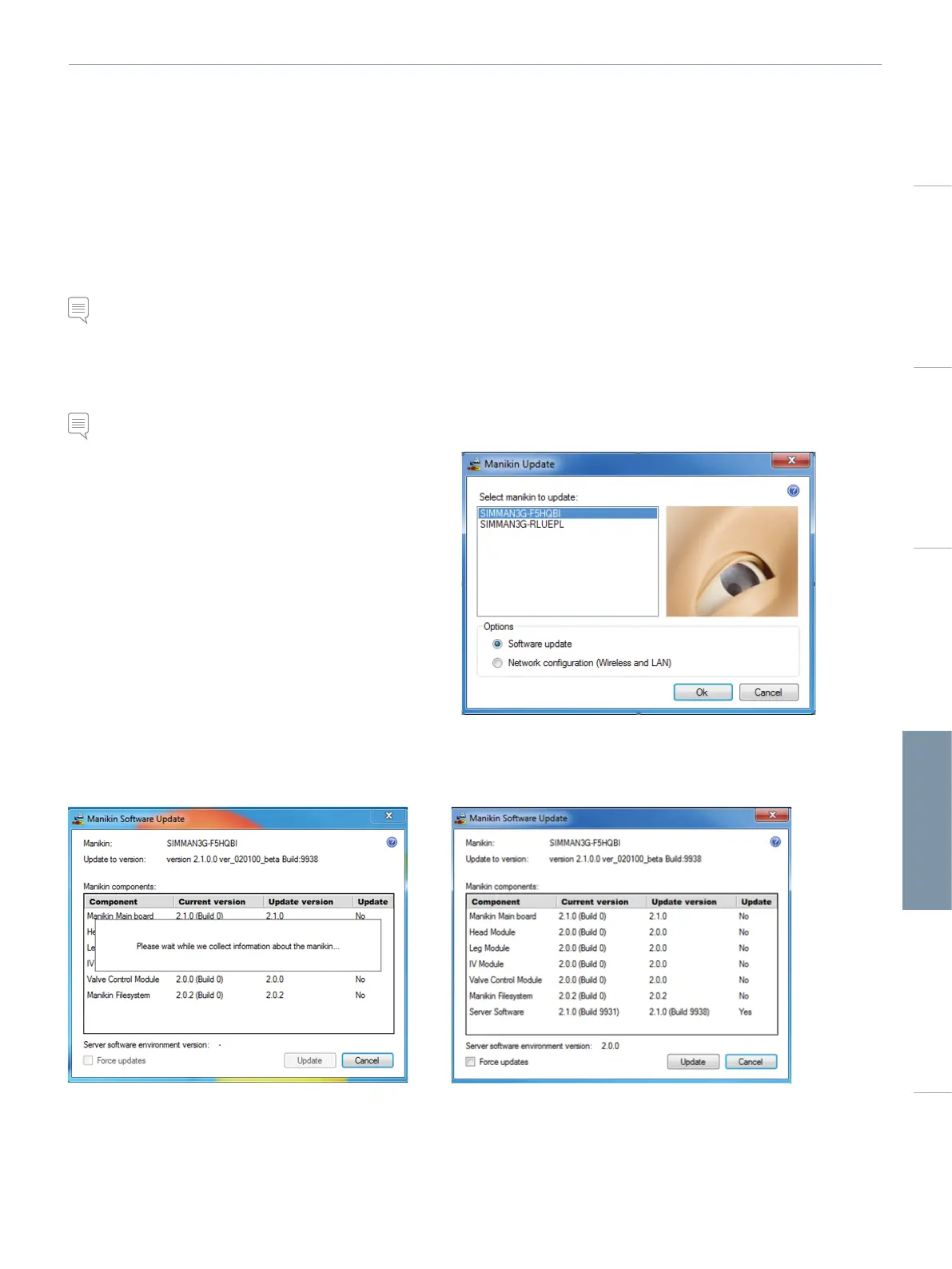
6 Identify your manikin in the <Select Manikin> dialog and press
<OK>.
7 The Manikin Update program will start identifying software versions currently installed. This will take about 2 minutes.
8 All programs and software versions are listed. The update status for each program is displayed under <Update>.















 To Next Page