41
Manikin SetupSystem SetupSimulation SetupClinical FeaturesMaintenanceTroubleshootingSpare Parts
Simulation Setup
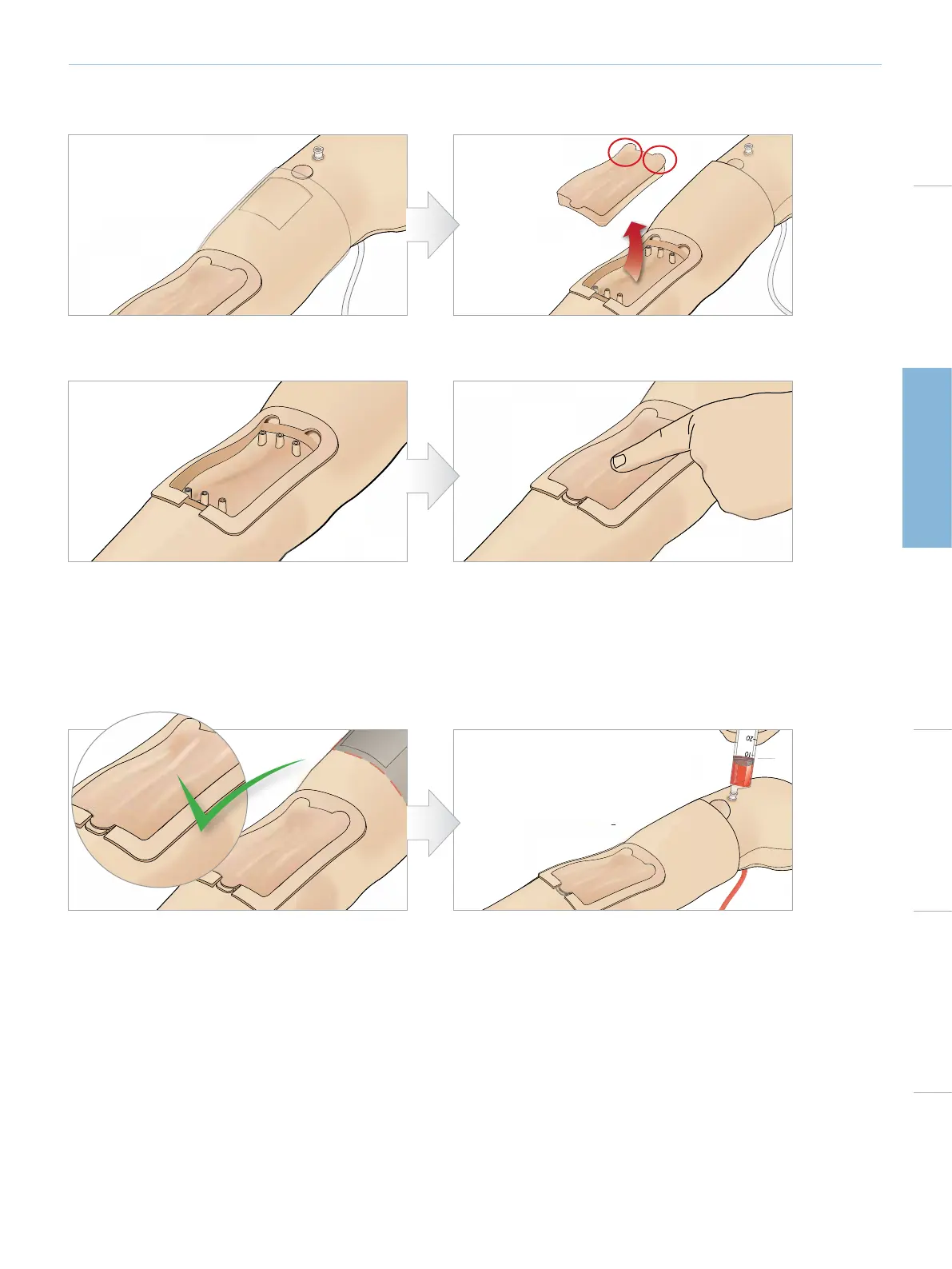
REMOVING AND REPLACING THE IV ARM PAD
3 Remove excess blood that may accumulate in the IV
Arm chassis.
4 When replacing the IV arm pad, ensure that it is pressed
firmly into place.
1 Ensure that the Tourniquet Area is not activated i.e.
remove the tourniquet.
2 Remove the IV Arm Pad by pulling at the tabs on edge
of the IV pad.
5 Fill and Prime the system as instructed in the previous section
REFILLING THE IV ARM WITH BLOOD
1 If the veins do not respond (energize) when the
tourniquet is applied it is likely that the system requires
refilling with blood.
2 Connect a blood filled syringe and slowly fill with no
more than 16ml of blood or until you feel resistance.
Remove the Syringe.
The IV Arm is now ready for use.















 To Next Page