17
Manikin SetupSystem SetupSimulation SetupClinical FeaturesMaintenanceTroubleshootingSpare Parts
Manikin Setup
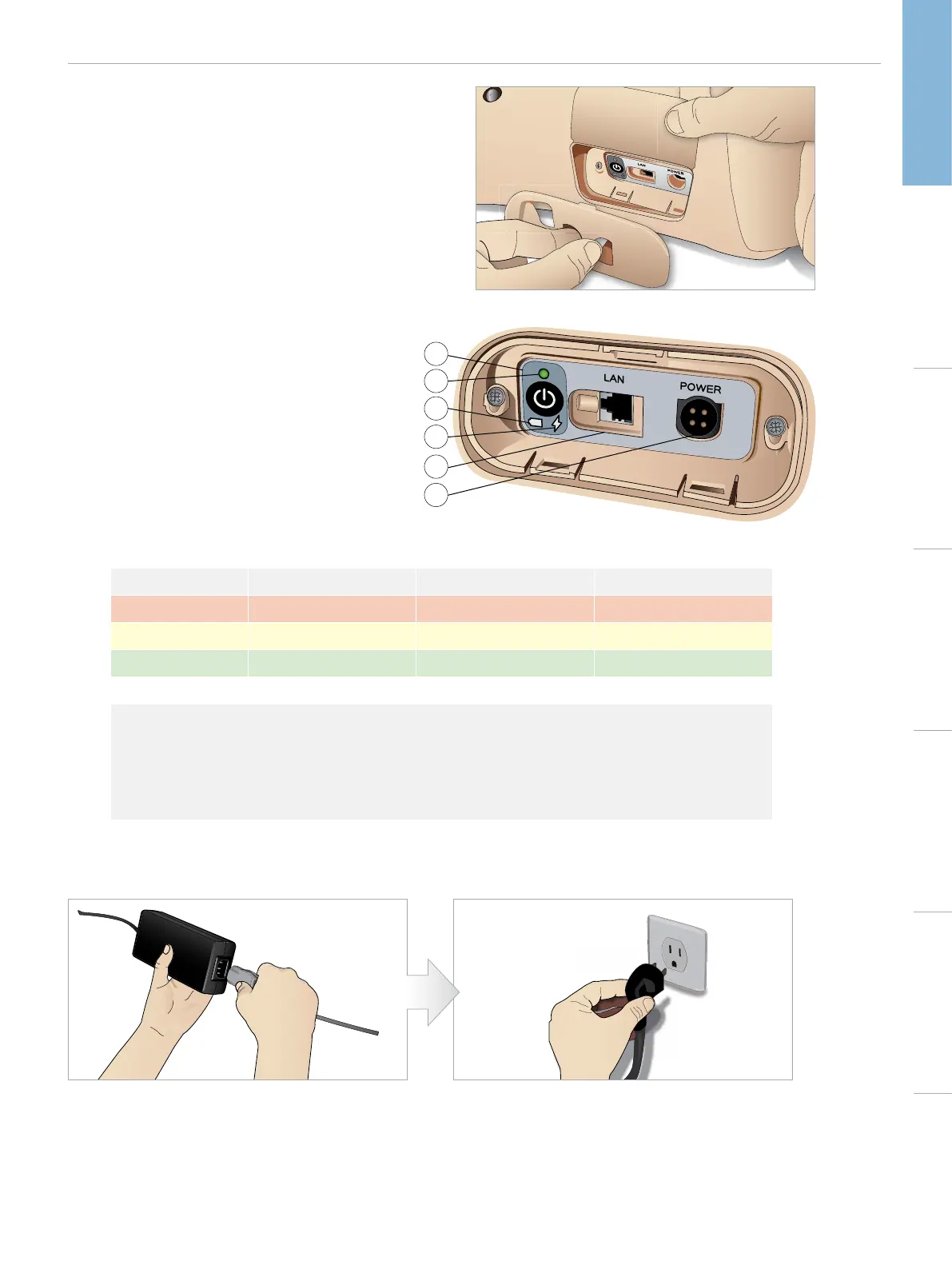
The Power Panel
The power panel is situated on the right side of the manikin, under
a loose skin flap. Lift the skin flap and pull out the protective cover.
To ensure easy access, use the zippered clothing provided with the
SimMan Essential manikin.
1
2
3
4
5
6
POWER PANEL OVERVIEW
1 Power ON / OFF button
2 Power status indicator
3 Battery status indicator
4 Charging status indicator
5 LAN network cable connector
6 External power supply connector
POWER PANEL LEDS DESCRIPTION
LED Color Power Status Battery Status Charge Status
Red Power Status* 0% - 20% Not charging**
Yellow Start up 20% - 70% Charging
Green Running 70% - 100% Charge almost complete***
No light Off Off No charge***
* Blinking light
** One or both batteries missing, overheated, damaged or otherwise not able to charge
*** Not recommended to charge the batteries too long
**** No power input, batteries are charged.
Power Save is activated when ever manikin is paused.
CHARGING THE BATTERIES INSIDE THE MANIKIN
1 Connect the manikin to the external power supply with
a power cord and plug that meets local specifications.
2 Plug the power supply into a wall outlet.















 To Next Page