46
Simulation Setup
Changing Genitalia Modules
SimMan Essential is shipped with a neutral genitalia pad as default. The pad can be exchanged for a male or female genitalia pad with
urine catheter to simulate urine flow and catheterization.
Note: The manikin legs do not need to be removed before the genitalia pad can be replaced.
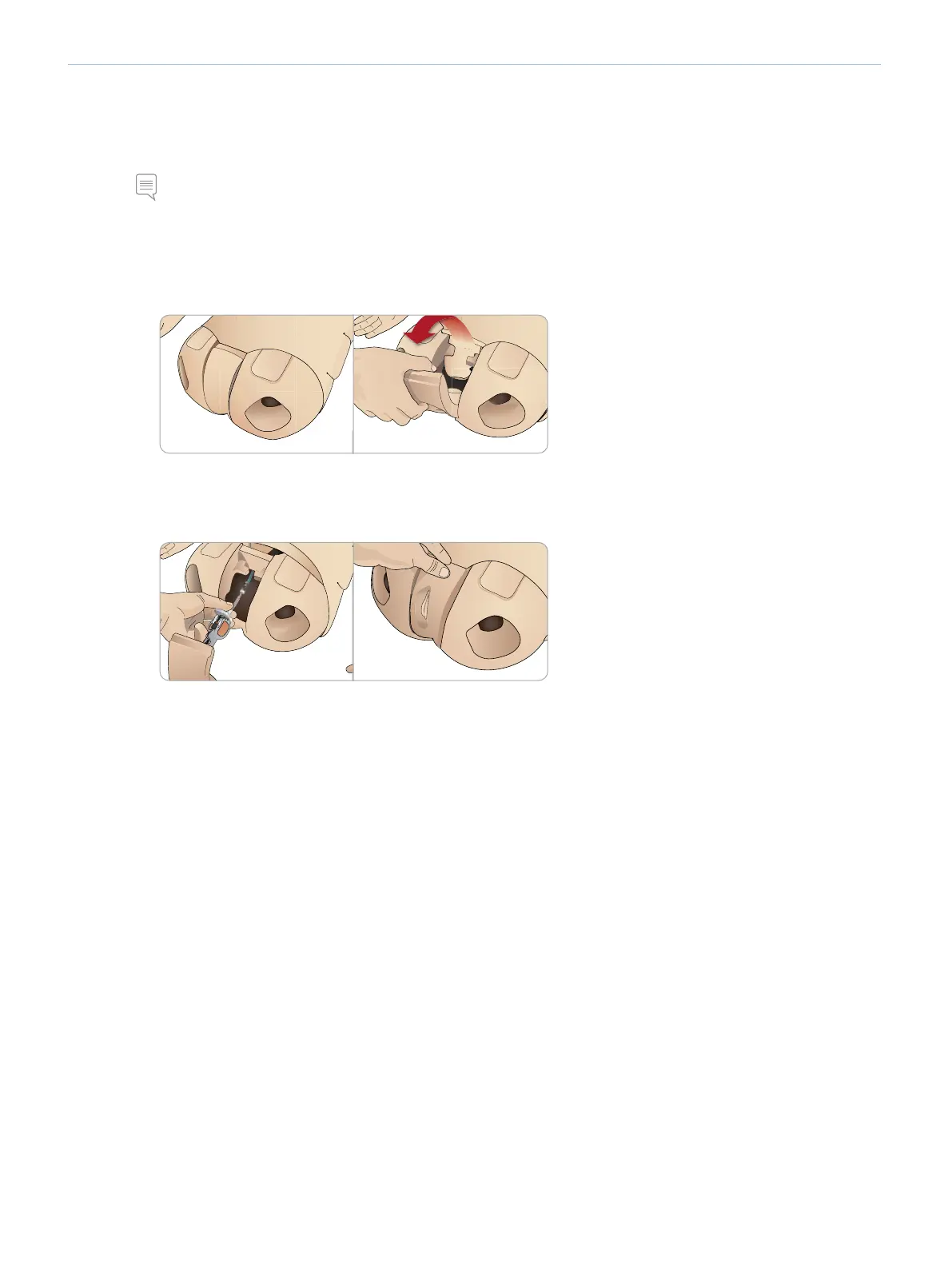
CHANGING THE GENITALIA PAD
1 Remove the manikin’s genitalia pad by gripping the pad at the top and
pulling forward and down.
2 Disconnect any tubes or cables.
3 Connect the new genitalia module’s urine tube and the catheterization
sensor cable from inside the manikin pelvis to the urine bladder module.
4 Place the new genitalia module back into the manikin’s pelvis.















 To Next Page