45
Manikin SetupSystem SetupSimulation SetupClinical FeaturesMaintenanceTroubleshootingSpare Parts
Simulation Setup
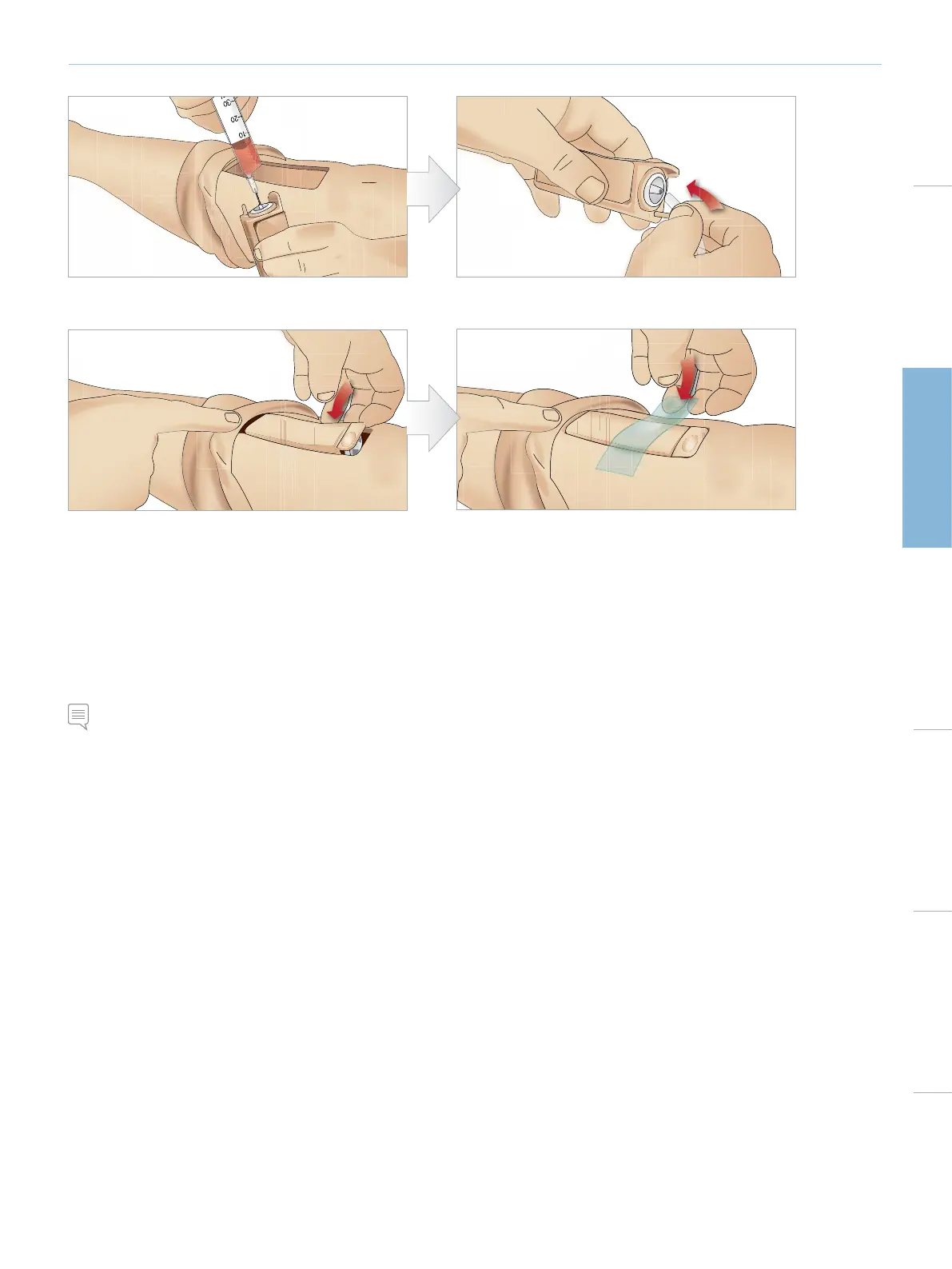
9 Fill the Tibial IO unit with 30 - 35ml of blood, ensure the
Tibial Pad is completely full.
10 Connect the Tibial tube to the Tibial IO unit.
11 Replace the Tibial IO Pad and chassis, into the leg cavity. 12 Affix the tape to keep the module in place.
Roll the leg skin up over the Tibial module. The Tibial IO is now ready for simulation.
The following devices have been tested and are approved for use with the simulator:
• BIG Automatic Intraosseous Device
• EZ-IO-G3, 15G x 1”, 1.8mm x 25mm
• Jamshidi ® Illinois Bone Marrow Aspiration/Intraosseous Infusion Needle. 18 Ga. 9/16” (14mm)-1 ½” (38mm).
Note: In some cases you will not get any blood backflow when using the BIG Automatic Intraosseous Device.















 To Next Page