FLIP
®
01.01.2019
English / Englisch
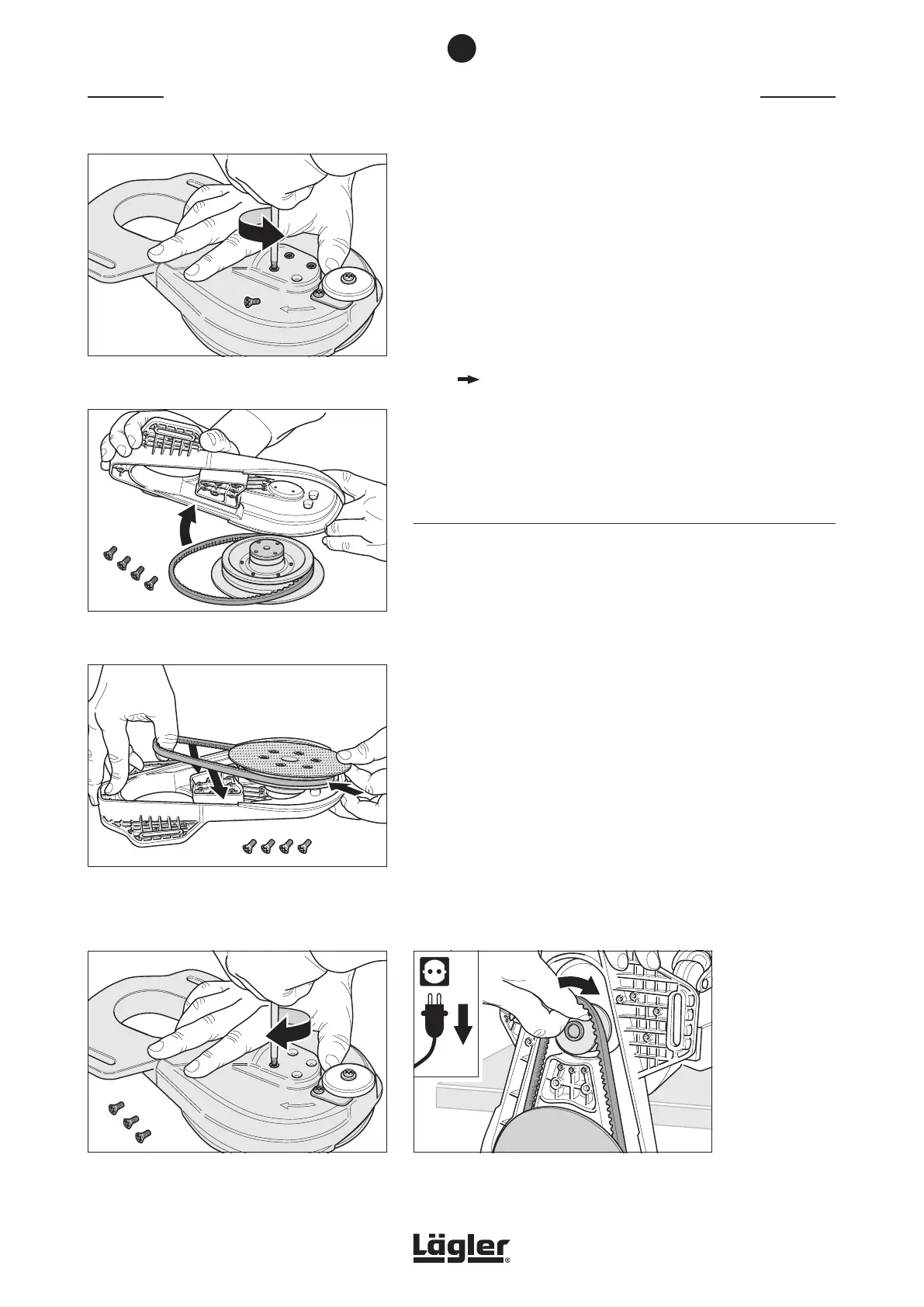
9 Use the universal spanner to undo the four fixing screws of
the complete sanding disc (fig. 42).
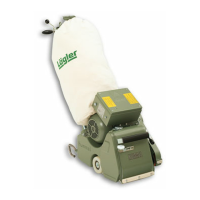
10 Remove the attachment from the complete sanding disc
(fig. 43).
11 Dispose of the worn-out V-belt.
12 Check whether the sanding plate pulley or the motor
pulley are worn-out. Replace these parts if necessary
( Section 7.4, Replacing the complete sanding plate and
Section 7.5, Replacing the motor pulley).
13 Clean the two pulleys and the attachment. Wear a respiratory
protective mask if necessary.
7.3.2 INSTALLING THE V-BELT
1 Place the new V-belt on the complete sanding plate pulley.
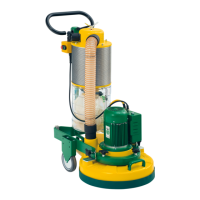
2 Insert the complete sanding plate with V-belt in the
attachment. Ensure that the holes of the complete sanding
plate are aligned with the holes in the attachment (fig. 44)!
3 Make sure that the sanding plate can be turned by hand and
that the V-belt is correctly placed in the attachment.
4 Turn the attachment over and tighten the four screws for
attaching the complete sanding plate using the universal
spanner (fig. 45).
5 Push the attachment over the motor pulley and insert the
V-belt into the motor pulley (fig. 46).
6 Put on the attachment cover.
MAINTENANCE WORK AND REPLACEMENT OF WEARING PARTS
Fig. 44 Insert the complete sanding plate with the V-belt
into the attachment. Make sure that the holes of
the complete sanding plate are aligned with the
holes in the attachment!
Fig. 45 Tighten the four screws for attaching the complete
sanding plate.
Fig. 42 Remove the four fixing screws of the complete
sanding plate.
Fig. 43 Remove the attachment from the complete sand-
ing plate.
7
Fig. 46 Insert the V-belt into the motor pulley.
32



 To Next Page