FLIP
®
01.01.2019
English / Englisch
MAINTENANCE WORK AND REPLACEMENT OF WEARING PARTS
7.8.2 SETTING FOR SPECIAL CASES
In order to achieve a major abrasion at coarse sanding works no
additional pressure must be applied to the attachment! The sanding
pressure and consequently the aggressivity of the abrasive with
the FLIP
®
are adjusted by the guide rollers!
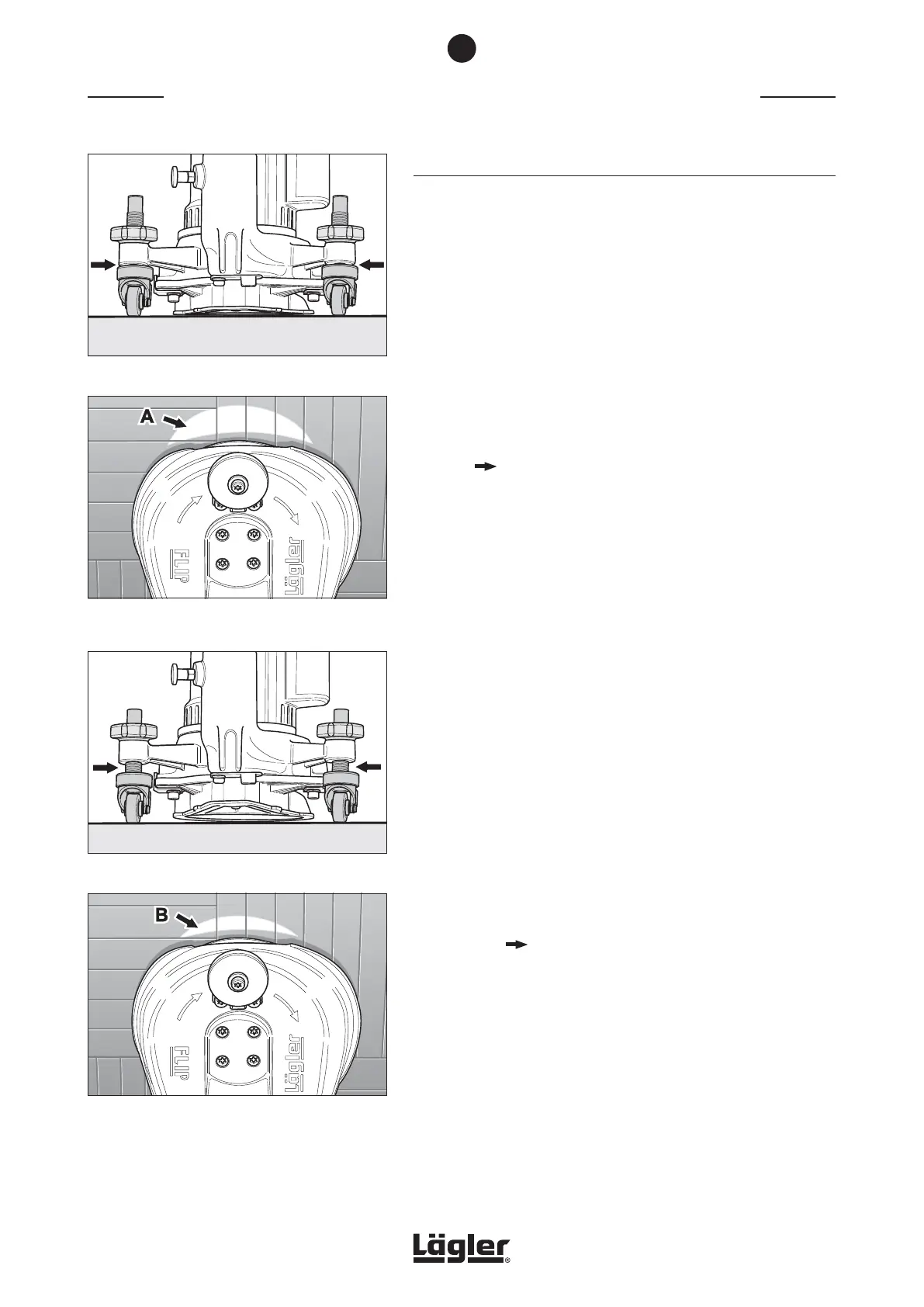
With a flat machine adjustment for fine sanding works (fig. 64)
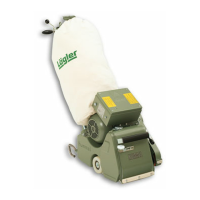
a larger part of the sanding plate’s surface is touching the floor
(fig. 65, A) than this would be the case with a steeper machine
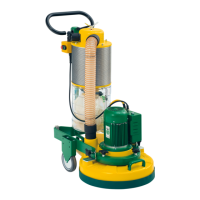
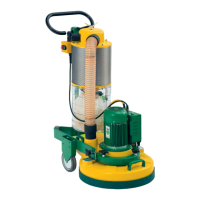
adjustment for coarse sanding works (fig. 66 and fig. 67, B).
The steeper the machine adjustment the more aggressive the
abrasive!
The standard setting can easily be restored using the universal
spanner ( Section 7.8.1 , Standard setting).
If you would like a steeper or flatter setting than the standard
setting, proceed as follows:
1 Switch off the machine and pull the power plug out of the
socket!
2 Loosen the locknut of the guide roller to be adjusted
(fig. 56, A).
If the locknut is screwed on too tightly, you can turn the
vertical guide roller axis counterclockwise with the universal
spanner to loosen the locknut (fig. 56, B).
3 Now turn the guide roller one or two rotations in the desired
direction.
4 Retighten the locknut.
5 Adjust the second guide roller.
6 Conduct a trial sanding operation and check the sanding
results ( Section 7.8.1, Standing setting, steps 8 to 10).
7
Fig. 66 Steeper adjustment angle for rough sanding work.
Fig. 64 Flat adjustment angle for fine sanding work.
Fig. 67 Small sanding surface B and therefore major
aggressivity of the abrasive.
Fig. 65 Large sanding surface A and therefore lower
aggressivity of the abrasive.
40


 To Next Page