HVM200 Reference Manual Setting Up the Measurement 3-6
TAKE NOTE Single and double inte-
gration are not allowed when display
units are set to dB.
Step 7 If you plan to choose dB reference units as the Display
Units (Tools tab), select 10
-5
or 10
-6
as the dB Reference on
this tab; otherwise this selection is ignored.
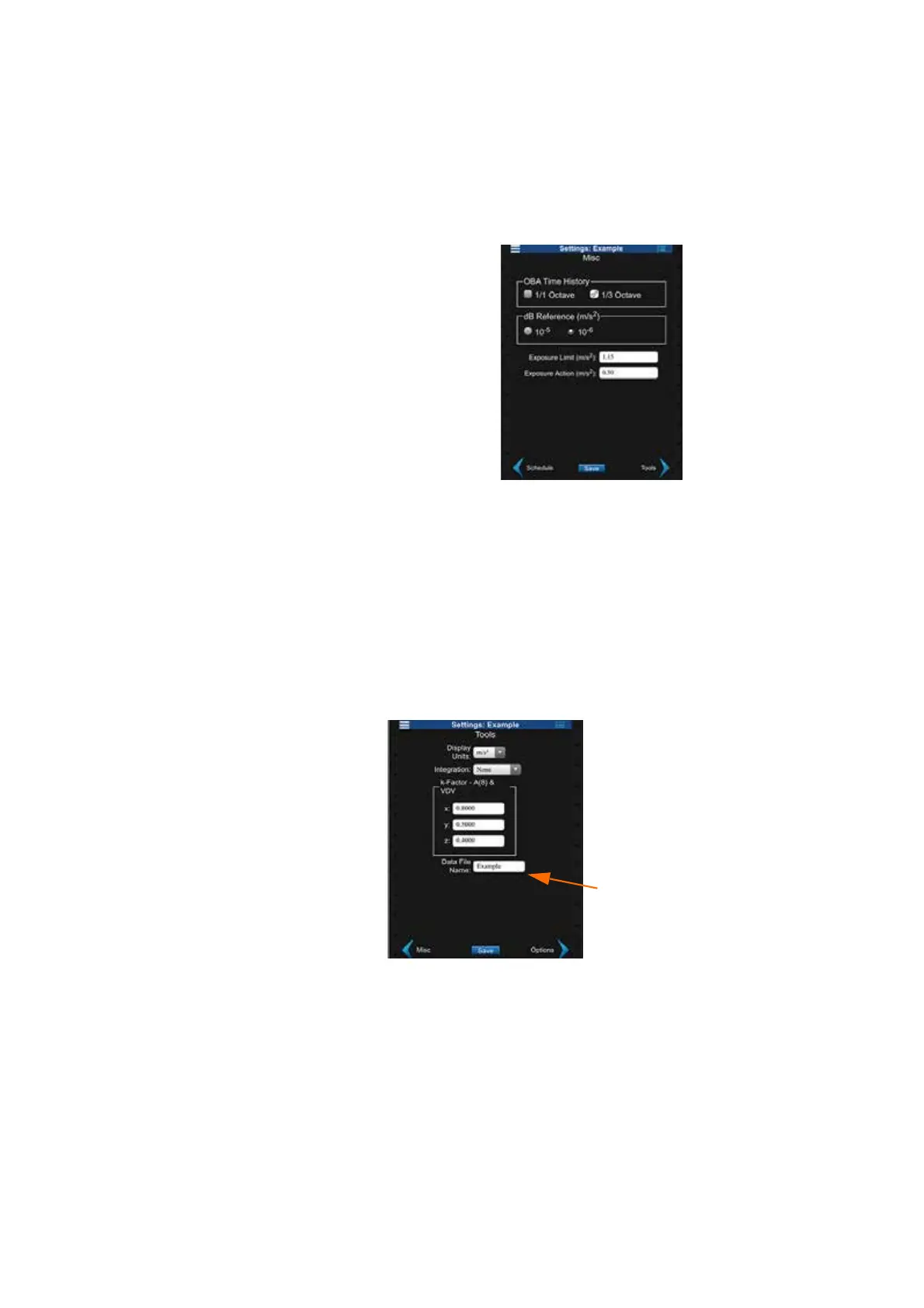
Step 8 Specify the Exposure Limit and Exposure Action.
TAKE NOTE The exposure settings
show default values according to the
EU Physical Agents Directive (2002/
44/EC) but can be modified accord-
ing to differing standards or needs.
FIGURE 3-8 Misc. Settings
Choose Tools Settings
TAKE NOTE Single integration cal-
culations convert acceleration values
into velocity values; double integra-
tion converts acceleration values into
displacement values.
Step 9 On the Tools tab, choose the Display Units and Integration
method. Specify the k-Factor for each axis and type a Data
File Name. Click Save.
TAKE NOTE For whole body mea-
surements, the HVM200 multiplies
the specified k-Factor by the instan-
taneous acceleration for each axis to
produce the summation (value in
the Overall view of the app. K-fac-
tors are ignored for general vibration
and hand/arm measurements. See
“Glossary of Terms” on page C-1.
FIGURE 3-9 Tools Settings
Verify Sensor Settings
If you are using an accelerometer with TEDS capability, the Sensor tab
on the HVM200 settings (displaying serial number) are automatically
specified. If your accelerometer does not have TEDS capability and you
have not already specified the settings, refer to the section “Connecting
the Accelerometer” on page 2-9.
The data files for this
Setup will be saved with
this name as a pretext



 To Next Page