Personnel:
n
Operating personnel
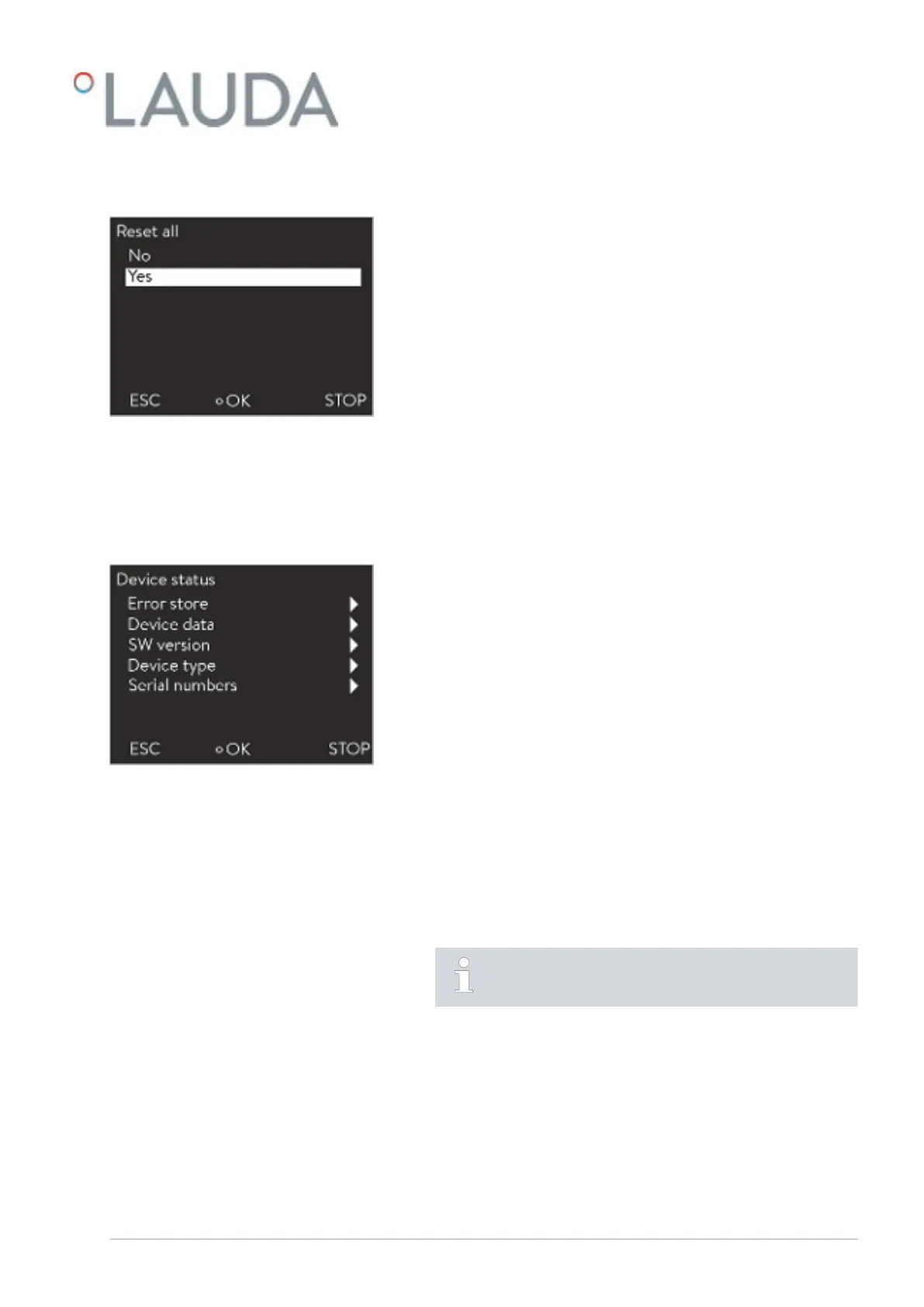
1. Select the all default menu item.
2. Select one of the following options:
n You return to the previous display without making any changes
with no .
n The factory settings are restored with yes
if you confirm this with
the Enter button.
6.16 Device status
6.16.1 Viewing the device status
Personnel:
n
Operating personnel
1. Switch to the main menu.
2.
Select the Setup Device status menu item.
You are in the Device status menu.
3. The following options are available:
n Read out error memory
n View device data
n View software version
n View device type
n Retrieving serial numbers
6.16.2 Reading the Error store
The devices are provided with an Error store for error analysis. Up to 140
warning, error and alarm messages can be stored here.
1. Select the Error store menu item in the Device status menu.
The most recent message appears in the first position. The
message text is displayed in the footer.
Restoring all settings
Fig. 52: Reset query
Fig. 53: Device status
V08 Variocool 59 / 97


 To Next Page