LAUNCH
X-431 PRO5 User Manual
31
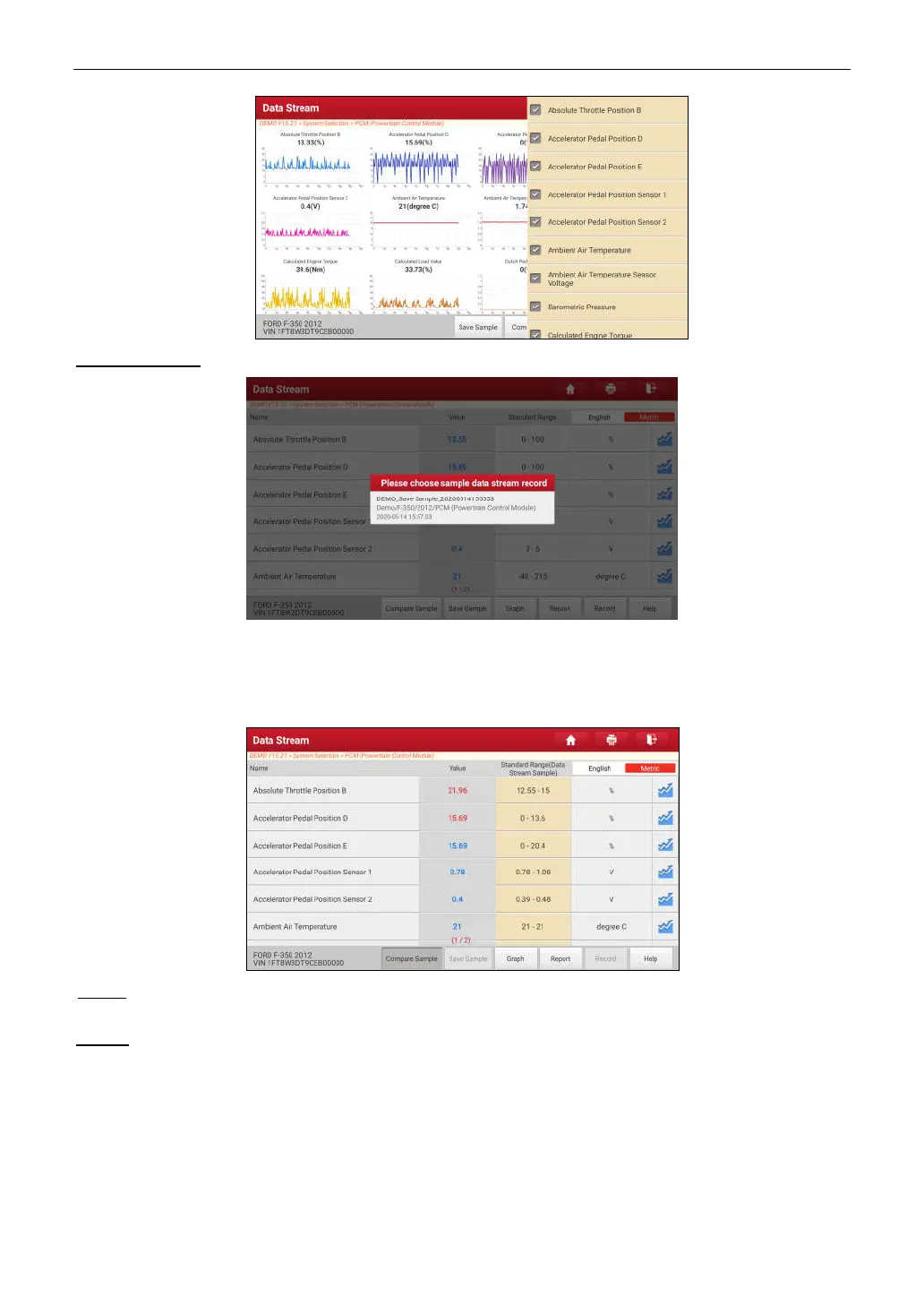
Compare Sample
: Tap to select the sample DS file.
All the values you customized and saved in process of DS sampling will be imported into the
Standard Range
(See
below) column for your comparison.
*Note: Before executing this function, you have to sample the values of data stream items and save it as a sample Data Stream
file.
Report
: Tap to save the current data in text format. All reports are saved in
User Info -> My Report -> Health
Reports
. For details on report operations, please refer to Chapter 10.1.
Record
: Tap to start recording diagnostic data. Recorded live data can serve as valuable information to help you in
troubleshooting of vehicle problems.



 To Next Page