20
From the start screen you can:
- Read the files on the SD card by pressing on Menu, only available if the recording
files are stored on the SD card.
Or
- Connect the sensor to the box.
Or
- Switch off the box. To switch off the control box, press and hold the ON/OFF button
for 2 seconds.
A message appears indicating that you should not remove the battery before it disappears.
POWER OFF
While device is turning off,
make sure battery is not removed to protect software
Comply with this message so that the software shuts down correctly to ensure that it works correctly
when next started.
3.2 Connecting sensor to box
➢ Connecting the sensor with WiFi:
- Affix the antenna to the box.
- Place a charged battery in the sensor.
- Switch on the sensor by pressing the On/Off button, the button should light up.
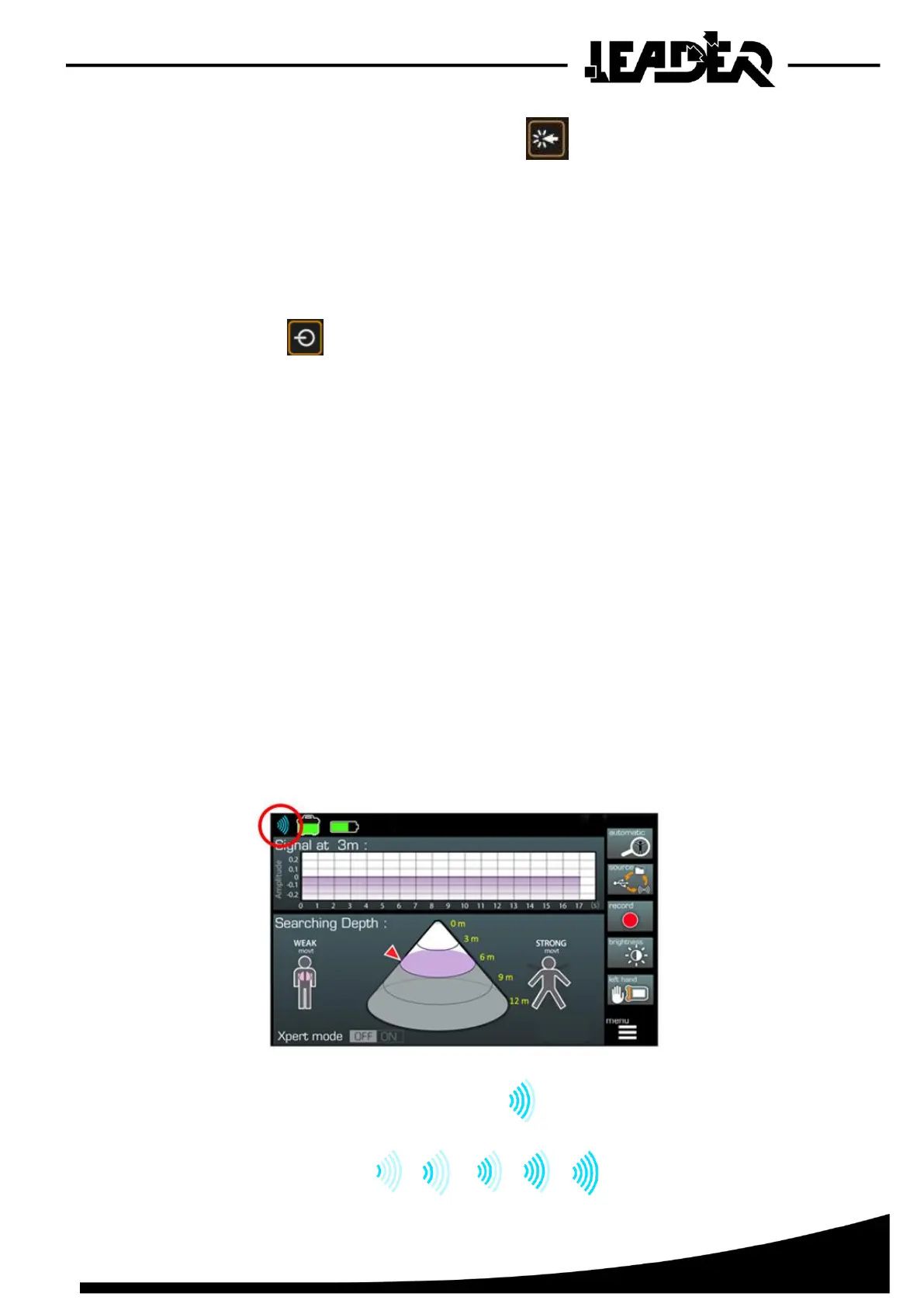
➢ The sensor connects automatically and the following screen appears:
- In WiFi mode, the device displays this icon in the top left.
5 successive WiFi signal levels are defined to illustrate the connection level.


 To Next Page