36
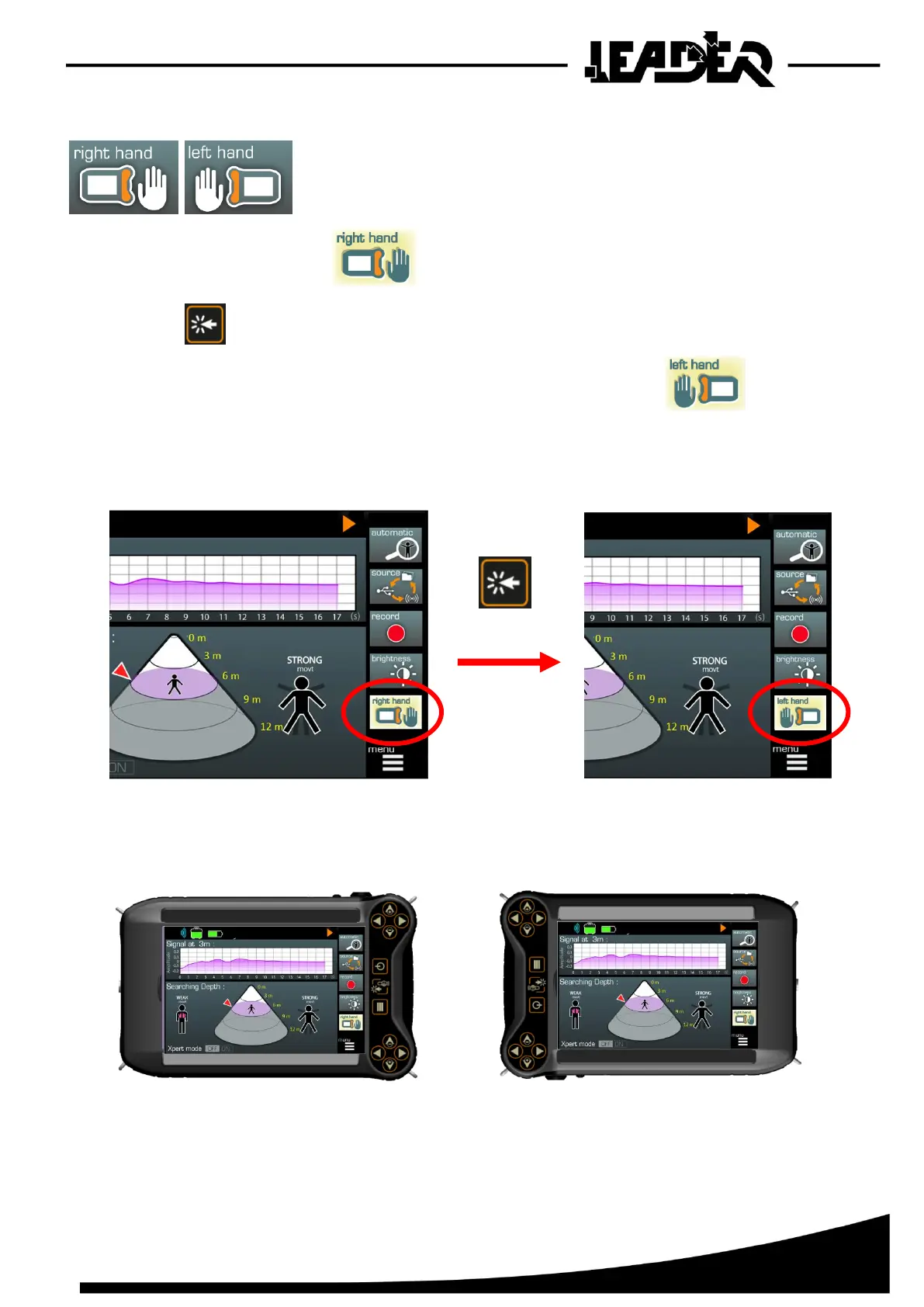
4.12 Right/Left hand function
- Allows the control box to be used by a left handed or right handed
person.
Go to the menu and select.
Click on.
The device moves to left handed mode, highlighting the “Left hand” icon.
Once selected, the function inverts the image, as well as the functionality displays
(menu and sub-menus) and the keyboard use.
By default, the software is adjusted for use by a right handed person.


 To Next Page