21
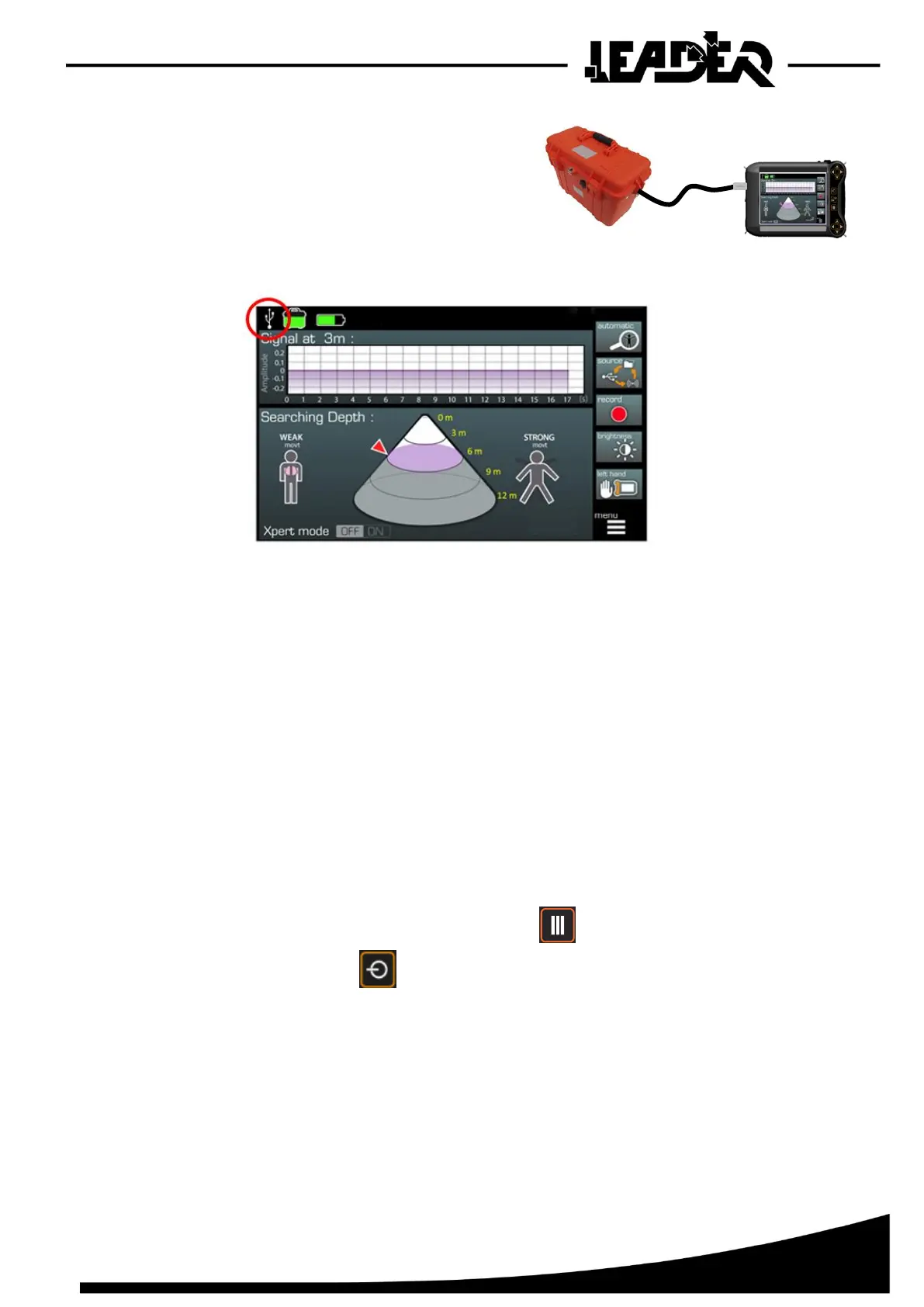
➢ Connecting the sensor with USB:
- Place a charged battery in the sensor.
- Connect the USB cable between the sensor
and the box.
➢ The sensor connects automatically and the following screen appears:
- It is possible to move from WiFi to USB connection automatically, you just need to connect
the USB cable and conversely disconnect the cable.
3.3 Languages and measurement units
➢ Languages:
The LEADER Scan graphic interface was designed to be as intuitive as possible and easy to use
(shortcuts, easy menu sequences and functions...) in the field. The icons are subtitled in English and
Chinese depending on the chosen device reference.
➢ m / ft measurement units:
LEADER Scan can be used in metric (m) or imperial mode (ft).
To switch units:
- With the box switched off, press the menu button.
- Press the On/Off button to switch on the box.
- Release the buttons when the screen switches on.
Once the sensor is connected to the control box, all measurements will have changed unit.
This adjustment is kept until the mode is changed again.
The procedure is the same for changing from metric to imperial and imperial to metric.


 To Next Page