30
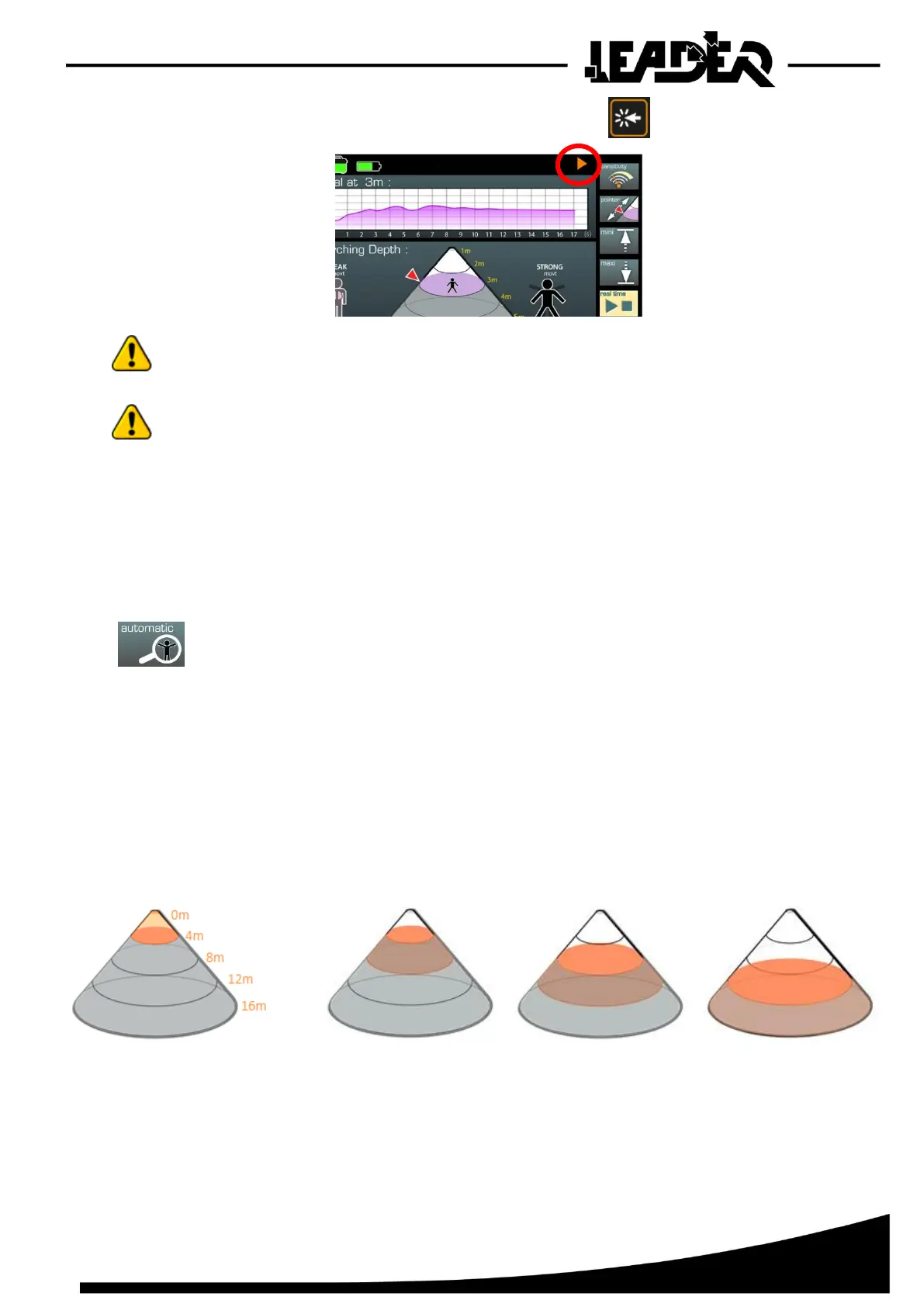
To stop the search, select the “Real time” icon again and press
The flashing orange triangle disappears.
During a search in “Real time” mode, if several people/movements are found in the
previously determined detection zone (cone), only the largest person/movement will be used
and displayed.
When “real time” mode is launched, it is possible to browse through the menu.
Only some functions can be accessed and/or adjusted:
“Sensitivity, Record, Brightness, Right/Left hand, Source”
The other functions cannot be adjusted.
They must be adjusted before launching “Real time” mode.
If not, stop the search in progress to adjust them.
4.9 Automatic mode function
- Allows the activation of automatic search mode to display the position of one or
several people in the detection cone per 4m (12ft) section and view their movements
in the oscillogram. Your device may be set with 3m (9ft) search zones, not 4m (12ft).
Software level algorithm adjustments were required for recent device versions
(with a 4m (12ft) search area). This does not affect the performance of the devices.
The automatic mode breaks down the search mode into 4m (12ft) sections defined by the “mini” and
“maxi” adjustments.
The device then scans each section one after the other.
The section being analysed appears in orange, the non-scanned sections in grey and the scanned
sections in white.
If a movement is detected in a section, the device displays “WEAK movt” or “STRONG movt” in this
section depending on the range detected and then moves to the next section, only the strongest
movement will appear.
If no movement is detected after one minute in a section, the device moves onto the next section.


 To Next Page