25
4.1 Xpert mode function
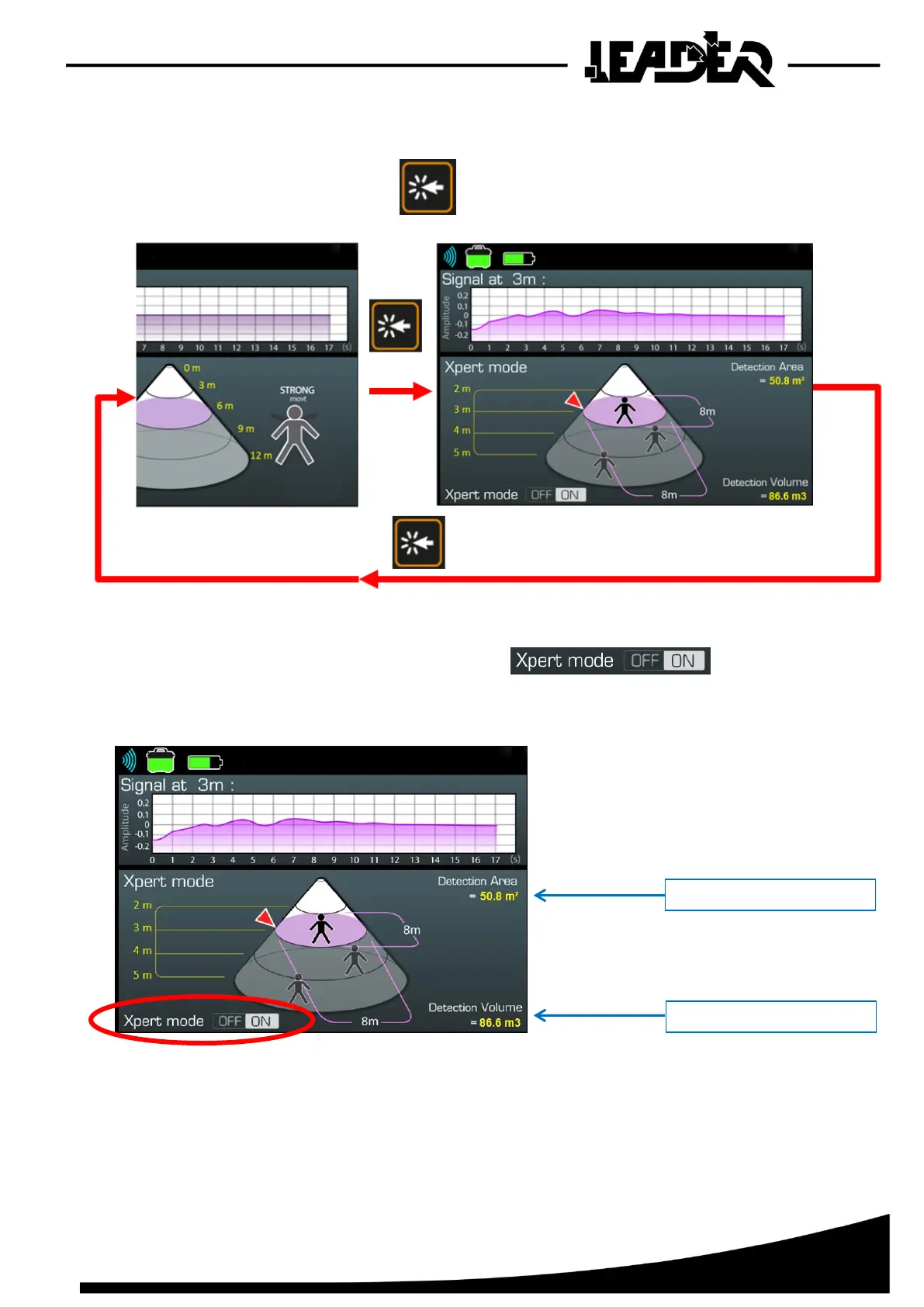
To move into Expert mode, press on outside the menu, the same to leave expert mode.
The icon on the bottom of the screen moves to ON and now displays
the distance at which the pointer is located as well as detection surface and detection volume.
It is possible to keep this expert mode to use the menu functions and adjust Mini, Maxi and Pointer
to view the changing dimensions depending on the position of the “Pointer”.


 To Next Page