9
2.1.2 Control box connectors
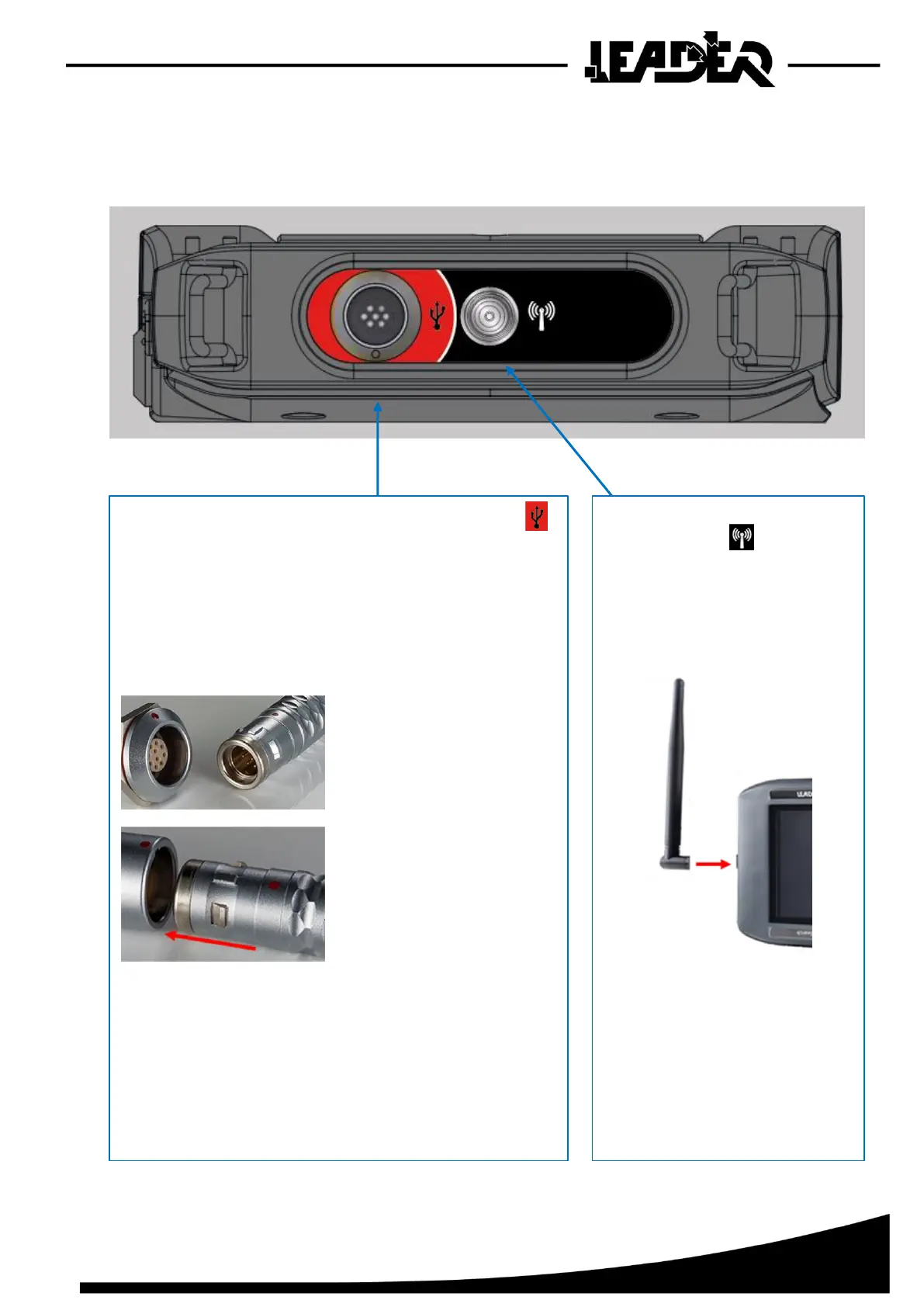
To make it easier to connect accessories, each female connector for the control box is marked with
a colour code and symbol.
The USB connector is marked with the USB symbol
and a red colour code to connect to the male connector
with the USB cable’s red sleeve.
The male connector is a “push & pull” connector.
The male and female connectors have a key and are
marked with a red circle join and connect them:
To disconnect the connector, you just need to pull on
the male connector's sliding ring.
The USB connector is used to connect the UWB sensor
in wired mode. It does not have a cap as it is watertight
even when not connected.
marked with the icon and a
black colour code to connect
the antenna.
The antenna is screwed into
the connector:
A watertight cap can be used
when the antenna is not in use.
It is attached to the box with a
small chain.


 To Next Page