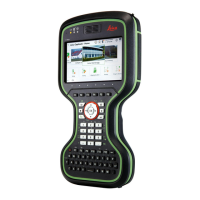
Software for Description
All CS models
The software is stored in the flash RAM of
the field c
ontroller.
Firmware update instructions
•
Download the most recent firmware file
from
https://myworld.leica-geosystems.com.
•
Copy the firmware file into the \SYSTEM
folder on the Leica SD card.
☞
Ensure that the Leica SD card is
inserted into the field controller
before starting the upload.
•
Star
t Leica Captivate. To open the
Update Software panel, select Settings
> Tools > Update software.
•
Select the firmware file to upload and
start the update process. When the
update process is finished, the new ver-
sion of Leica Captivate is started.
GS07
The software is stored in the flash RAM of
the GS07.
ME firmware update instructions
•
Go t
o www.myworld.leica-geosys-
tems.com and log in.
•
Go to myProducts and select your prod-
uct.
☞
If your product is not in the list,
click Add Product.
•
Click the
Software tab and download
the software to your computer.
•
Unzip the file and store the required files
in the \SYSTEM directory of the data stor-
age device.
•
Insert the data storage device into the
connected field controller an turn it on.
•
Captivate: Go to Settings\Tools\Update
software.
•
File to load: Select the firmware to
upload.
•
Click OK. The software is uploaded to
your product.
CGR4 The software is stored in the UHF radio mod-
ule in the CGR mo
dule.
20 Description of the System



 To Next Page