☞
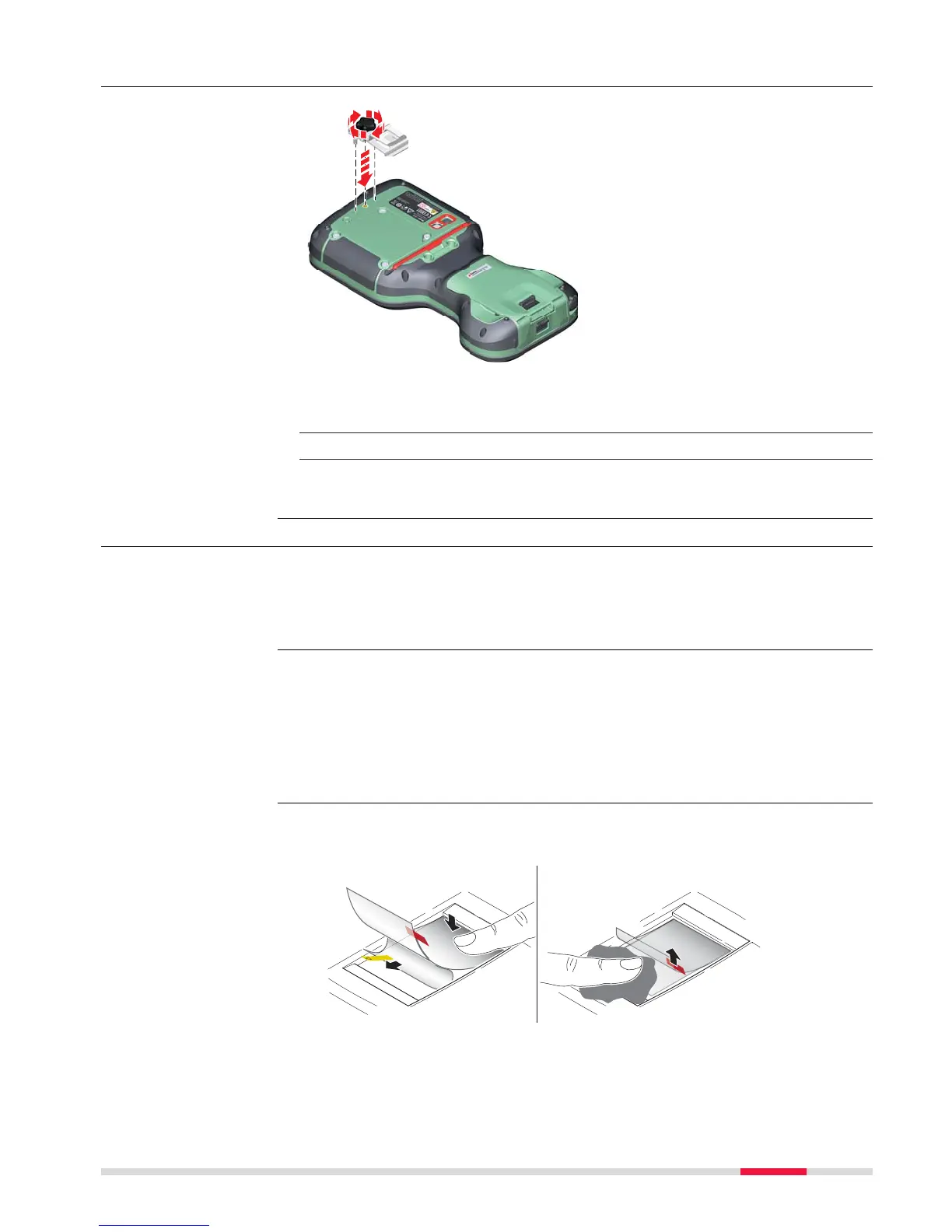
If the hand strap is already attached to field controller, you need to
de
tach it b
efore you can fix the utility hook.
☞
Turn over the field controller.
1. Place the screw of the utility hook into the thread at the top of the
field controller and fasten it.
4.1.5 Replacing the Display Foil on the CS
On delivery, the display of the CS is covered by a foil to protect the display
agains
t s
cratches and dirt and to guarantee a trouble-free function of the
touchscreen in extreme and humid weather conditions. We strongly recom-
mend to use this display foil and to replace it, if necessary.
•
Remov
e the old display foil.
•
Ensure that the display is free of dust and grease.
•
Use the provided microfibre cloth to clean the display.
•
Look for a dust free and dry atmosphere surrounding while fixing the dis-
play foil. The recommended conditions are:
Temperature: approx. 21°C
Humidity: < 55%
The display foil lies between two thin carrier foils. The display foil has a silver-
colour
ed sticker to peel away the carrier foil from the actual display foil.



 To Next Page