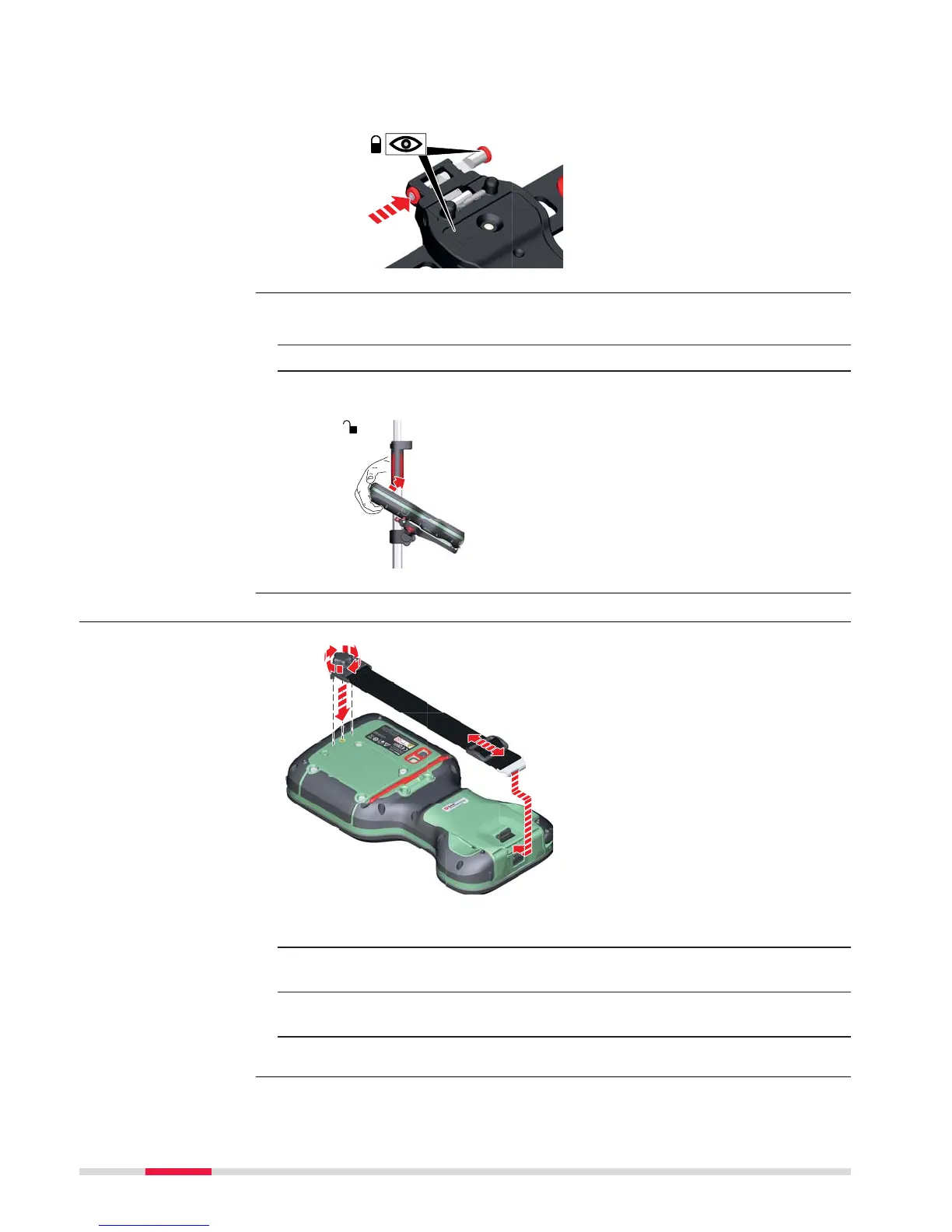
8. After the CS field controller is placed onto the mounting plate,
ensure tha
t the locking pin is put into the locked position. To lock
the locking pin, push the locking pin to the right.
1. Unlock the locking pin by pushing the locking pin to the left of the
mounting pla
te.
2. Place your palm over the top of the field controller.
3. While in this position, lift the top of the field controller from the
holder.
4.1.3 Fixing a Hand Strap to the CS
☞
Turn over the field controller.
1. Take the end of the hand strap and clip it to the socket at the bot-
to
m of the field controller.
2. Place the screw of the main hook into the thread at the top of the
field controller and fasten it.
3. Adjust the length of the hand strap.
Detaching the field
contr
oller from a pole
step-by-step
Fixing the hand strap
(GHT67) step-by-step
34 Operation



 To Next Page