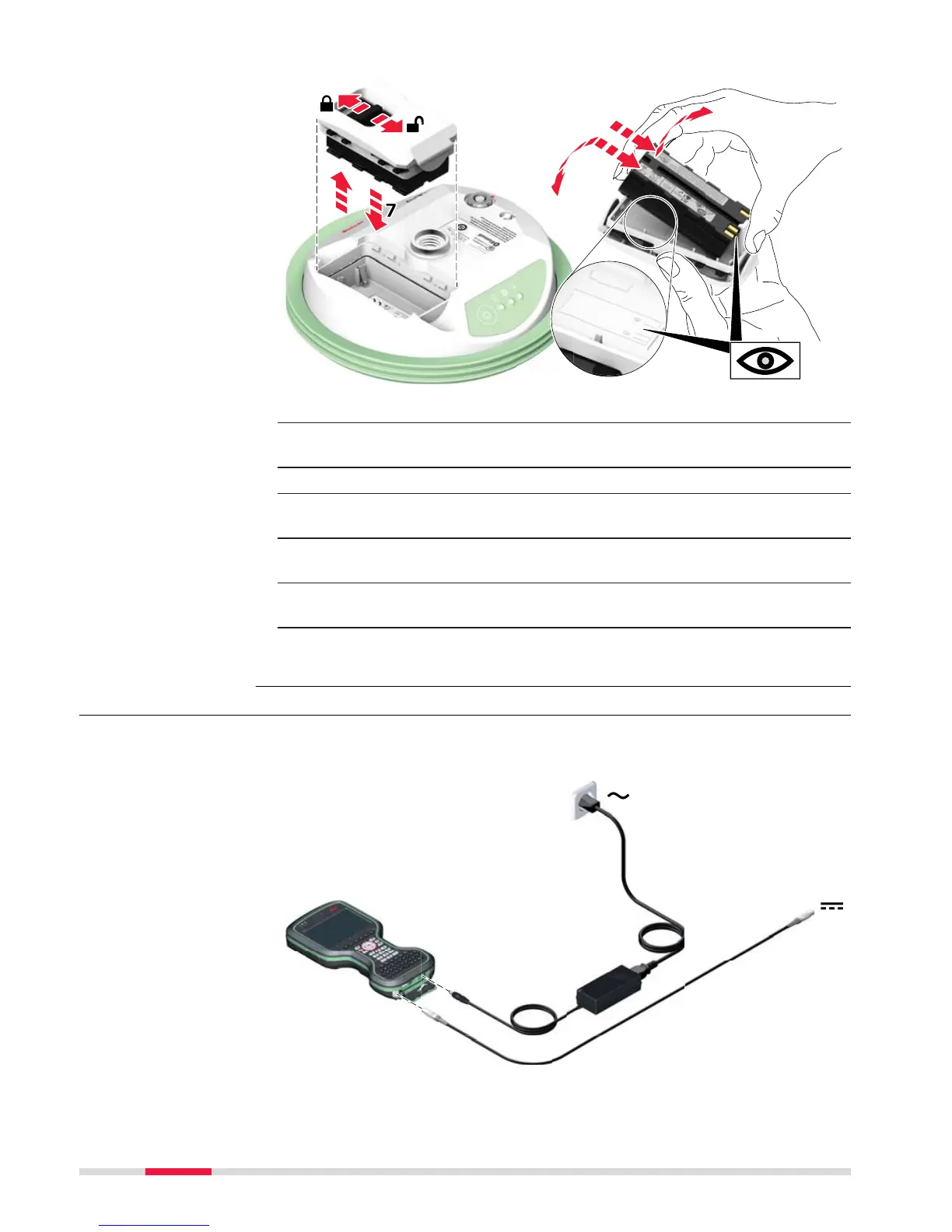
1. Turn GS07 over to gain access to the battery compartment.
2. Open the battery compartment by pushing the slide fastener in the
direc
tion of the arrow with the open-lock symbol.
3. Pull out the battery housing. The battery is attached to the housing.
4. Hold the battery housing and pull the battery from the battery hous-
ing.
5. A polarity of the battery is displayed inside the battery housing. This
is a visual aid to assist in placing the battery correctly.
6. Place the battery onto the battery housing, ensuring that the con-
tacts are facing outward. Click the battery into position.
7. Close the battery compartment by pushing the slide fastener in the
direction of the arrow with the close-lock symbol.
4.2.3 Charging the Battery
☞
Please note: Charging functionality is not available for CS20 field con-
troller (
823 164).



 To Next Page