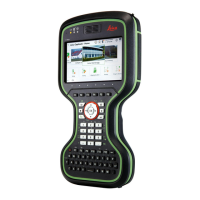
a GS instrument
b (micr
o)SD card
c GEB212 battery
d GRT146 carrier
e Tribrach
f Height hook
g Tripod
h GHT61 hand strap
i CompactFlash card
j Utility hook
k CS20 field controller
l GEB331 battery
m CS10/CS15 field controller
n GEB212 battery
o CS35 tablet
p USB stick
1. Set up the tripod.
2. Mount and level the tribrach on the tripod.
3. Ensure that the tribrach is over the marker.
4. Place and lock the carrier in the tribrach.
5. Insert the data storage device and the batteries into the GS.
6. Screw the GS onto the carrier.
7. Check that the tribrach is still level.
8. Insert the data storage device and the battery into the field control-
ler.
9.
Switch on the field controller and connect it to the instrument if nec-
essary.
10. To hang the field controller on the tripod leg, use the hook on the
hand strap or use the utility hook. Refer to the User Manual of the
field controller.
11. Insert the height hook into the carrier.
12. Measure the antenna height using the height hook.
13. Press the ON/OFF button on the instrument for at least 2 s to switch
on the instrument.
Equipment setup
step-by-s
tep
32 Operation



 To Next Page