2. Run the Set
up_Leica_USB_XXbit.exe to install the drivers necessary
for Leica devices. Depending on the version (32bit or 64bit) of the
operating system on your PC, you have to select between the three
setup files following:
•
Setup_Leica_USB_32bit.exe
•
Setup_Leica_USB_64bit.exe
•
Setup_Leica_USB_64bit_itanium.exe
☞
To check the version of your operating system, go to Con-
trol Panel > System > System type.
☞
The setup requires administrative privileges.
☞
The setup has to be run only once for all Leica devices.
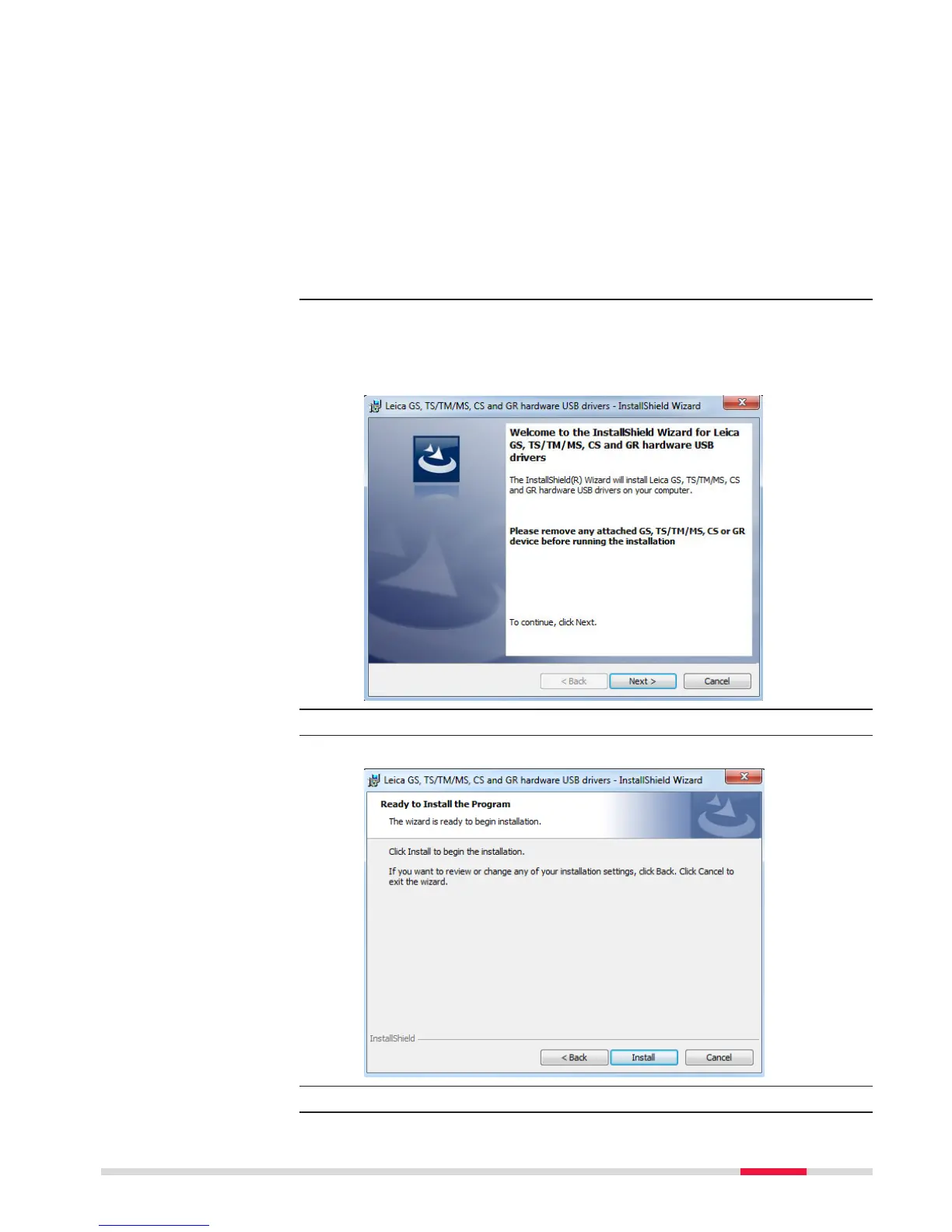
3. The Welcome to InstallShield Wizard for Leica GS, TS/TM/MS,
CS and GR USB drivers window appears.
☞
Ensure that all Leica devices are disconnected from your PC
before you continue!
4. Next>.
5. The Ready to Install the Program window appears.
6. Install. The drivers will be installed on your PC.
Operation 39



 To Next Page