3 User Interface
3.1 Keyboard
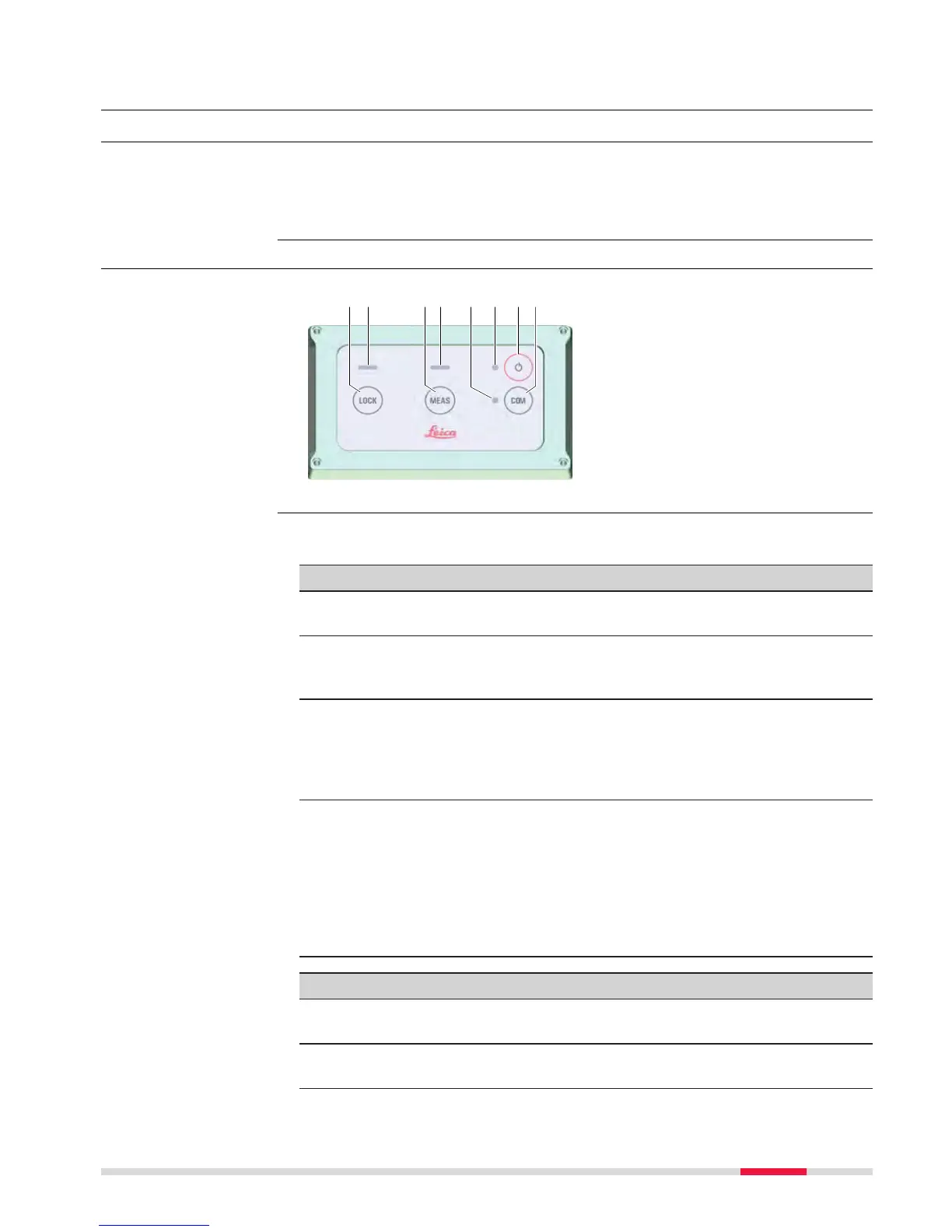
The TS13 basic variant has a four button keyboard unit without display. The
basic var
iant can be upgraded with a keyboard display unit. Both variants can
be upgraded with purchased options that enable Lock, SpeedSearch and the
RadioHandle interface on the instrument.
3.1.1 Four Button Keyboard Unit
a LOCK key
b
LED for locking status
c MEAS key
d LED for measurement status
e LED for communication status
f LED for power status
g ON/OFF key
h COM key
☞
The following description of key functions and LED behaviours applies
t
o the TS13 being connected to a field controller.
Key functions
LOCK
•
Pr
ess to start prism search and lock onto prism.
•
If already locked: Press to unlock from prism.
MEAS
•
Depending on the currently active settings and field control-
ler application:
Press to start a measurement or to store a measurement.
ON/OFF
•
Press for 2 s to turn on the instrument.
•
Press and hold for more than 2 s to shut down the instru-
ment.
•
Press and hold for more than 5 s to reset the sensor.
•
Press and hold for more than 8 s to do a hard shutdown.
COM
•
To toggle through the communication modes, press the key
repeatedly.
Communication modes:
-
RS232
-
Bluetooth
-
Long-range Bluetooth
•
Press and hold for more than 5 s to change between CS con-
troller and Geocom connection.
LED behaviours
LOCK
•
Of
f: Prism not locked.
•
Solid green: Prism found and locked.
MEAS
•
Off: No active measurement.
•
Solid green: Measurement is executed.
Description
Four button keyboard
w
ithout display
TS13 key functions
an
d LED behaviour
User Interface 33



 To Next Page