OR
Select R
edo to decline all measurements and to repeat all calibration
runs.
OR
Back returns to the previous screen.
IF the results are THEN
to be stored If the Use status is set to Yes, N
ext over-
writes the old adjustment errors with the
new ones.
to be determined again Redo rejects all new determined adjustment
errors and repeats the whole procedure.
Refer to paragraph "Combined adjustment
procedure step-by-step".
5.4 Tilting Axis Adjustment (a)
This adjustment procedure determines the following instrument error:
Instrument error Description
a Tilting-axis error
The following table explains the most common settings.
☞
Determine the horizontal collimation error (c) before starting this
p
rocedure.
1. Leica Captivate - Home: Settings\TS instrument\Check & adjust
2. Check & Adjust
Select the option: Check & adjust the tilting axis
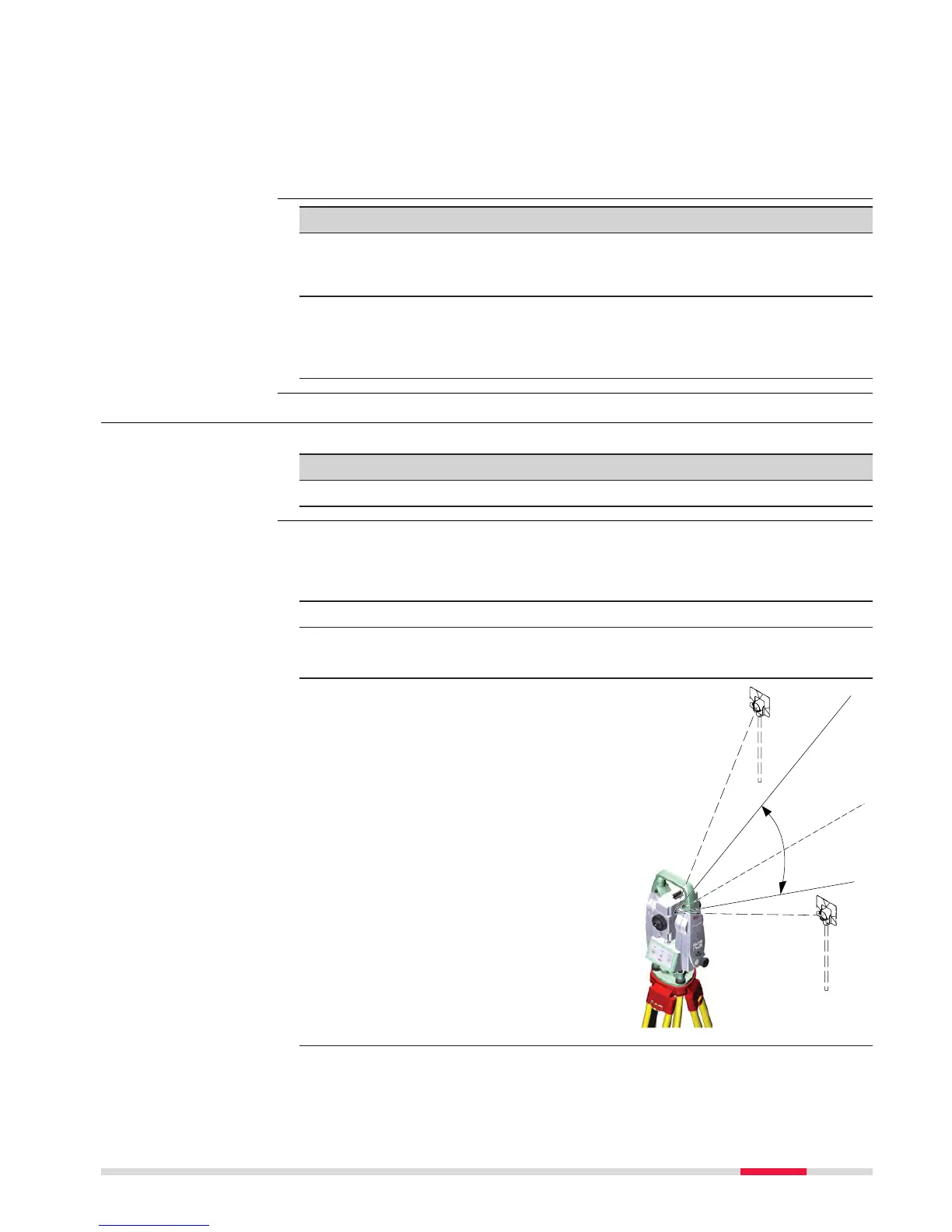
3. Face I measurement
Aim the telescope accurately at
a target at about 100 m dis-
tance (or at least 20 m). The
target must be positioned at
least 27°/30 gon above or
beneath the horizontal plane.
The procedure can be started in
any telescope face.



 To Next Page