LED behaviours
ON/OFF
•
Of
f: Instrument is switched off.
•
Solid red after switching on: Instrument is booting.
•
Solid green/yellow/red: Indicator for the battery status.
-
Green: More than 40% of battery charge remaining.
-
Yellow: More than 20% of battery charge remaining.
-
Red: Remaining battery charge is very low.
•
Flashing green: Instrument is shutting down.
COM
•
Off: RS232 Serial port selected.
•
Solid green: Internal Bluetooth selected.
•
Solid red: Long-range Bluetooth using RadioHandle is selec-
ted.
•
Solid blue: Bluetooth communication established to CS con-
troller using Internal Bluetooth or long-range Bluetooth.
LOCK,
M
EAS
and COM
together
•
Solid gr
een/red: Changing between CS controller and Geo-
com connection.
•
Solid red: Reset process of the system is started.
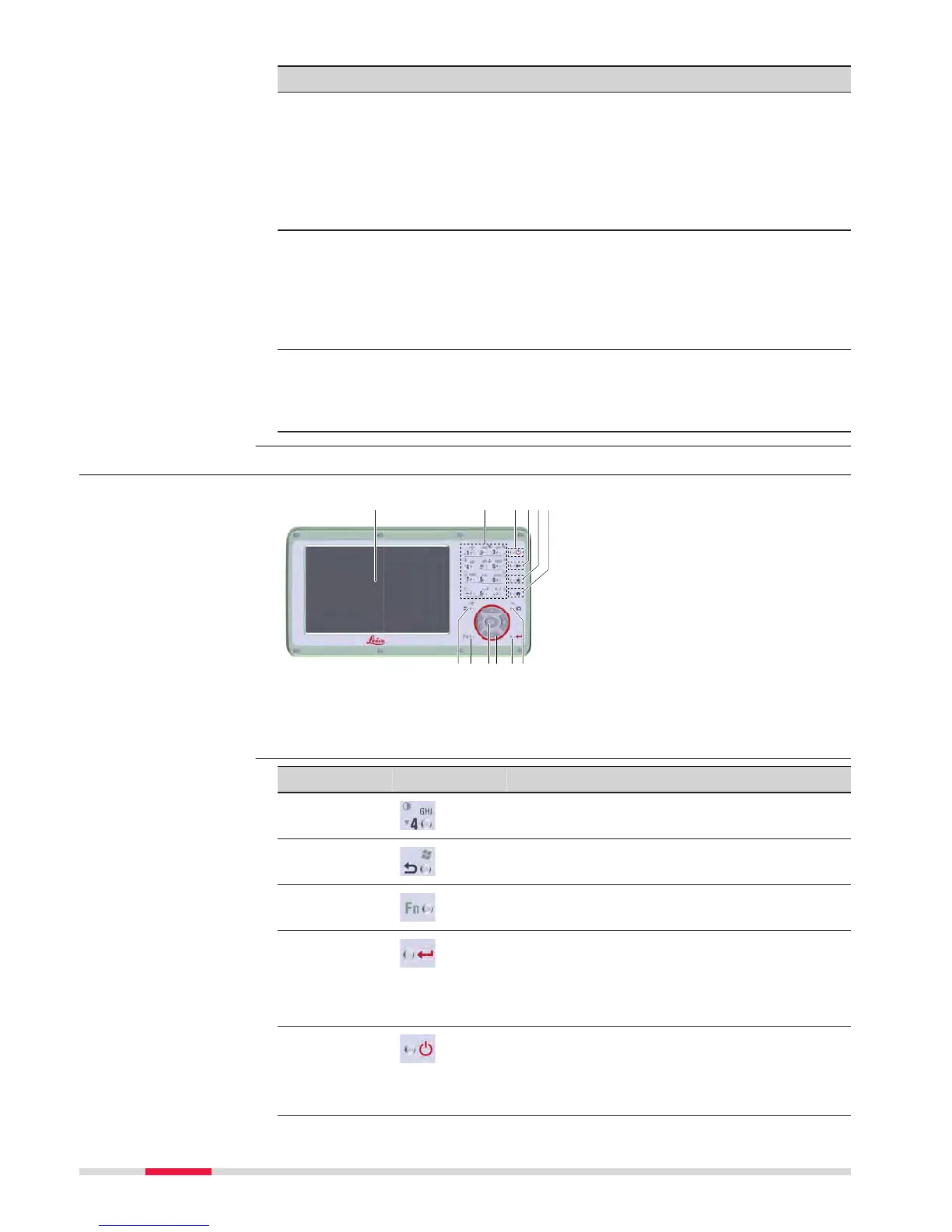
3.1.2 Keyboard Display Unit
a Display
b
Alphanumeric keys
c ON/OFF
d Backspace
e Favourites
f Home
g Esc
h Fn
i OK
j Arrow keys
k Enter
l Camera*
* Not applicable
Key Function
Alphanumeric
k
eys
To type letters and numbers.
Esc Leaves the current screen without storing
an
y changes.
Fn
Switches between first and second level of
an
y key on the keyboard.
Enter
Selects the highlighted line and leads to the
nex
t logical menu / dialog.
Starts the edit mode for editable fields.
Opens a selectable list.
ON/OFF
If the instrument is already off: Turns on the
ins
trument when held for 2 s.
If the instrument is already on: Turns to
P
ower Options menu when held for 2 s.
Keyboard display unit
Keys
34 User Interface



 To Next Page