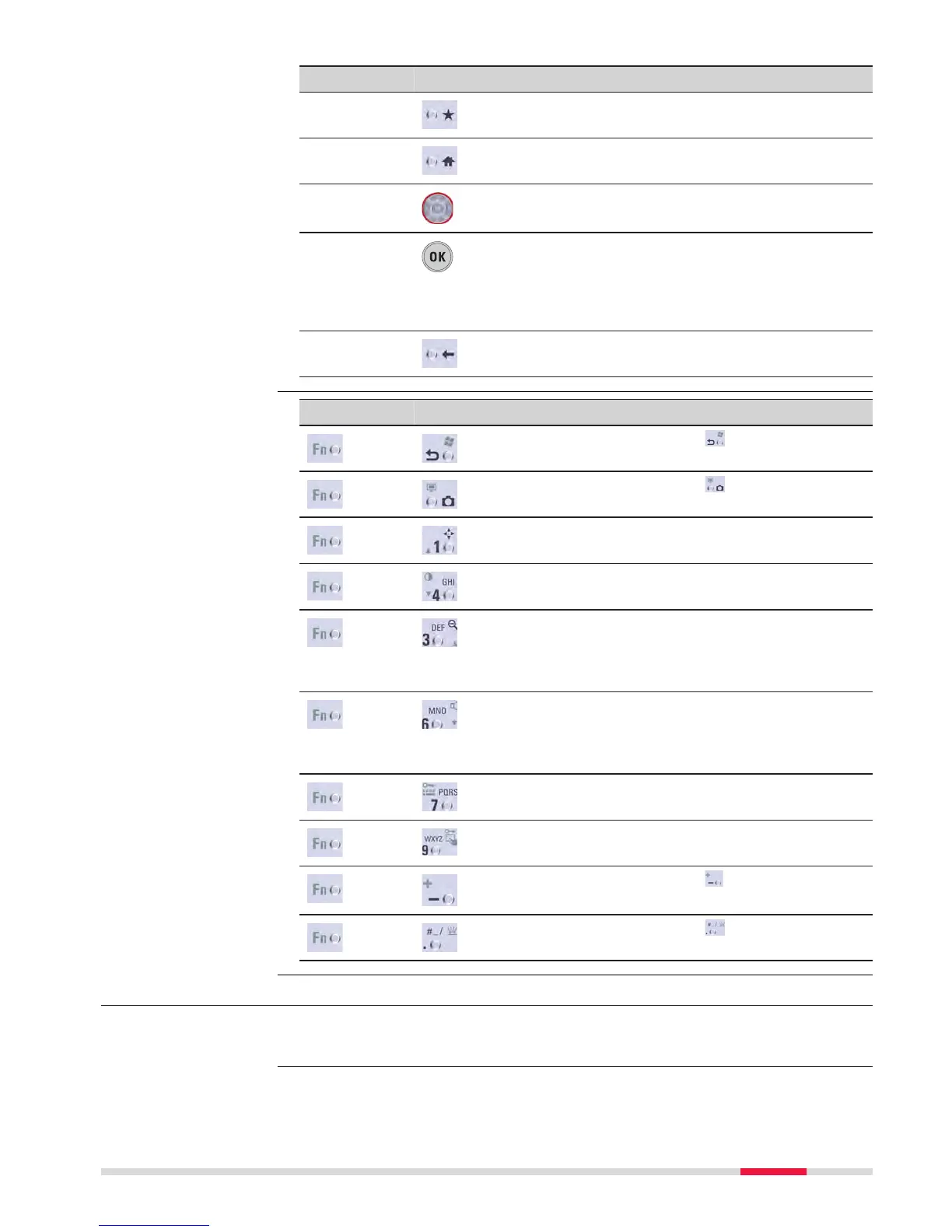
Key Function
Favourites Goes to a favourites menu.
Home Switches to the Home Menu.
Arrow keys Move the focus on the screen.
OK Selects the highlighted line and leads to the
nex
t logical menu / dialog.
Starts the edit mode for editable fields.
Opens a selectable list.
Backspace
Deletes the job in the centre of the job car-
ous
el.
Key Function
+ Hold Fn while p
ressing
.
Swit
ch to Windows.
+ Hold Fn while p
ressing
.
T
ake a screenshot of the current screen.
+ Hold Fn while p
ressing 1.
Increase the screen brightness.
+ Hold Fn while p
ressing 4.
Decrease the screen brightness.
+ Hold Fn while p
ressing 3.
Increase the volume for acoustic warning sig-
nals, beeps and keypresses on the instru-
ment.
+ Hold Fn while p
ressing 6.
Decrease the volume for acoustic warning
signals, beeps and keypresses on the instru-
ment.
+ Hold Fn while p
ressing 7.
Lock/unlock the keyboard.
+ Hold Fn while p
ressing 9.
Lock/unlock the touch screen.
+ Hold Fn while pressing .
Enter a plus sign instead of a minus sign.
+ Hold Fn while p
ressing
.
T
urn the keyboard illumination on/off.
3.2 Operating Principles
Refer to Four Button Keyboard Unit for the operating principles of the four but-
t
on keyboard.
Key combinations
☞
User Interface 35



 To Next Page