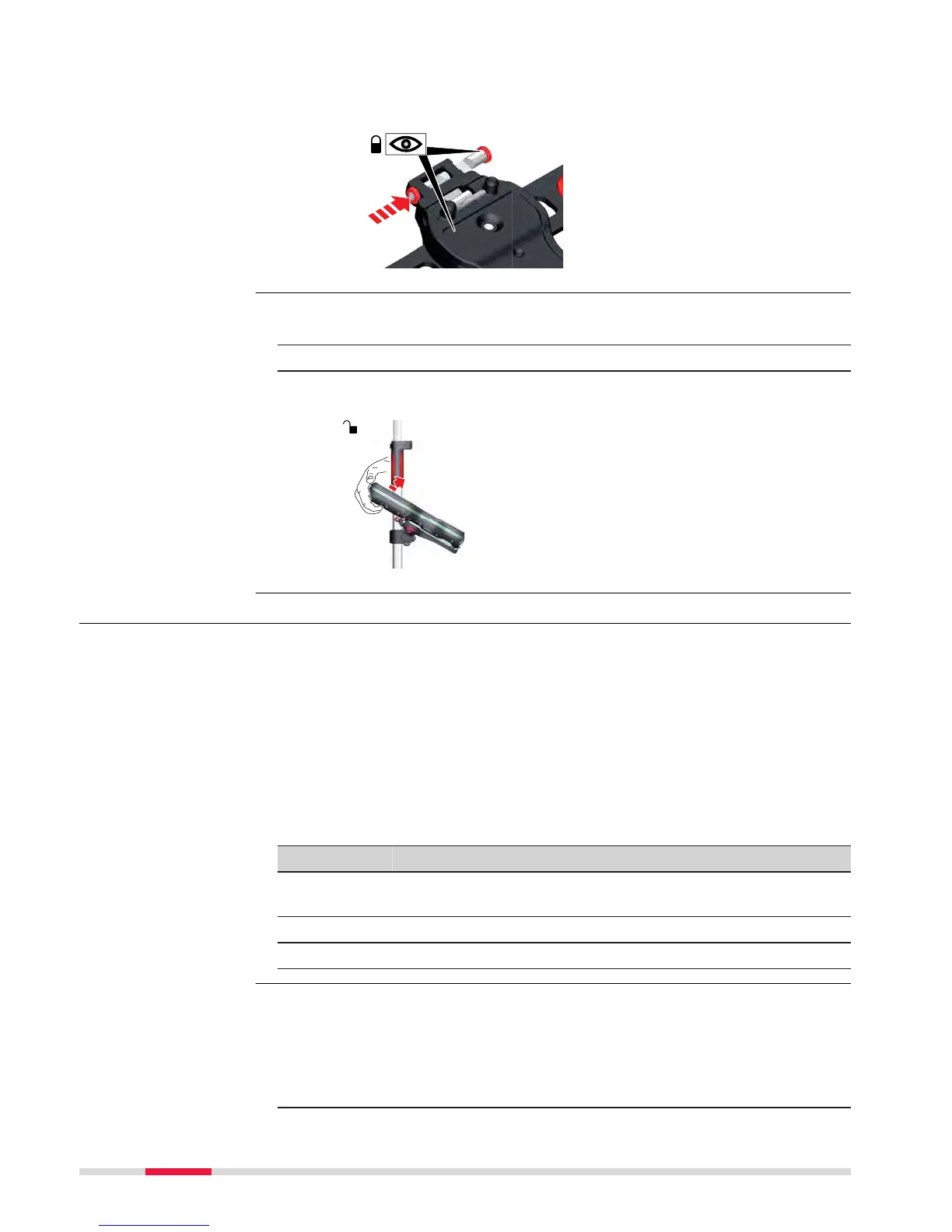
8. After the CS field controller is placed onto the mounting plate,
ensur
e that the locking pin is put into the locked position. To lock
the locking pin, push the locking pin to the right.
1. Unlock the locking pin by pushing the locking pin to the left of the
moun
ting plate.
2. Place your palm over the top of the field controller.
3. While in this position, lift the top of the field controller from the
holder.
4.4 Connecting to a Personal Computer
Windows Mobile De
vice Center for PCs with Windows 7/Windows 8/
Windows 10 operating system is the synchronization software for Windows
mobile-based pocket PCs. WMDC enables a PC and a Windows mobile-based
pocket PC to communicate.
Leica USB drivers support Windows 7, Windows 8 (8.1) and Windows 10 oper-
a
ting systems.
Cables
Leica USB dr
ivers support:
Name Description
GEV223 USB data cable, 1.8 m, connects instrument to Mini-USB to
USB
GEV234 USB data cable, 1.65 m, connects CS to GS or CS to PC (USB)
GEV261 Y-cable, 1.8 m, connects instrument to PC – battery
☞
Skip the following steps if you have never installed Leica USB drivers
b
efore.
If older drivers were previously installed on the PC, follow the instructions to
unins
tall the drivers prior the installation of the new drivers.
1. Connect your instrument to the PC via cable.
Detaching the field
con
troller from a pole
step-by-step
Description
Uninstalling the
pr
evious drivers
40 Operation



 To Next Page